

Manage husbandry operations
Crew changes, flights, hotels, transport, shipments and cash to master.
Husbandry is the work around a vessel’s call beyond the port itself: crew changes, flights, hotels and transfers, shipments, boat trips and cash to the master. PCM keeps each as a record on the job, next to its services; the records carry no prices, so what you charge is still a service.
Open the job’s Operations tab
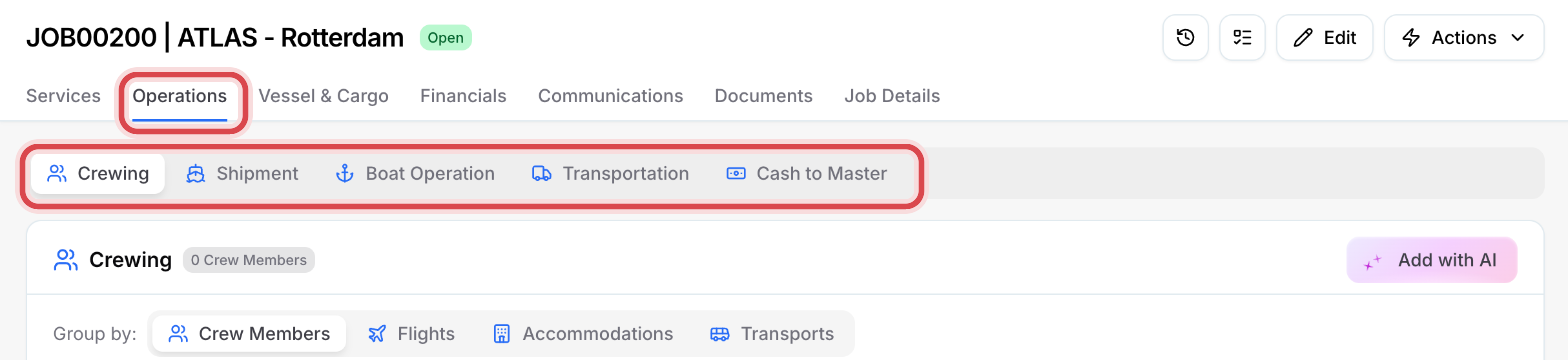
Open the job and click the Operations tab. It has five sections:
Section What it holds How-to Crewing Crew members, and their Flights, Accommodations and Transports Add crew members Shipment Parcels and cargo shipped to or from the vessel Record a shipment Boat Operation Trips by boat, such as launch trips Record boat operations and transportation Transportation Trips by road vehicle Record boat operations and transportation Cash to Master Cash delivered to the vessel’s master Record cash to master You only see the sections you have permission for.
Note: Crew, flights, accommodations, transports and shipments each belong to one of the job’s customers. Add the customer to the job first.
Link a record to its services
Most operations forms have a Related To field. Choose the job’s services the record belongs to, for example the crew change service for a flight. The link shows in the record’s Related Services. Cash to master records cannot be linked.
Attach documents and generate letters
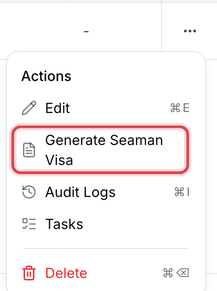
You can attach files to most records, such as tickets or delivery notes, from your computer or from the job’s documents. Some records also generate a document from their actions:
Record Document Crew member Generate Seaman Visa Flight Generate OKTB, see Generate an OKTB letter Transport Generate Transportation Slip Boat operation Generate Boat Service Shipment Generate Proof of Delivery You only see the documents your company has access to.
Change or delete records
Use Edit or Delete in the record’s actions. To delete several at once, tick them in the list and delete them together.
Note: Records cannot be changed once the job is closed or cancelled, or while they are shared with another branch through a request.
See husbandry across all jobs
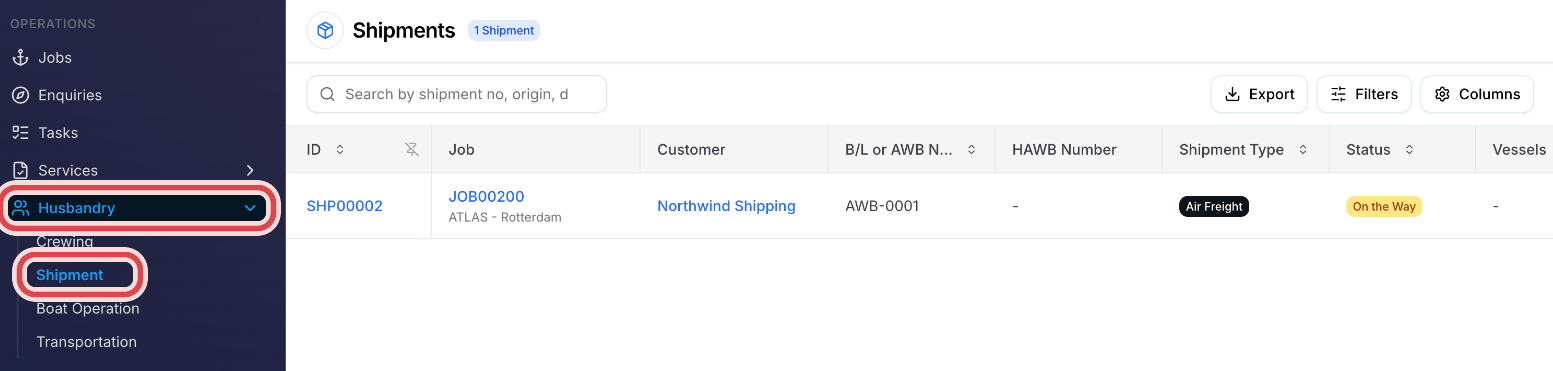
Husbandry in the left menu lists the Crewing, Shipment, Boat Operation and Transportation records of every job in the branch. Search and filter them across jobs, for example to find every shipment still on the way. To add a record, open its job.
Was this article helpful?
Thanks for your feedback.