

Record boat operations and transportation
Record launch trips and road trips for a job.
Record each trip by boat, such as a launch trip to the vessel, and each trip by road vehicle on the job, with what was carried.
Add a boat operation
Open the job, click the Operations tab, open Boat Operation and click Add Boat Operation. Choose the Boat and enter From and To. You can add the Boat Master, the dates, the Carried Object and the Purpose of Trip. Click Add.
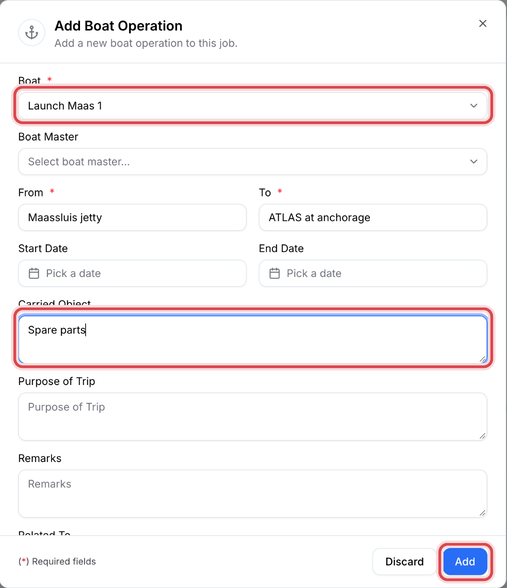
Note: Depending on your branch’s setup, you may also see Stage.
Add a road trip
Open Transportation and click Add Transportation. Choose the Vehicle and enter From and To. You can add the Driver, dates and Carried Object. Click Add.
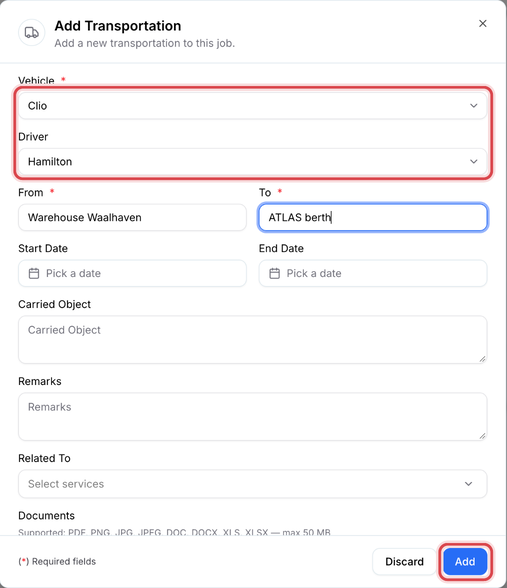
Tip: Boats, boat masters, vehicles and drivers come from Master Data.
Link the trip to its service
In Related To, choose the job’s service the trip belongs to, such as the launch hire.
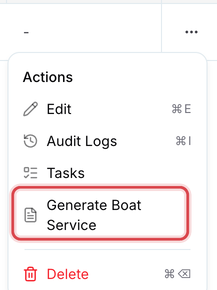
Generate the boat service document
Open the boat operation’s actions and click Generate Boat Service, if your company has access to it.
Was this article helpful?
Thanks for your feedback.