

Manage vendors and other master data
Add vendors, their addresses and contacts, and choose which branches use them.
Master Data holds the lists that jobs, services and documents pick from. A vendor is a company you buy from for a job, such as a pilotage company or a wholesaler. You need it in PCM to put its costs on services and to enter its invoices.
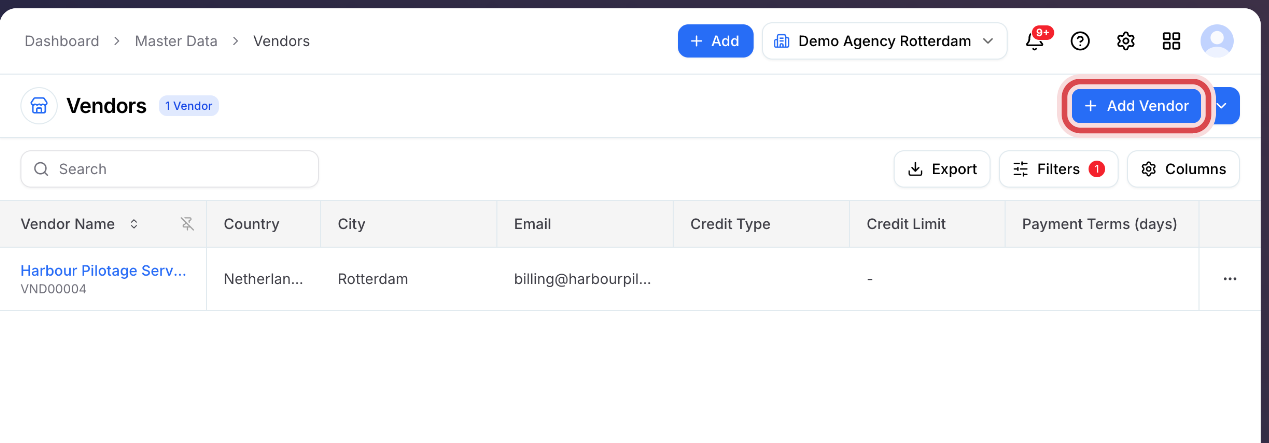
Open Add Vendor
Go to Master Data → Vendors and click Add Vendor.
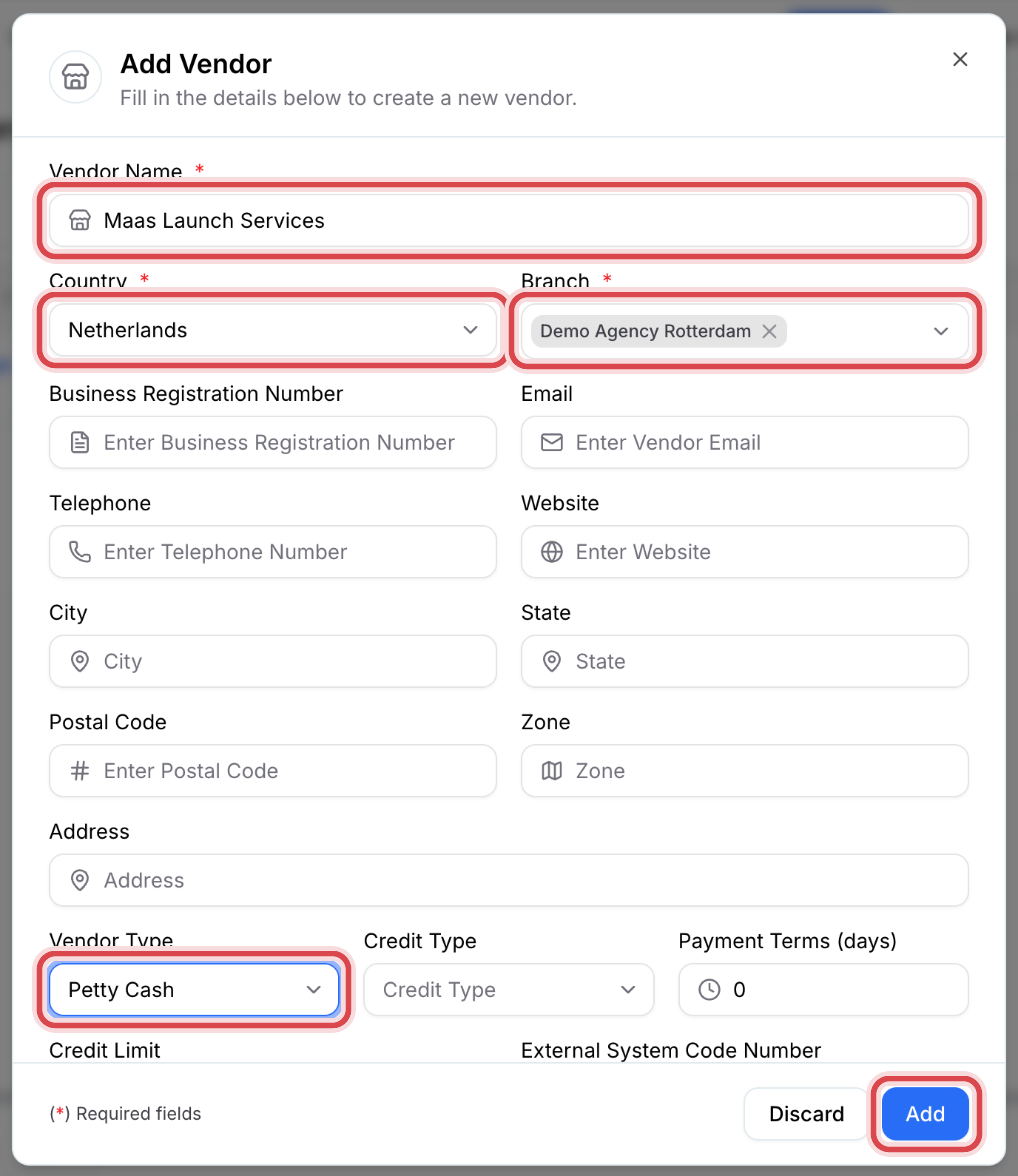
Fill in the vendor
Three fields are required:
- Vendor Name.
- Country. With the rest of the address, it becomes the vendor’s first billing address.
- Branch: the branches that work with this vendor. It shows only in their lists.
Credit Type, Credit Limit and Payment Terms (days) are optional and kept per branch. Set Vendor Type to Petty Cash for a vendor you pay from petty cash: its invoices then follow the Approves Vendor Invoice Petty cash approval workflow, if your branch has one.
Click Add.
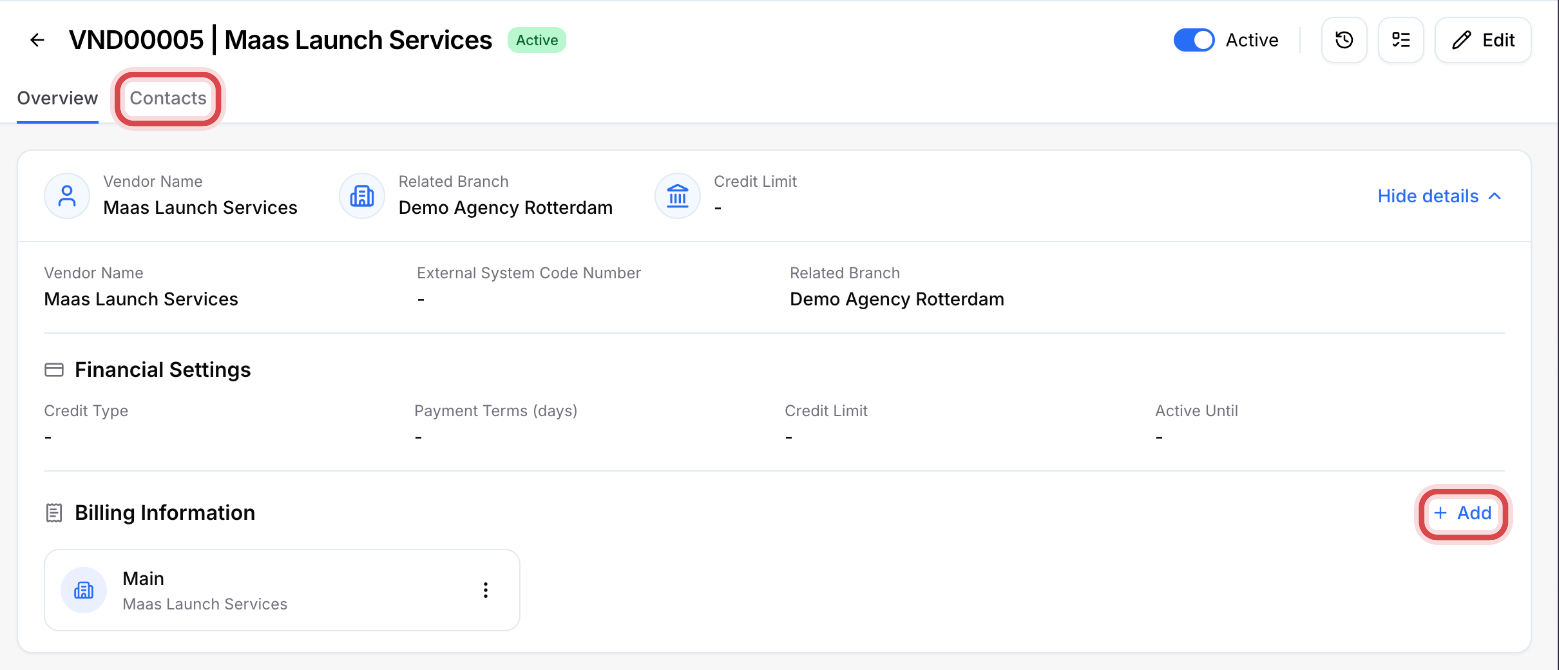
Add addresses and contacts
Open the vendor from the list. Under Billing Information, click Add to add another address; the first one stays the default and cannot be deleted. On the Contacts tab, add the people you deal with.
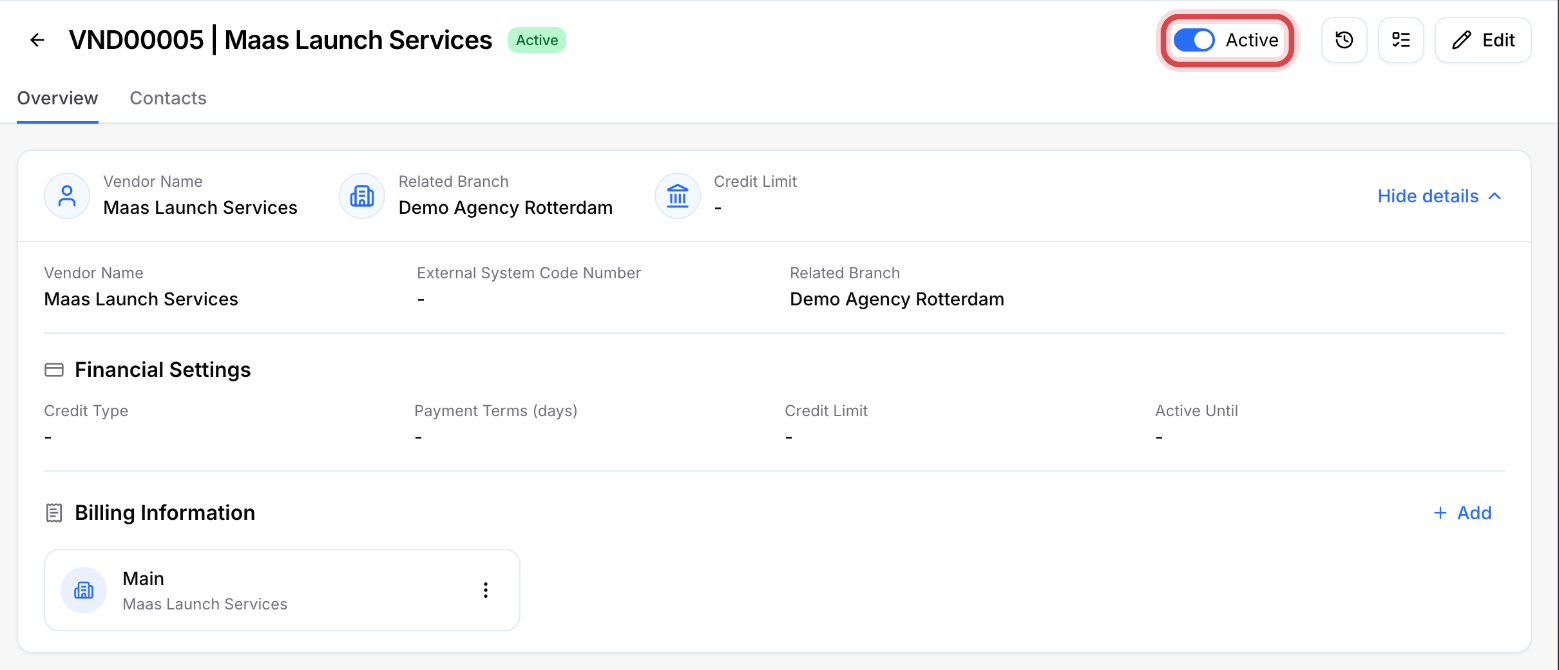
Hide a vendor your branch no longer uses
Open the vendor and switch it from Active to Inactive. It is hidden only in the branch selected at the top of the screen. The same switch exists for customers, boats and boat masters.
Note: Deleting a record removes it for every branch of your company, and PCM does not check whether jobs or documents still use it. Use Inactive when only your branch is done with it.
Was this article helpful?
Thanks for your feedback.