

Create and approve a Final Invoice
Bill the customer for the services provided on a job.
The Final Invoice is the customer’s bill for a job, at the final prices, and it is what the customer pays. You prepare it as a draft, check it, then approve it.
Mark the services ready to bill
A Final Invoice only takes services that are Ready to bill. On the job’s Services tab, tick the finished services and click Mark as Ready to Bill. When PCM asks Add to Final Invoice?, click Yes.
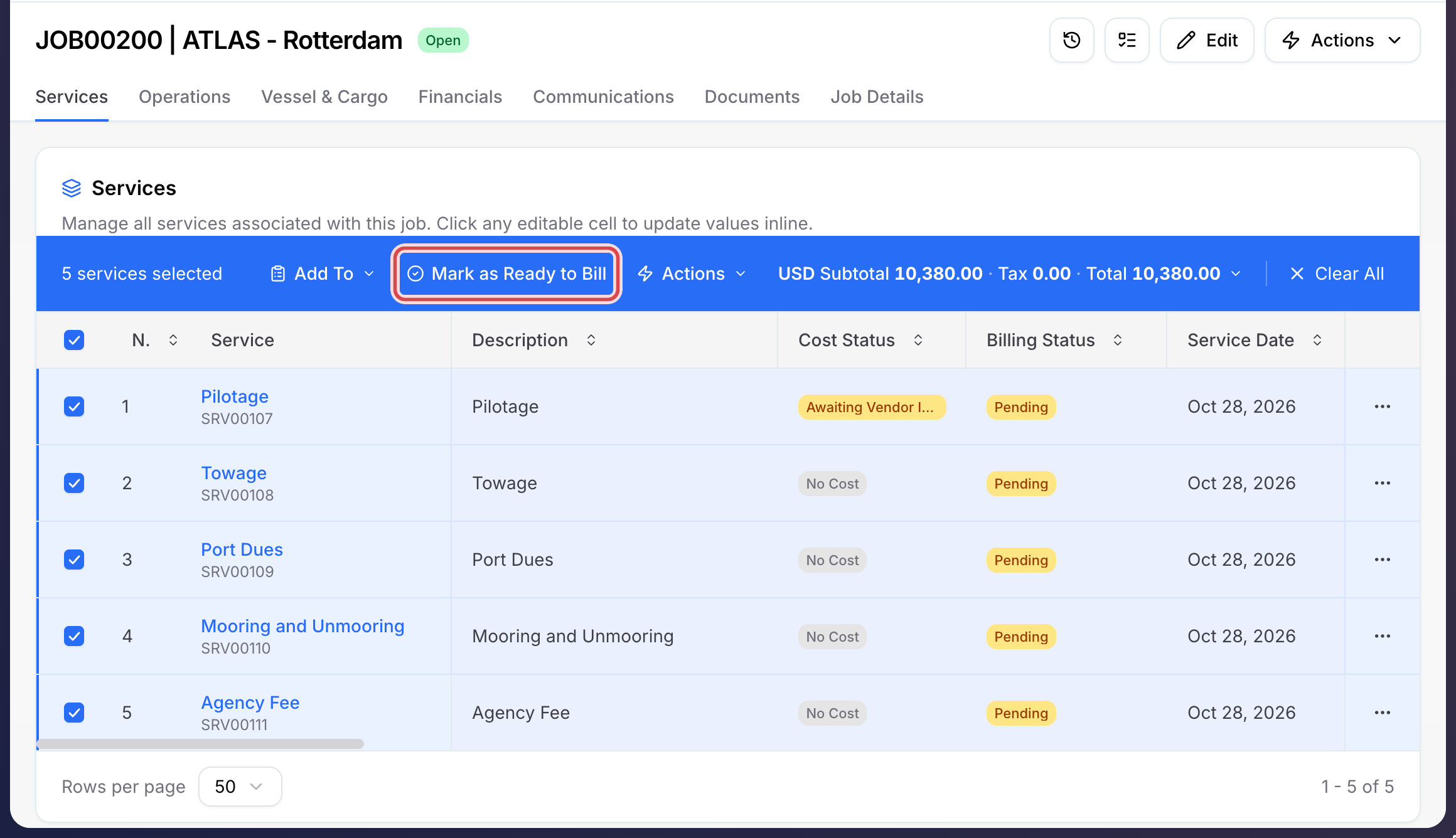
Tip: You can also start from the Financials tab: click Create, choose Final Invoice, then add the services on the invoice with Add Service.
Choose or create the draft
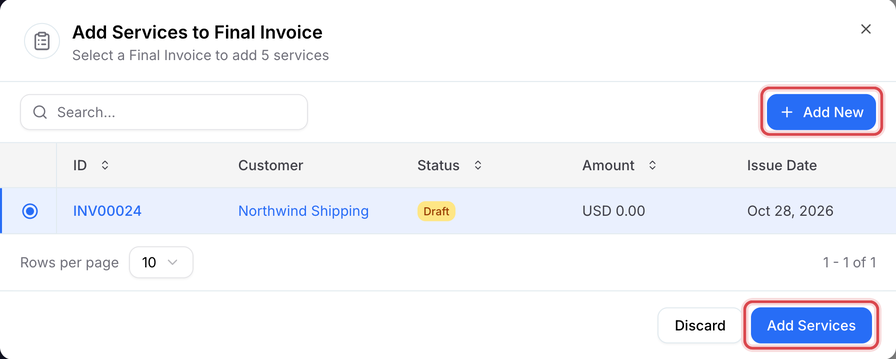
Add Services to Final Invoice lists the job’s draft Final Invoices. Select one and click Add Services, or click Add New to create one.
Fill in the details
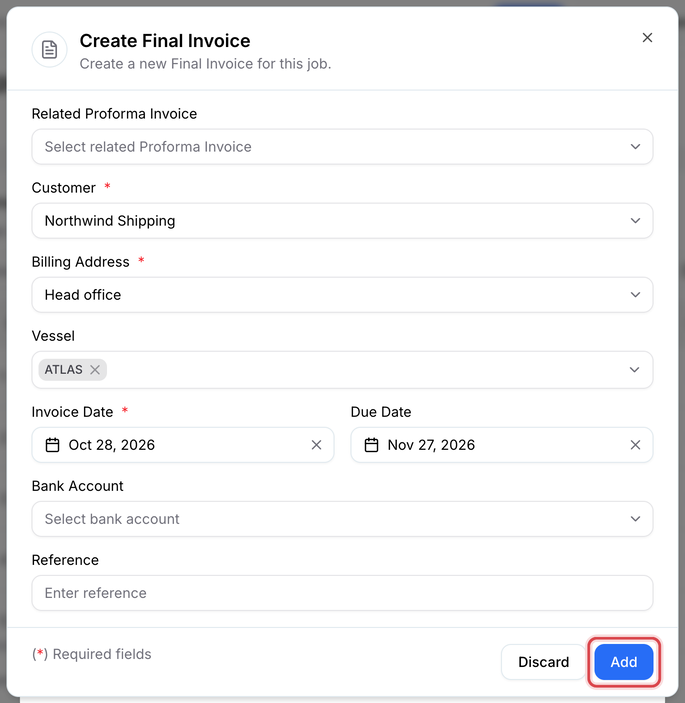
Fill in Customer, Billing Address, Invoice Date and Document Currency. Due Date fills in from the customer’s payment term. Pick a Related Proforma Invoice only if the customer paid an advance; see Take an advance and settle it on the Final Invoice. Click Add.
Check the lines and totals
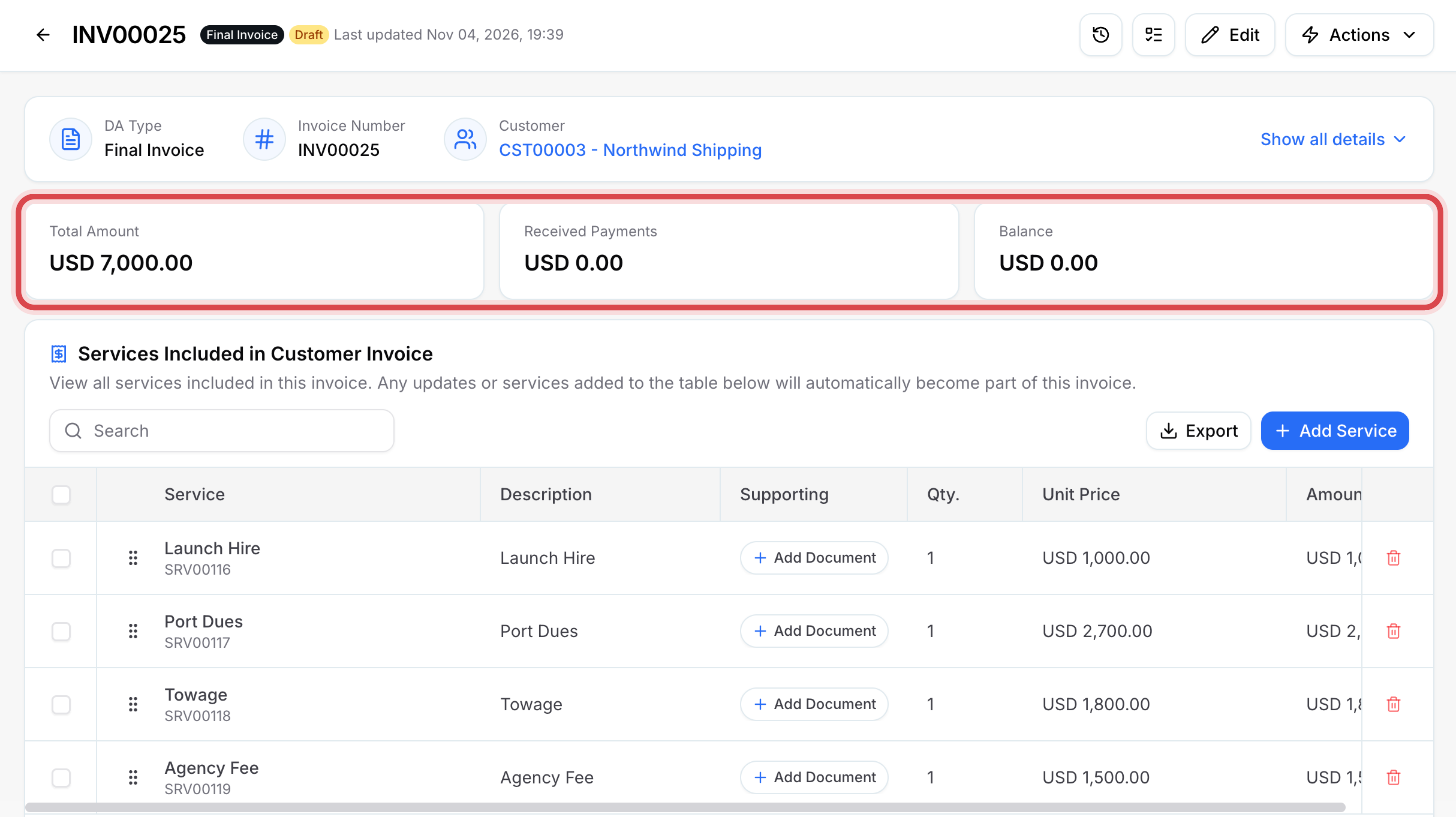
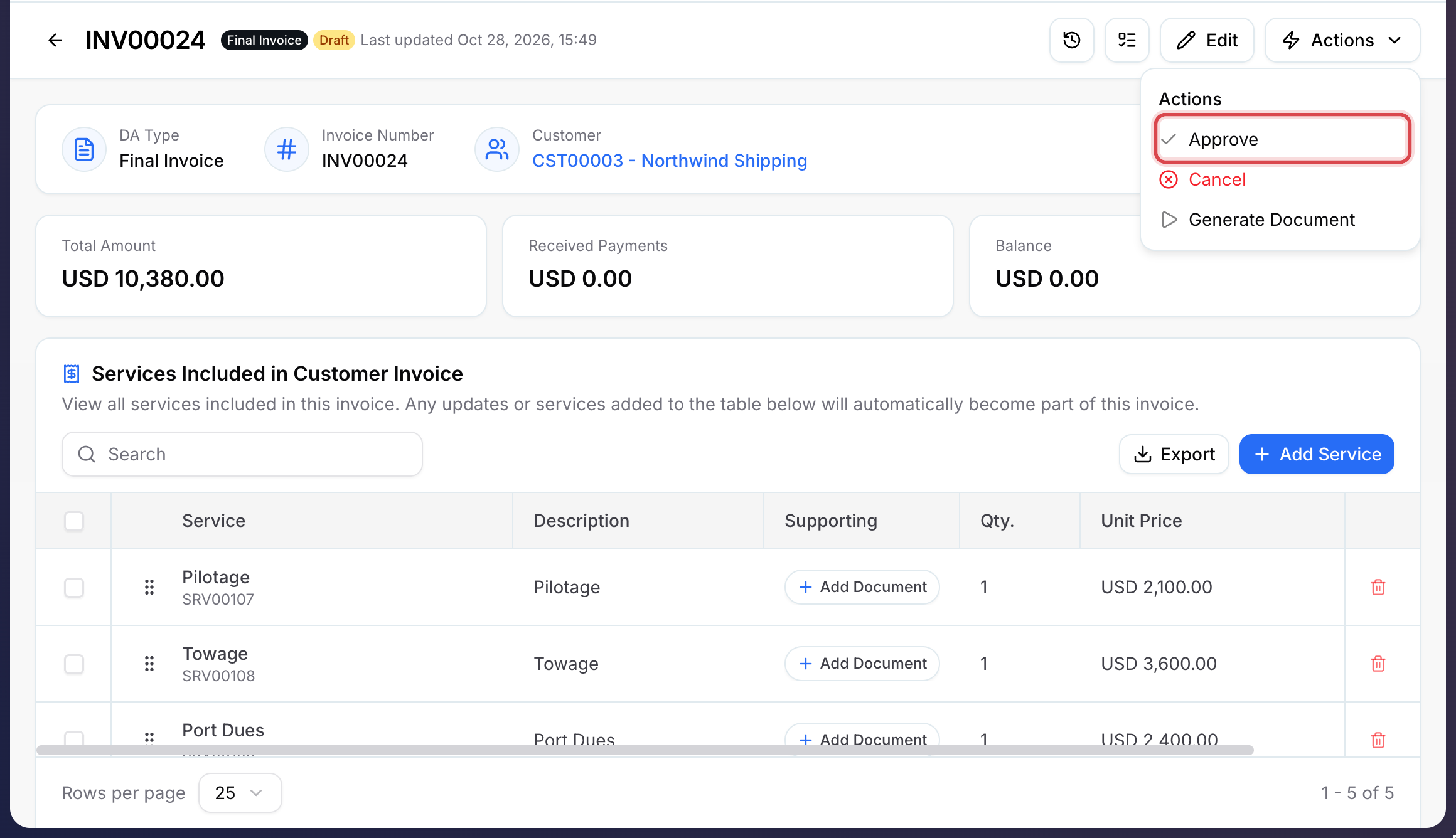
The draft opens with the services under Services Included in Customer Invoice. Check the prices, then the totals above the lines: Total Amount, Received Payments and Balance. To group, reorder or remove lines, see Arrange the lines of a Final Invoice.
Approve it
Open Actions, click Approve, and confirm with Approve. A draft number is replaced by the real one, its services become Billed, and its status becomes Awaiting Payment, or Paid if an advance covers it.
Note: An approved Final Invoice cannot be edited or cancelled. To reduce it, issue a Credit Note. See Correct a Final Invoice with a Credit Note.
Note: If your branch has approval rules for Final Invoices, you see Submit for Approval instead. The invoice waits as Submitted for Approval and goes back to Draft if it is rejected. See Approve or reject items waiting for you.
To send the invoice, see Generate an invoice document. For every status, see Final Invoices.
Was this article helpful?
Thanks for your feedback.