

Take an advance on a Proforma Invoice and settle it on the Final Invoice
Take the customer's advance off the Final Invoice.
When a customer has paid an advance on a Proforma Invoice, you link it to the Final Invoice, and PCM takes the advance off what the customer still owes. If you take no advance, go straight to Create and approve a Final Invoice.
Take the advance
Create a Proforma Invoice, approve and send it, then record the advance against it when the customer pays.
Note: Record all the advance payments before you link the Proforma Invoice to a Final Invoice. After that, they can no longer be changed or cancelled.
Mark the services ready to bill
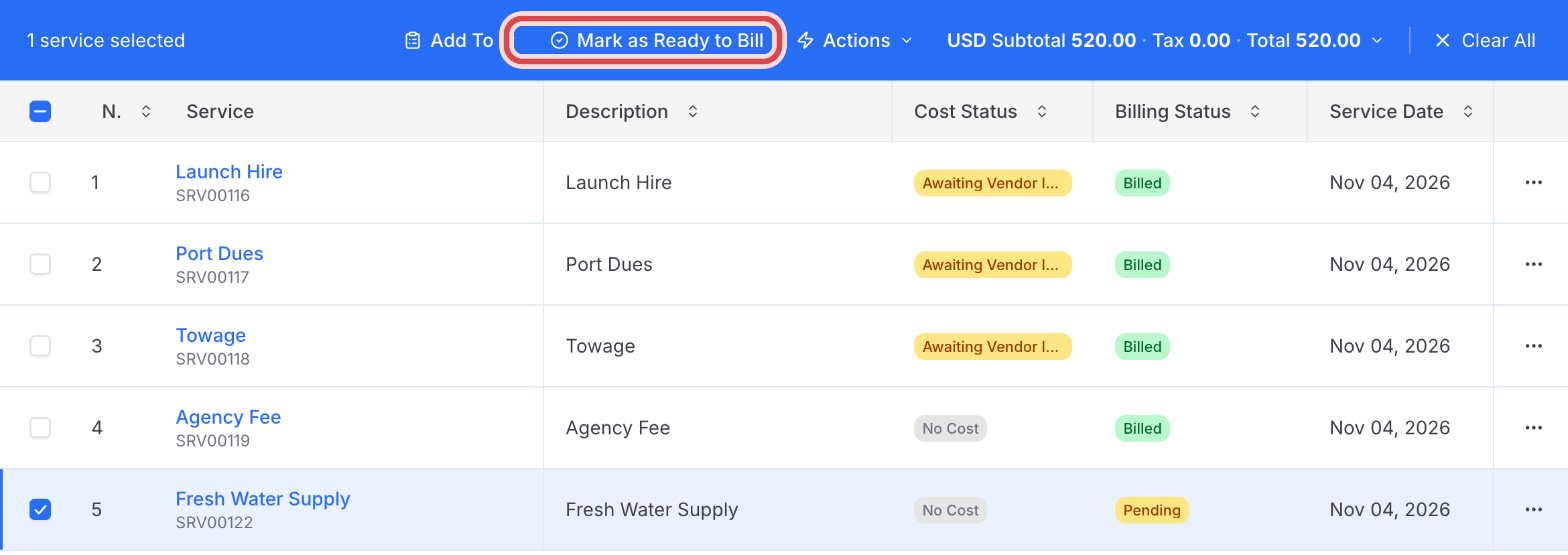
When the work is done, correct any prices that changed and add any services the estimate missed. Tick them on the Services tab and click Mark as Ready to Bill. A service can be on a Proforma Invoice and a Final Invoice at the same time.
Link the advance on the Final Invoice
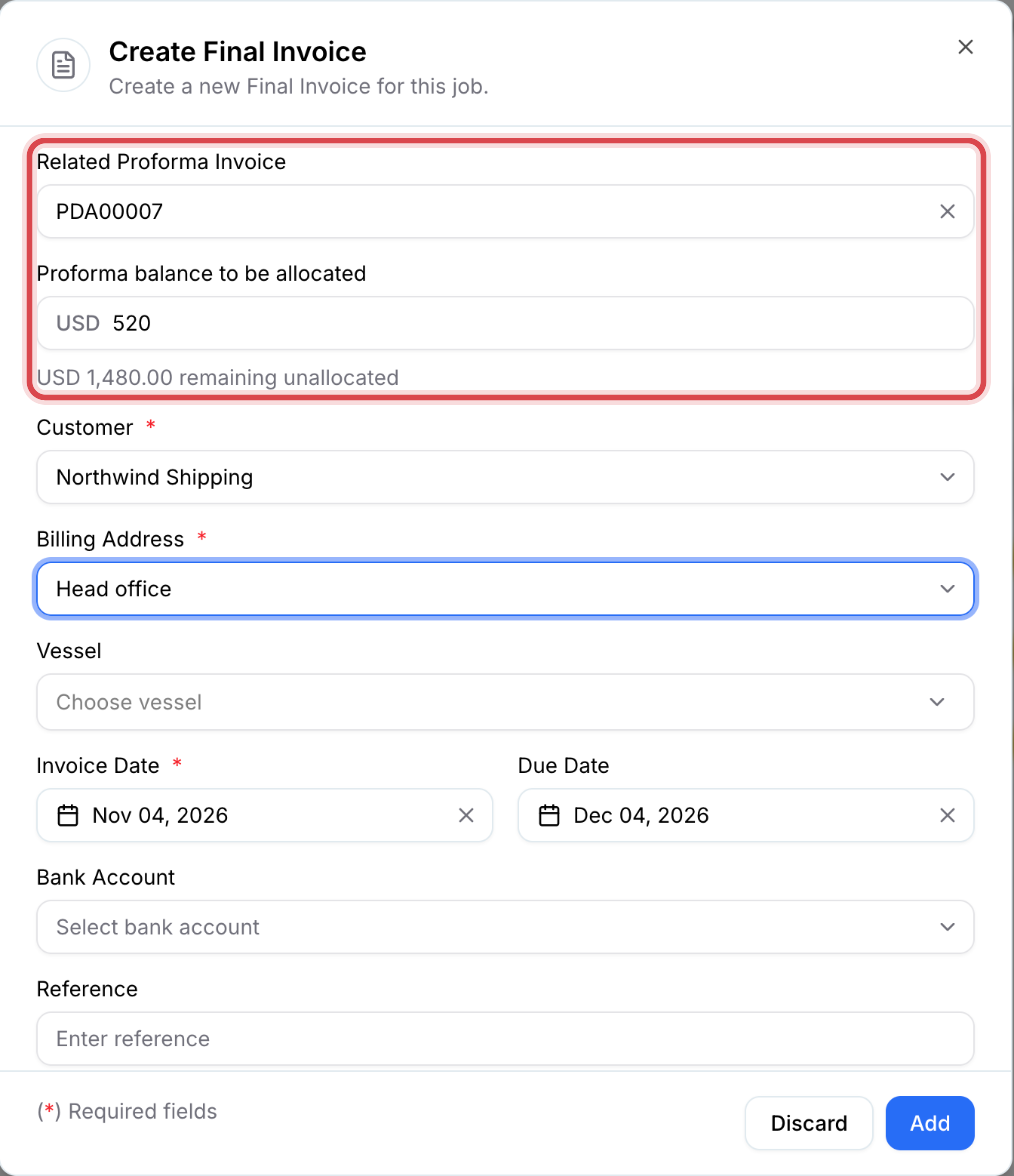
Click Yes on Add to Final Invoice?, then Add New. In Create Final Invoice, choose the Related Proforma Invoice. Proforma balance to be allocated fills in with what is left of the advance; lower it if only part should go to this invoice. Fill in the other fields as usual and click Add.
Tip: While the Final Invoice is a draft, you can change the link or the amount with Edit. If you cancel the draft, the advance goes back to the Proforma Invoice.
Approve the Final Invoice
Open Actions and click Approve. Balance becomes the Total Amount less the advance, and the status Awaiting Payment. If the advance covers the whole invoice, it is Paid straight away, and any unused part goes back to the Proforma Invoice.
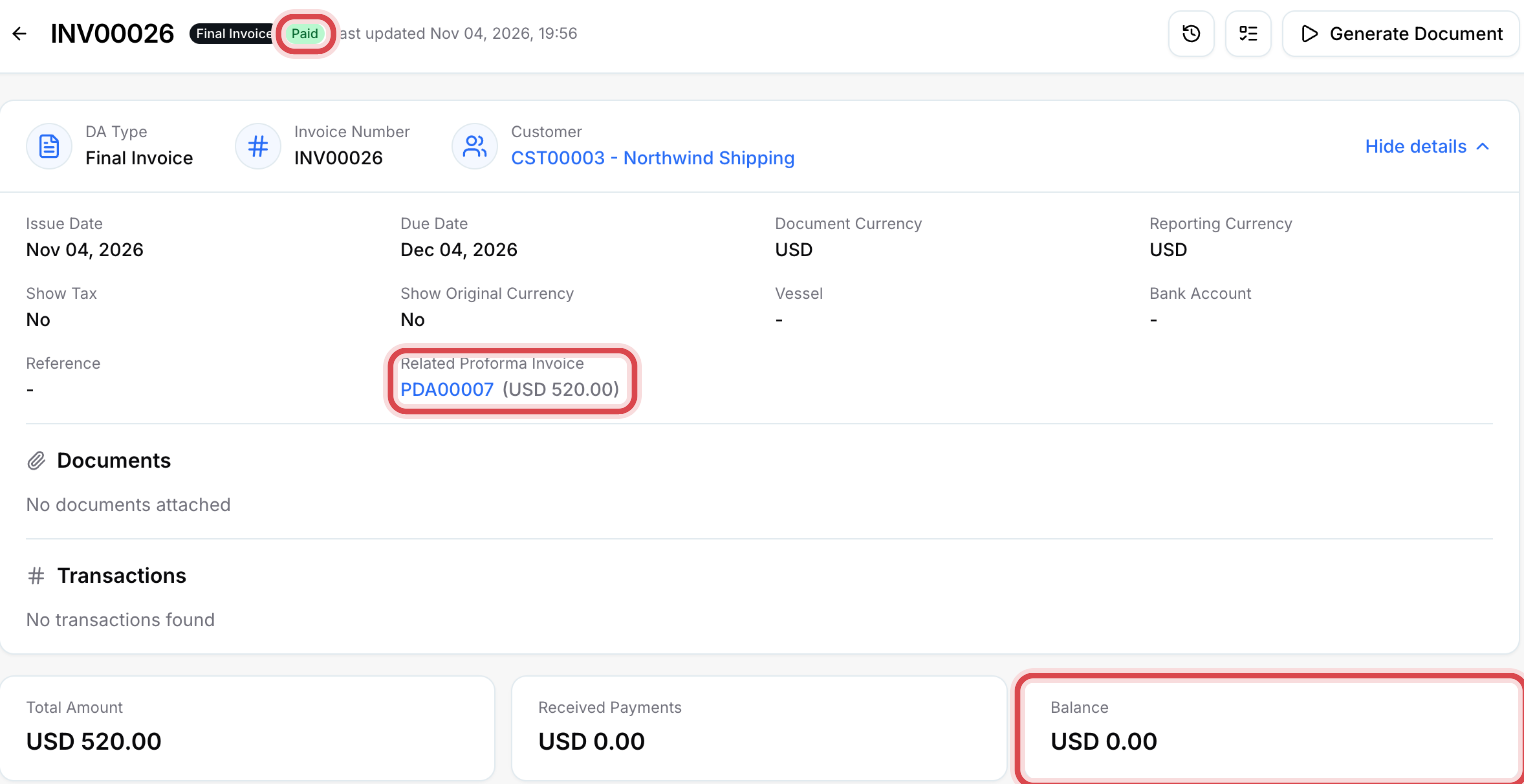
Note: Received Payments shows only payments recorded against the Final Invoice itself, not the advance.
Collect the rest
If a balance is left, record the customer’s next payment and allocate it to the Final Invoice. When Balance reaches zero, it shows Paid.
Money still left on a Proforma Invoice when you close the job moves to a Rolling Proforma Invoice. For the rules, see Proforma Invoices.
Was this article helpful?
Thanks for your feedback.