

Record a customer payment and allocate it
Record money from a customer and allocate it to one or more invoices.
When a customer pays you, record the money as a customer payment and allocate it to the invoices it pays. A payment is always allocated in full, so every invoice shows what is paid and what is still due.
Open Add Customer Payment
Go to Customer Payments in the Finance section of the left menu and click Add Customer Payment.

Enter the payment details
Fill in Customer, Document Date, Payment Method and Net Amount Received with its currency: what actually reached your account. Add Bank Charges if the bank kept a fee. Click Next: Allocate Funds.
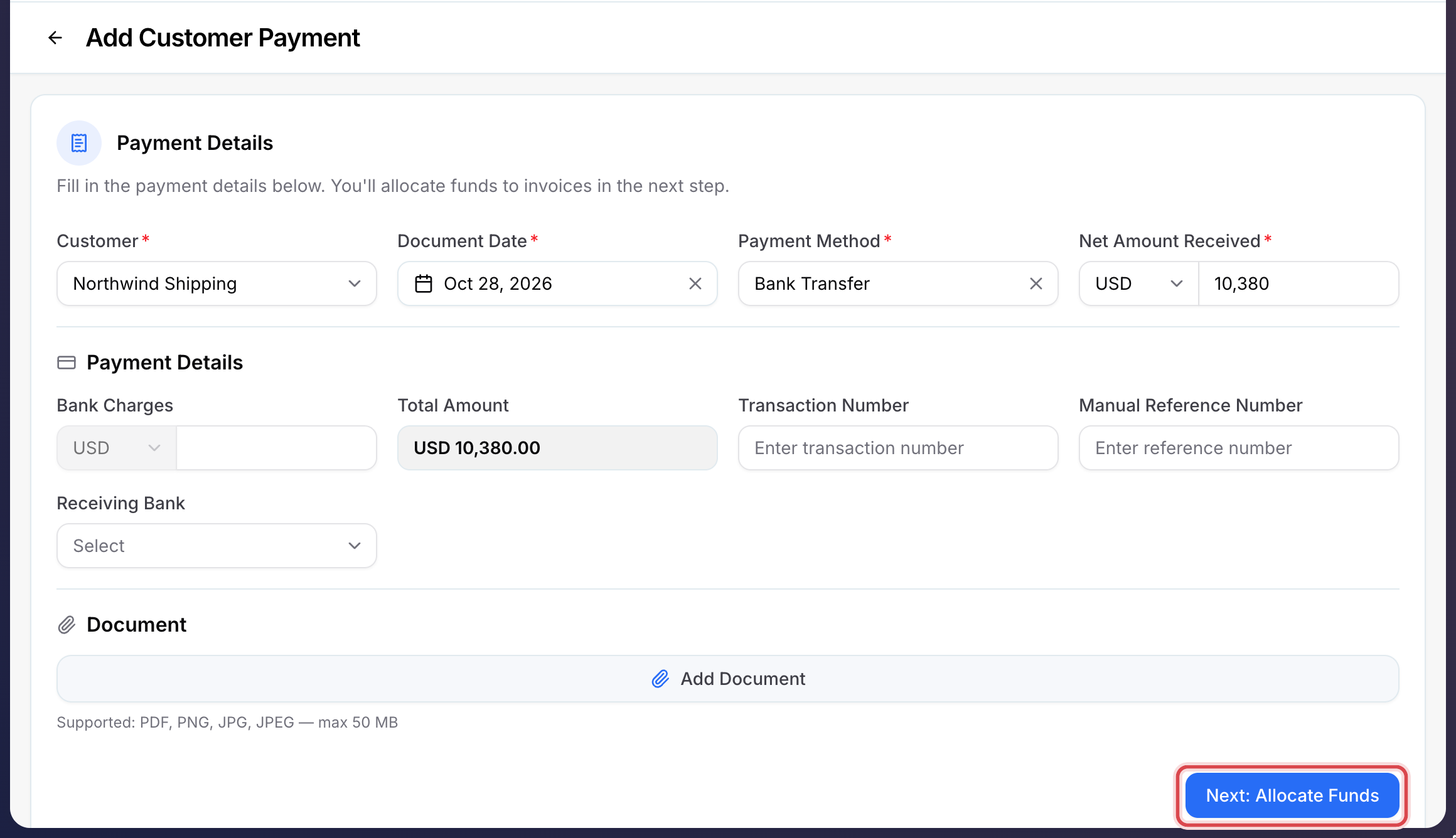
Note: You allocate the Total Amount, bank charges included. The bank’s fee is not the customer’s debt.
Allocate it to the invoices
Open Invoices lists the customer’s Final Invoices that are Awaiting Payment, and Proforma and Rolling Proforma Invoices waiting for an advance. In Allocated, enter how much goes to each invoice:
- Several invoices: enter an amount on each row.
- Part of an invoice: enter less than the Due Amount; the rest stays due.
- Max: fills in the largest amount possible.
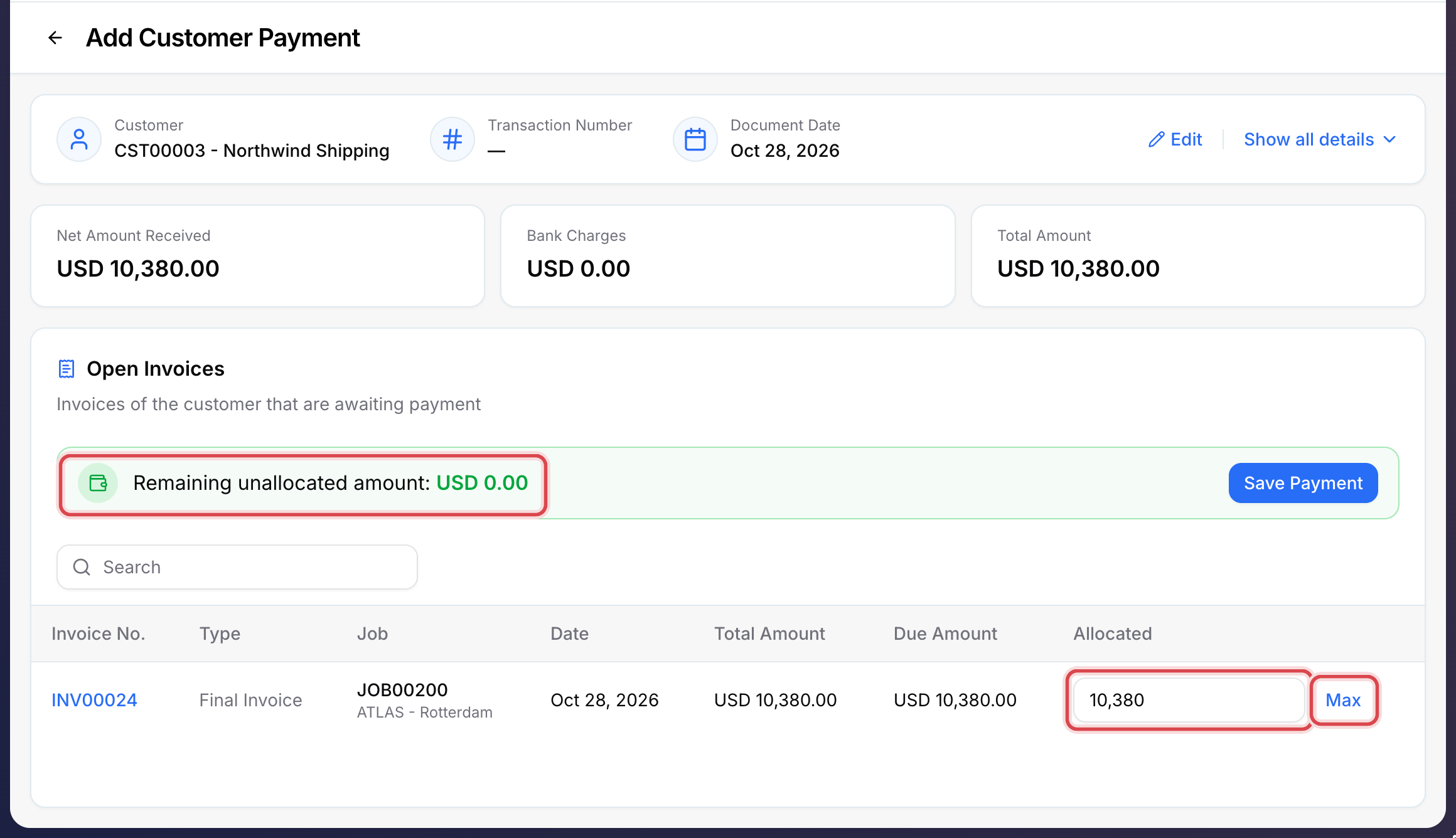
Note: A Final Invoice with a Credit Note waiting for approval shows a lower due amount. The Credit Note’s amount is held back.
Save the payment
When Remaining unallocated amount reaches zero, click Save Payment. The payment is Fully Allocated, and each invoice moves on:
Invoice Paid in full Paid in part Final Invoice Paid Stays Awaiting Payment, with a lower balance Proforma Invoice Fully Funded Partially Funded 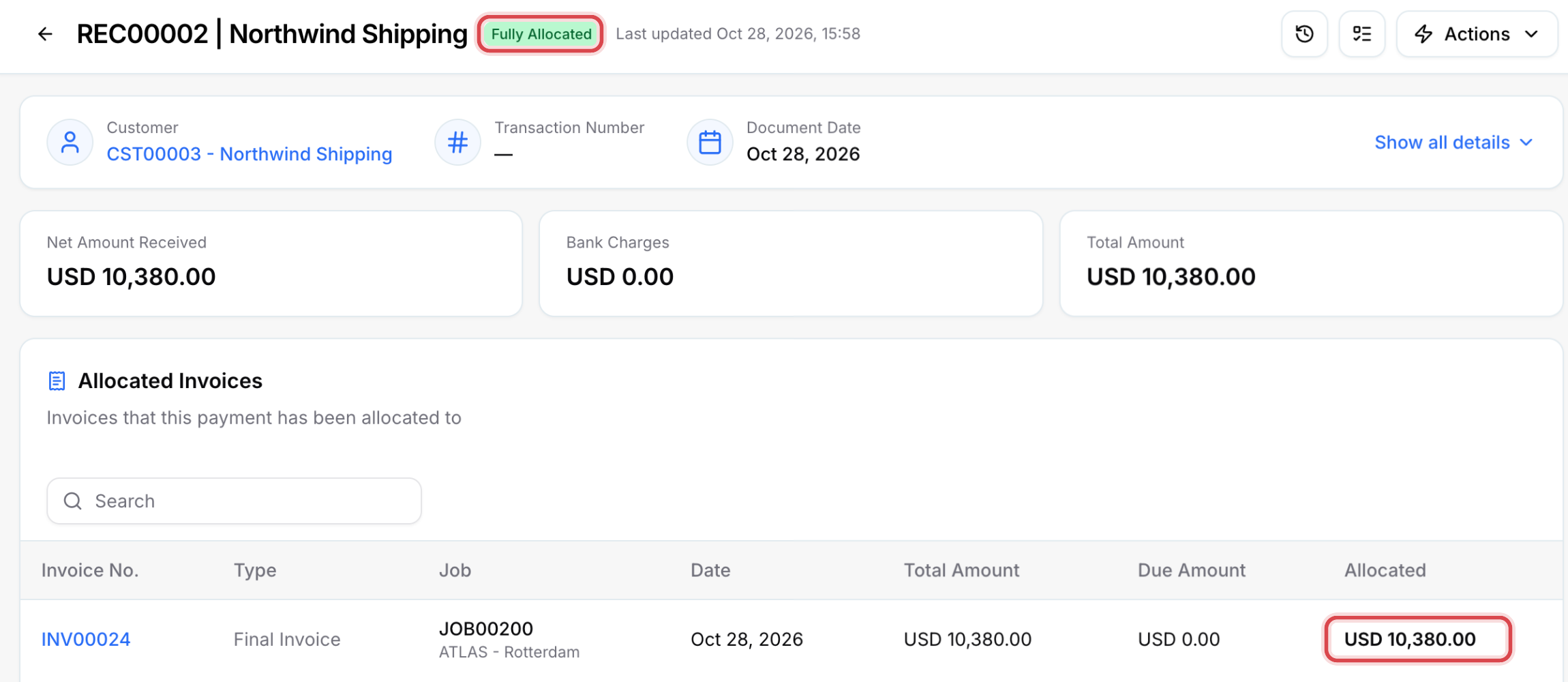
Tip: If the customer paid more than any open invoice asks for, record it against an invoice that covers it, such as a Proforma Invoice for the advance. PCM does not keep unallocated money.
If the customer paid in another currency, see Allocate a customer payment in another currency. For the rules, see Customer Payments.
Was this article helpful?
Thanks for your feedback.