

Cancel a customer payment
Cancel a payment recorded by mistake.
If a payment was recorded by mistake, for example with the wrong amount, cancel it and record it again.
Choose Cancel Payment
Open the payment from Customer Payments, click Actions and choose Cancel Payment.

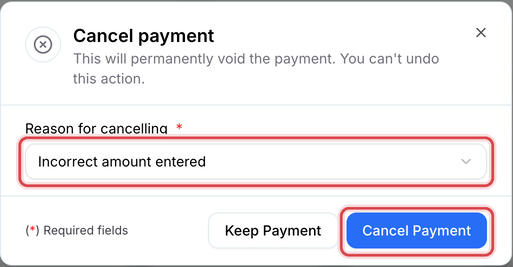
Give the reason and confirm
Choose a Reason for cancelling: Incorrect amount entered, or Other and type the reason. Click Cancel Payment.
The money comes off every invoice the payment paid: a Paid Final Invoice goes back to Awaiting Payment, and a Proforma Invoice loses the funding. The payment stays in the list as Cancelled.
Note: A cancelled payment cannot be undone.
Note: If the payment funded a Proforma Invoice that is linked to a Final Invoice, you cannot cancel it: the money is already used. Remove the link while the Final Invoice is still a draft, or cancel the draft, and try again.
Was this article helpful?
Thanks for your feedback.