

Enter a vendor invoice
Record a vendor's invoice against the services it covers.
When a vendor bills you, record its invoice as a vendor invoice and link it to the job services it covers. PCM then knows what each service really cost, and the invoice can be paid.
Create the vendor invoice
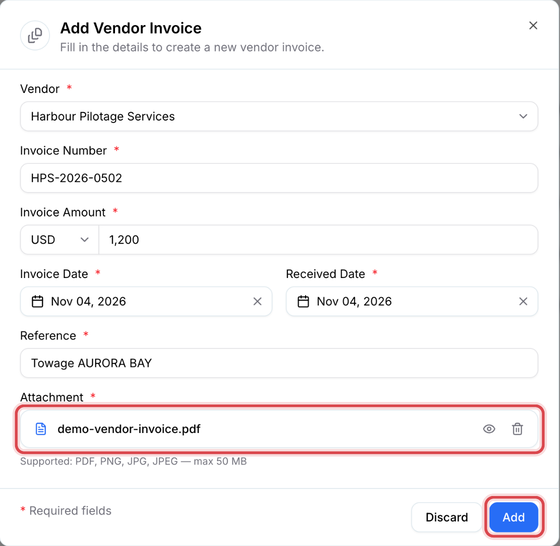
Go to Vendor Invoices under Finance in the left menu and click Add Vendor Invoice. Fill in the Vendor, the Invoice Number, the Invoice Amount with its currency, the Invoice Date, the Received Date and your Reference, and attach the vendor’s invoice under Attachment. All are required. Click Add.
PCM opens the new vendor invoice as a Draft.
Add the services it covers
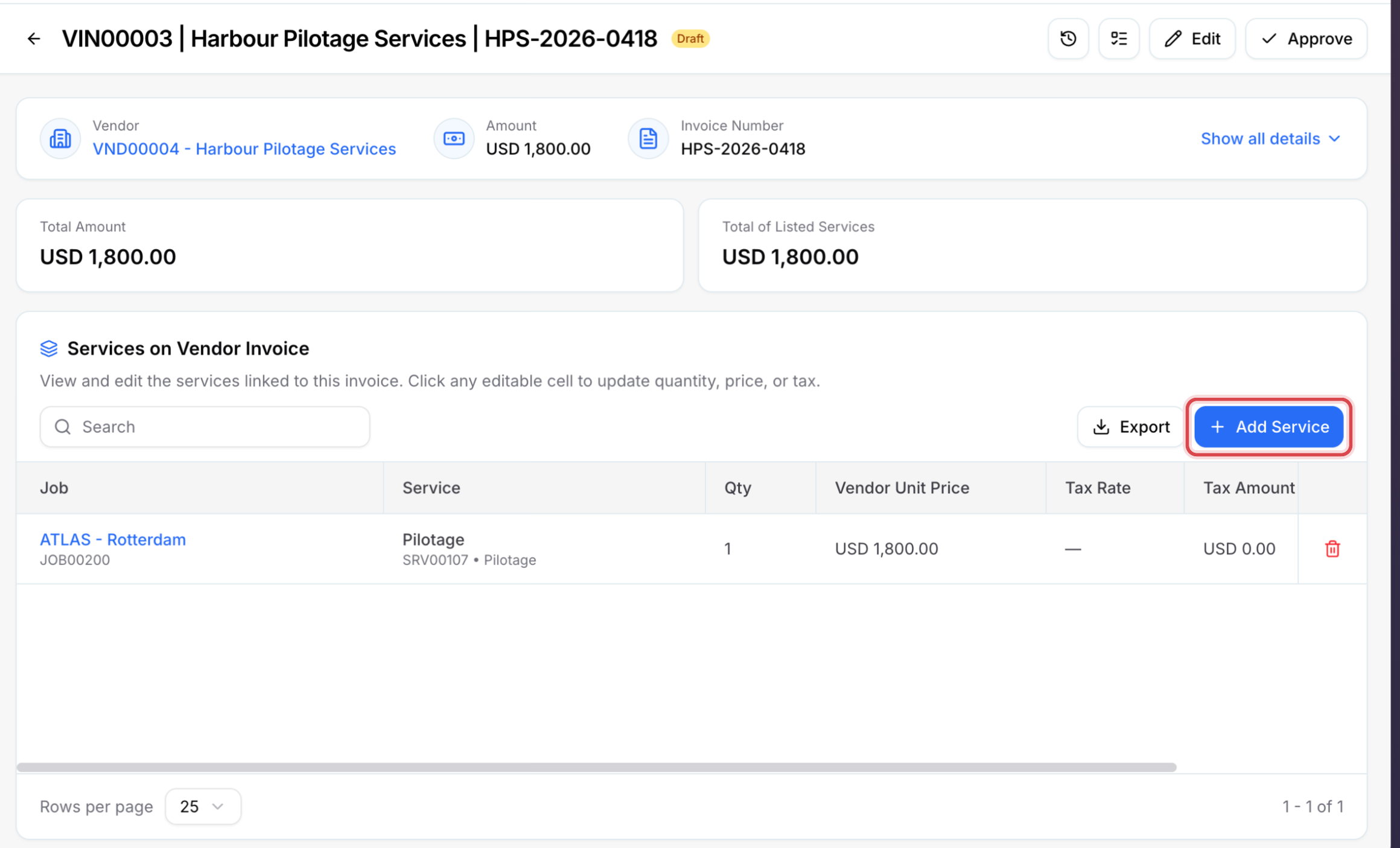
In Services on Vendor Invoice, click Add Service. Choose the Job, then the Service, and save the row. Repeat for each service on the vendor’s bill.
Only the vendor’s services whose Cost Status is Awaiting Vendor Invoice can be added. The full list of conditions is in Vendor invoices.
Tip: You can also start from the job: on its Services tab, tick the services, click Add To and choose Vendor Invoice.
Match the totals
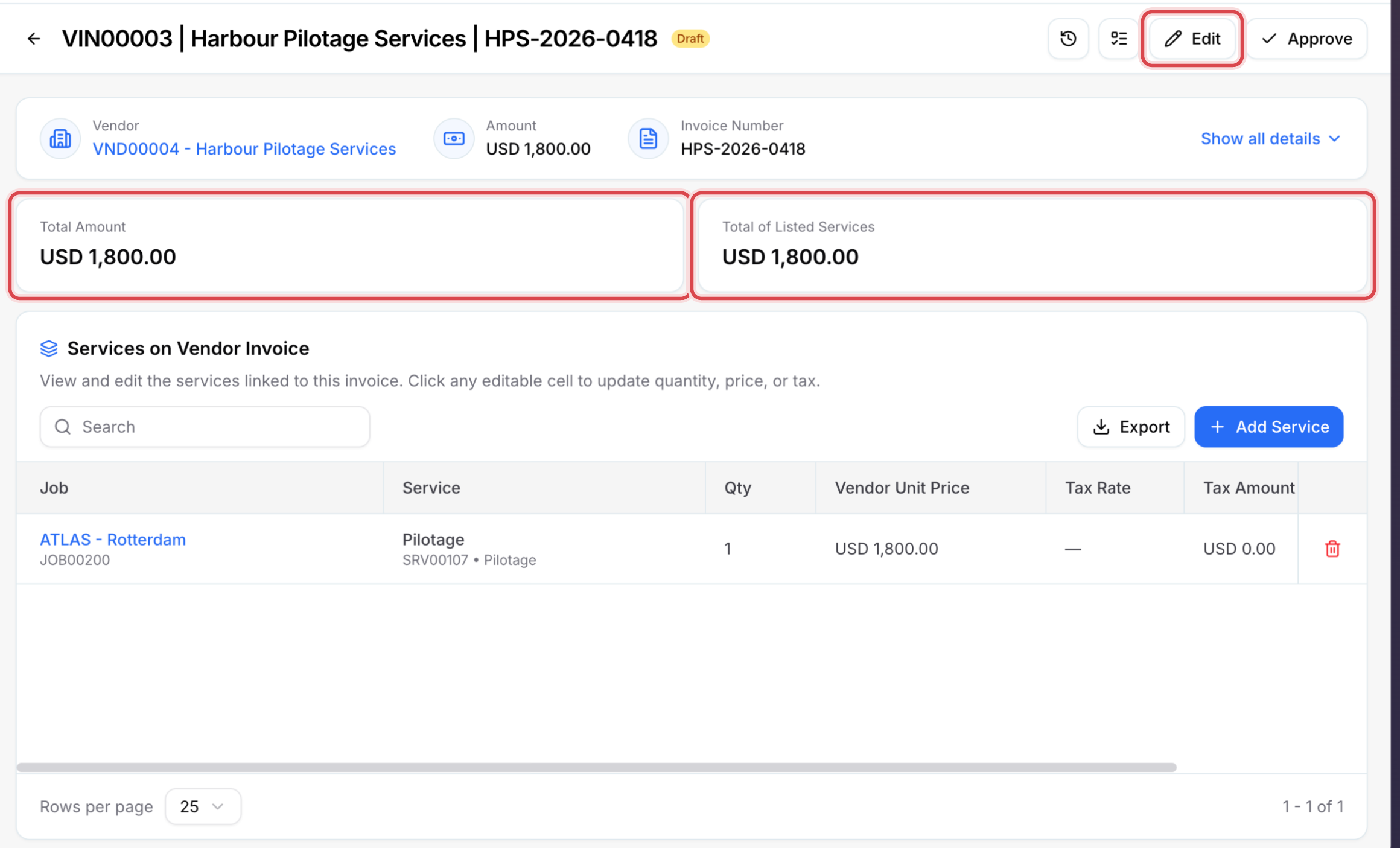
Total Amount (what you entered) and Total of Listed Services (the lines) must be the same before you can approve. If they differ, look for a missing service or a wrong price.
To correct a line’s price, change the service’s Vendor Unit Price on the job’s Services tab; the line follows. To correct the amount or the number, click Edit.
Approve the vendor invoice
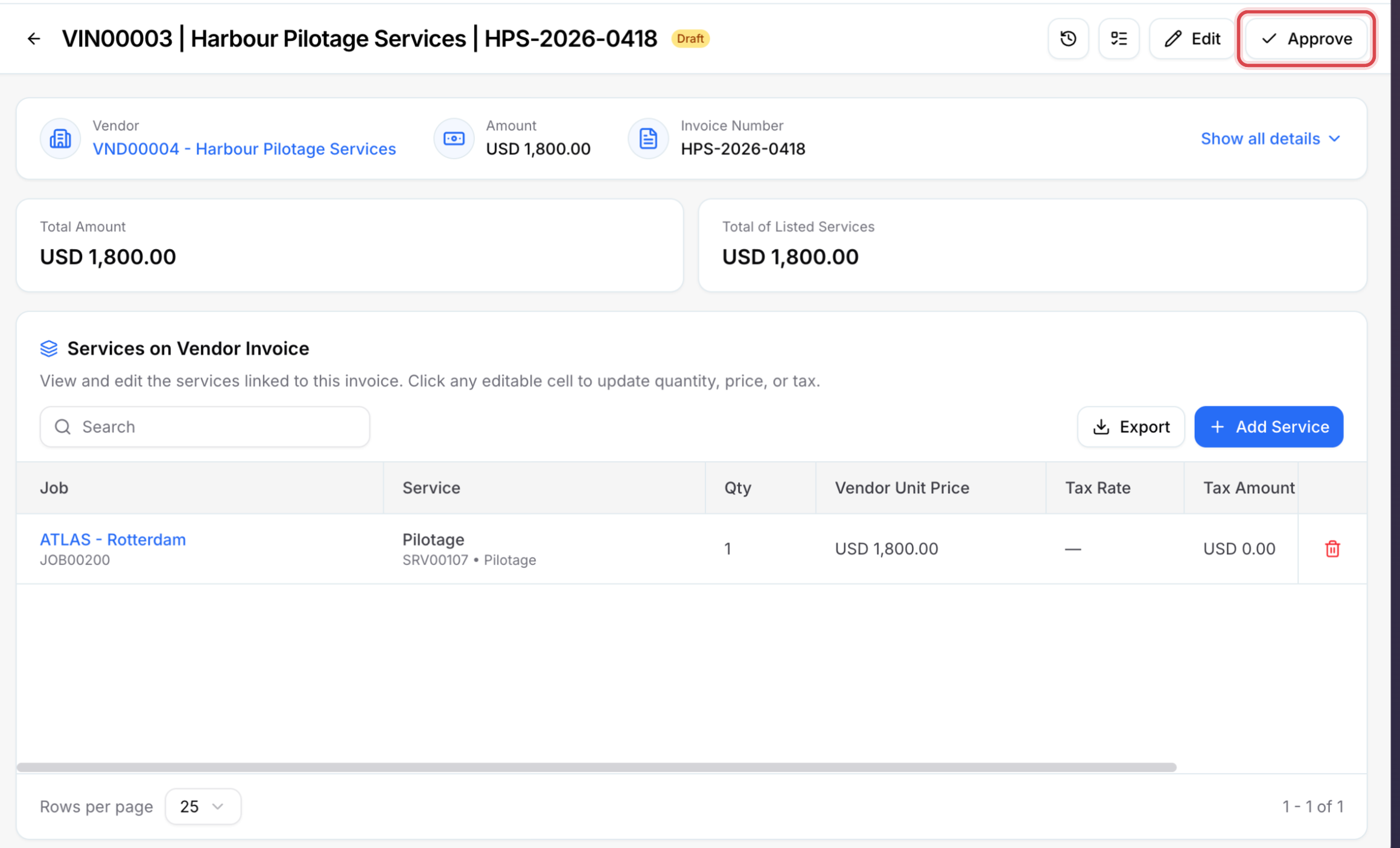
Click Approve at the top of the invoice, or Submit for Approval if your branch has approval rules. On approval the invoice is locked, its services become Added Vendor Invoice, and its status changes from Draft to Not Paid, ready to pay. See Pay a vendor.
Note: A vendor invoice cannot be cancelled. A draft entered by mistake can be deleted from its row actions in the Vendor Invoices list. If an approved invoice was too high, record a vendor credit note.
Note: Forgot a vendor invoice and the job is already closed? Reopen the job, enter the vendor invoice, and close the job again. See Reopen a job.
Was this article helpful?
Thanks for your feedback.