

Record a vendor credit note
Record a credit note from a vendor against its invoice.
When a vendor takes back part of an invoice, for example because it charged a service too high, record its credit note against that invoice. Once approved, the credited amount counts as paid, so you owe the vendor less.
Open Add Vendor Credit Note
Go to Vendor Invoices under Finance in the left menu. Click the arrow next to Add Vendor Invoice and choose Add Vendor Credit Note.
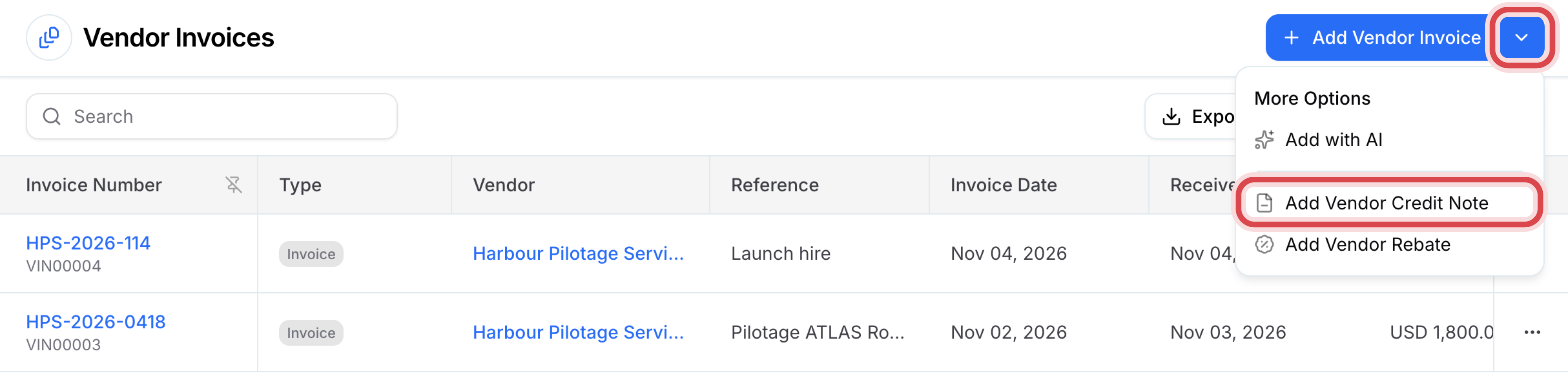
Fill in the credit note
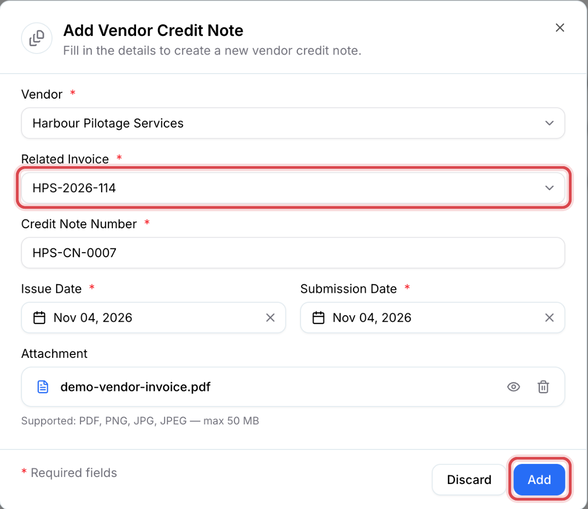
Fill in:
- Vendor: who sent the credit note.
- Related Invoice: the vendor invoice it credits. Only approved invoices that are Not Paid or Partially Paid are listed.
- Credit Note Number: the number on the vendor’s document.
- Issue Date and Submission Date.
Click Add. PCM opens it as a Draft, in the related invoice’s currency.
Add the services it credits
Under Services on Credit Note, click Add Service and choose a service from the related invoice. Enter the Credit Qty. and the Credit Price, which cannot be higher than the invoice’s price. Repeat for each credited service.
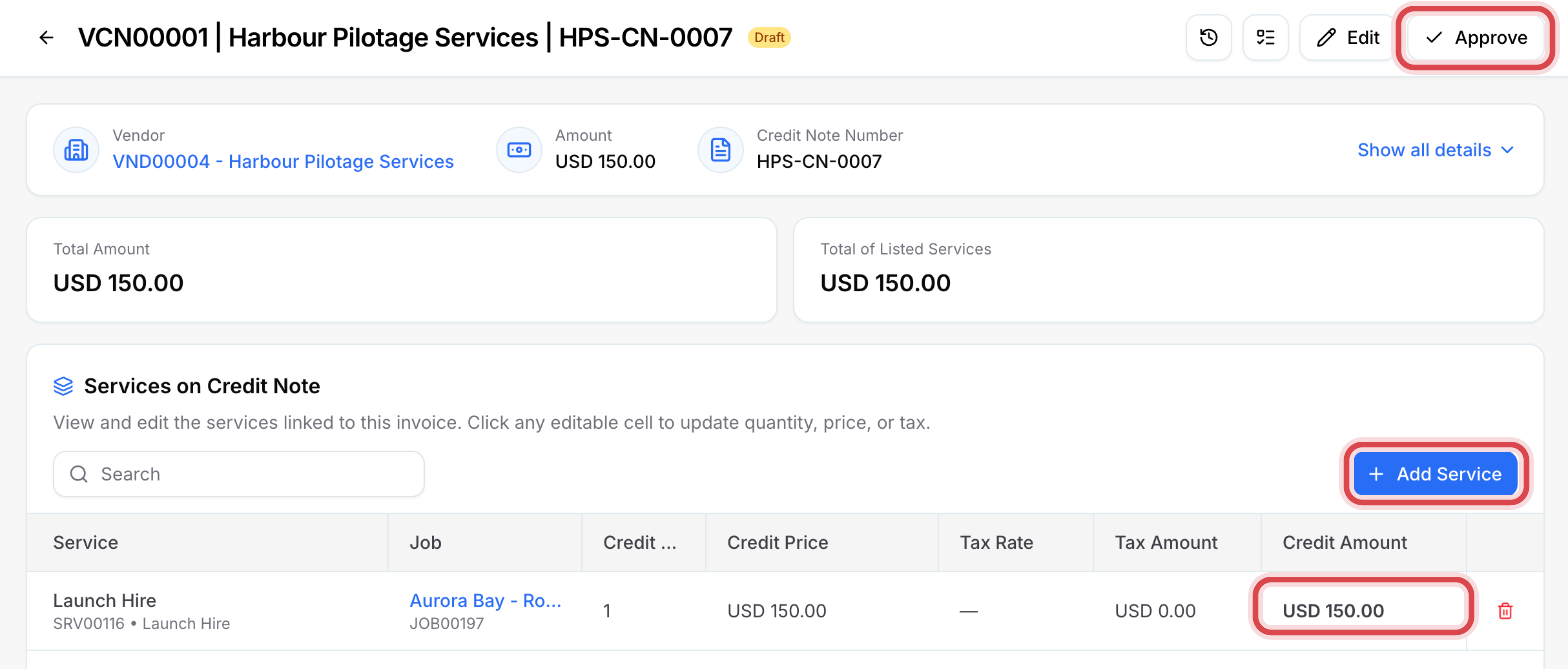
Approve the credit note
Click Approve at the top of the credit note, or Submit for Approval if your branch has approval rules. The credit note becomes Approved and can no longer be changed. Its amount counts as paid on the invoice, which becomes Paid if nothing is left. The invoice lists it under Related Credit Notes.
Note: Approval is refused if the credit note and what is already paid together exceed the invoice, or if a service’s job is closed. See Vendor credit notes.
Was this article helpful?
Thanks for your feedback.