

Pay a vendor
Record a bank payment and allocate it to the vendor's invoices.
A bank payment pays a vendor’s approved invoices: you record the transfer, then allocate it to the invoices it pays. For a small purchase paid on the spot, see Record a credit card or petty cash payment.
Open Bank Payments
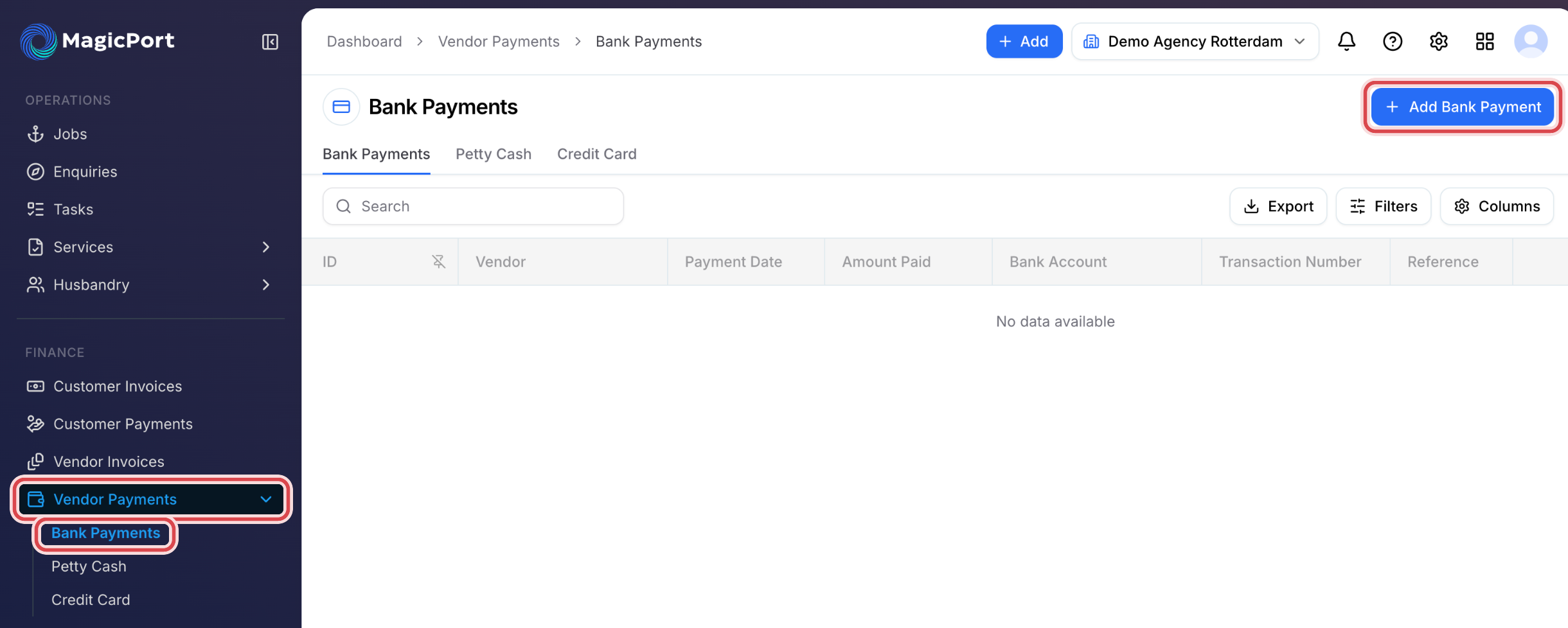
Go to Vendor Payments under Finance in the left menu, open Bank Payments and click Add Bank Payment.
Record the payment
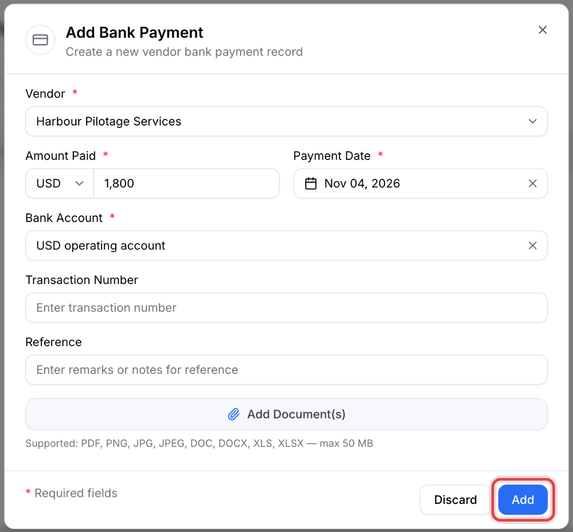
Fill in the Vendor, the Amount Paid with its currency, the Payment Date and the Bank Account the money left from. Click Add. PCM opens the new payment.
Allocate it to an invoice
Under Vendor Payment Allocations, click Allocate and choose the Vendor Invoice. Allocate Payment fills in with the most you can allocate; lower it to pay part of the invoice. Click Allocate.
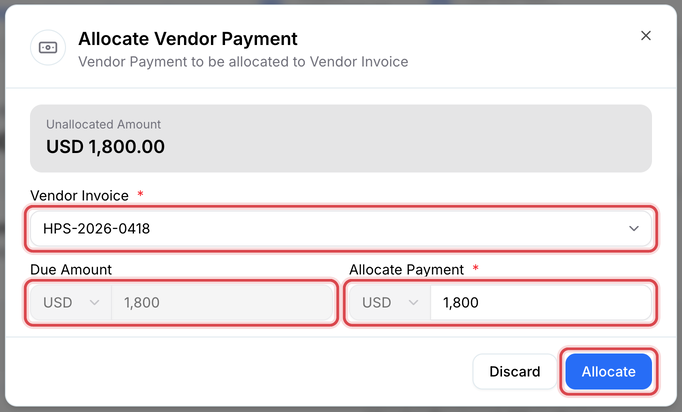
Note: Only the same vendor’s approved invoices that are Not Paid or Partially Paid, in the payment’s currency, are offered. A draft invoice must be approved first. See Enter a vendor invoice.
Repeat for other invoices
To pay several invoices with one payment, click Allocate again for each. Unallocated Amount shows what is left; a payment can stay partly unallocated.
The invoice’s status follows: Partially Paid, then Paid when nothing is left. To change an allocation, see Correct a vendor bank payment.
Was this article helpful?
Thanks for your feedback.