

Reopen a job
Open a closed job again to make a correction.
Reopen a closed job when it needs a change, for example a late vendor invoice or a correction. When you are done, close it again.
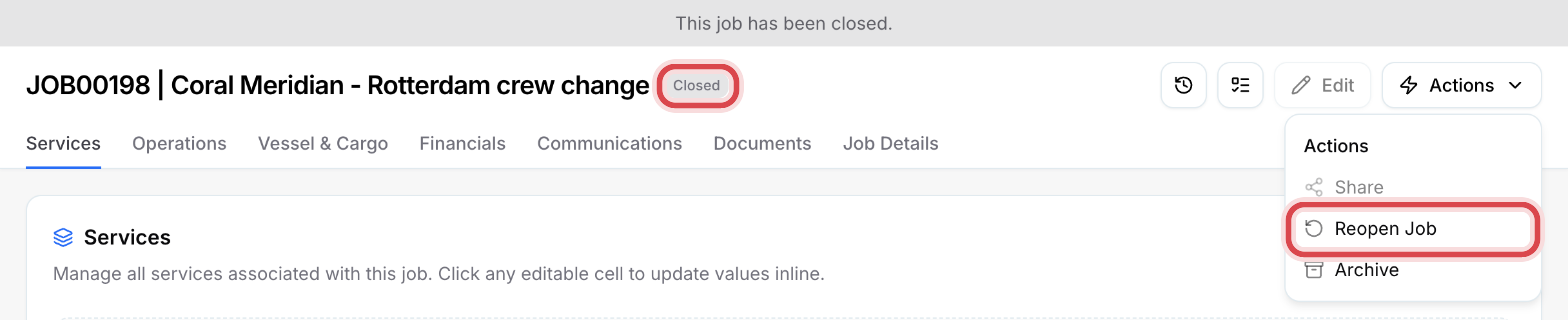
Choose Reopen Job
Open the closed job, open Actions and choose Reopen Job.
Give the reason
Enter the Reason and click Reopen. The status changes to Reopened and the job can be edited again.
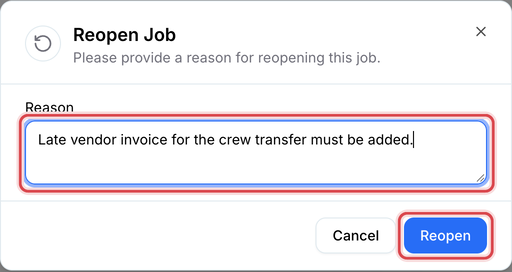
The reason and the date stay at the top of the job.

Note: Reopening does not undo what closing did. Services that were cancelled stay cancelled, and any Rolling Proforma Invoice created stays.
If reopening needs approval
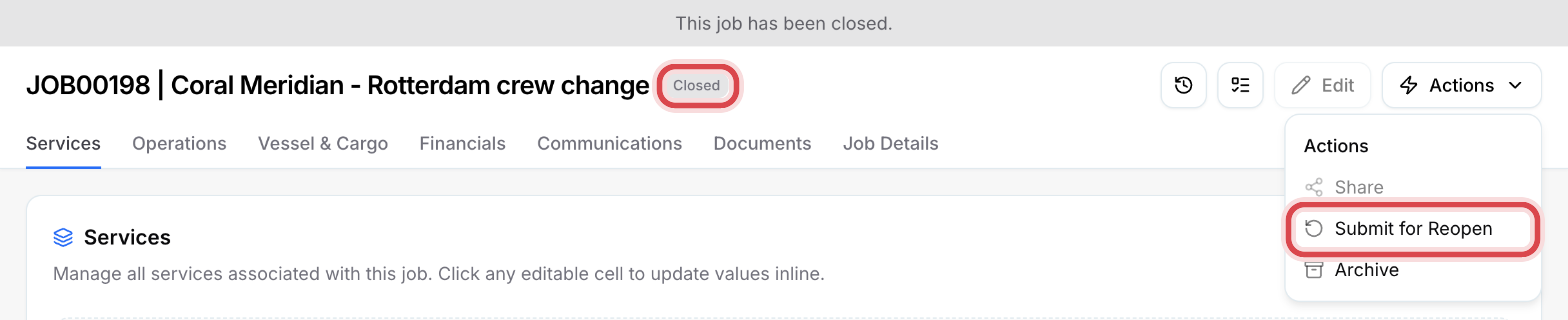
If your branch has an approval rule for reopening, you see Submit for Reopen instead. The job shows Submitted for Reopen and cannot be edited while the approver decides. If they approve, the job is reopened; if they reject, it stays Closed. See Approve or reject items waiting for you.
Close it again
When the change is made, close the job again. See Close a job.
Was this article helpful?
Thanks for your feedback.