

Track upcoming port calls with Scheduled Arrivals
Scheduled Arrivals lists the vessels heading to one or more ports within a number of days you choose, based on each vessel's reported ETA, with its owner and managers alongside.
 4 min walkthrough of Scheduled Arrivals
Scheduled Arrivals answers one question: which vessels are coming to my port, and when? It is the first tab you see when you open Maritime Intelligence, and the quickest way for ship agents, marine suppliers and commercial teams to find vessels to contact before they arrive.
Who uses Scheduled Arrivals
- Ship agents spot calls they are not yet appointed for and contact the owner or manager early.
- Marine suppliers (bunkers, provisions, spares, services) plan around the vessels due in the next days or weeks.
- Commercial managers see competitor and partner traffic at the ports they cover.
How it works
| Setting | What it does | Example |
|---|---|---|
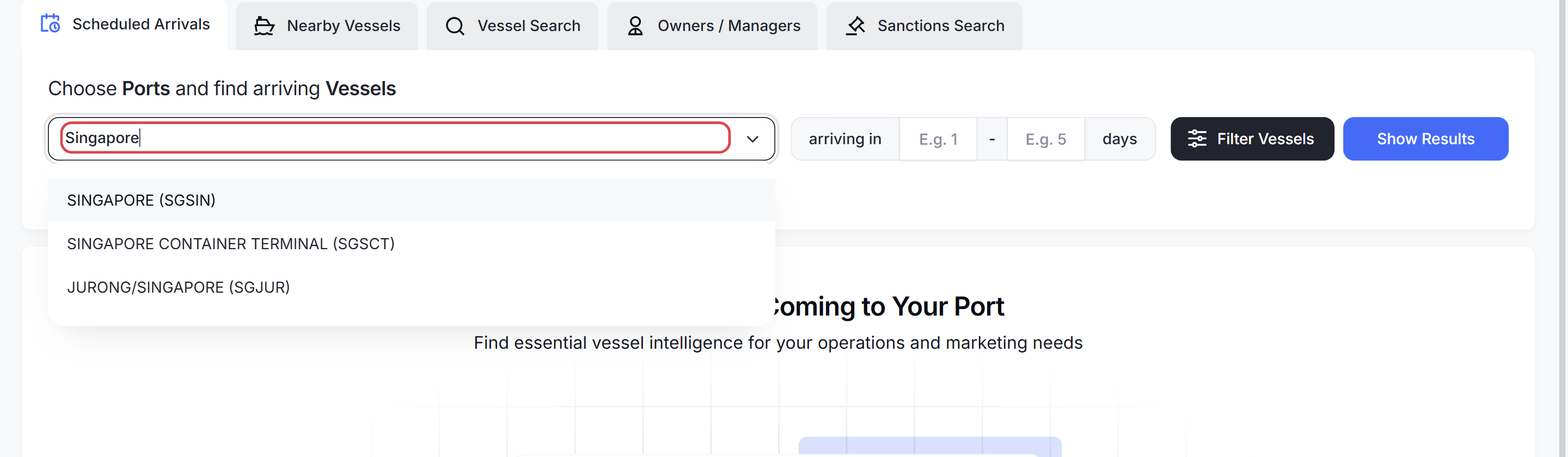
| Search for port(s) | The ports to check. Each shows its UN/LOCODE, for example SINGAPORE (SGSIN) | Singapore and Johor |
| Country-based search | Checks every port in a country instead of picking ports one by one | All ports in the United Kingdom |
| arriving in X - Y days | The arrival window, counted from today | 1 to 7 for the coming week |
| Filter Vessels | Narrows the list by type, size, ownership, engine and more | Tankers over 50,000 DWT |
Note: Arrival times come from the ETA each vessel reports over AIS. Crews enter it themselves, so it can be late, optimistic or out of date. Treat it as a strong lead, not a confirmed schedule.
What each result shows
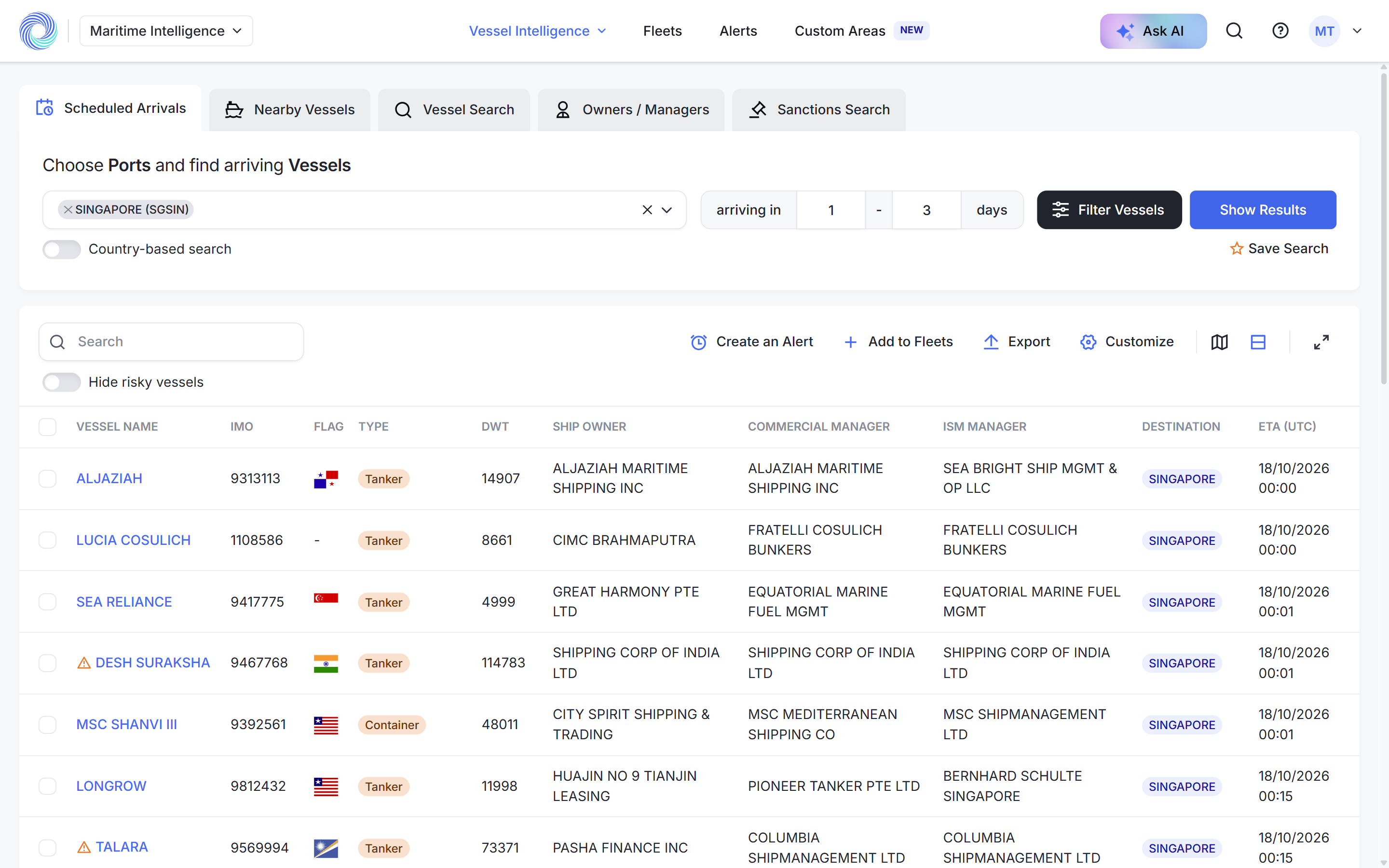
By default each row shows the vessel name, IMO, flag, type, deadweight, ship owner, commercial manager, ISM manager, destination and ETA (UTC). Click Customize to add or remove columns; your layout is saved to your account.
What you can do with the results
- Filter Vessels to narrow the list. Active filters appear as chips you can remove one by one.
- Hide risky vessels to remove vessels flagged against sanctions lists.
- Map view to see every vessel’s position and heading.
- Export the selected rows to Excel.
- Add to Fleets to keep following the vessels after they arrive.
- Create an Alert so new arrivals reach you by email instead of by search.
- Save Search to run the same ports, window and filters again later.
Scheduled Arrivals or Nearby Vessels?
| Scheduled Arrivals | Nearby Vessels | |
|---|---|---|
| Shows | Vessels expected at the port | Vessels physically around the port now |
| Based on | Reported ETA | Latest AIS position |
| Use it to | Prospect ahead | Act on what is already there |
See Find vessels near your port with Nearby Vessels.
How-to guides
- Find vessels arriving at a port
- Narrow results with advanced filters
- Work with search results: columns, map, export, fleets and alerts
- Save a search and run it again
- Read a vessel profile
Frequently asked questions
How far ahead can I look? Set any day range in arriving in X - Y days. A short window such as 1 to 7 gives the most reliable ETAs.
Can I search a whole country? Yes. Turn on Country-based search and choose the country; every port in it is included.
Why is a vessel I expect missing? The vessel may not have reported your port as its destination yet, or its ETA falls outside your window. Try a wider window, or check the vessel’s profile for its current destination.
Can I get new arrivals by email? Yes. Click Create an Alert on the results, or see Create an alert.
Was this article helpful?
Thanks for your feedback.