

Save a search and run it again
Store a search with its ports, dates, distance and filters, and run it again from the same tab.
A saved search in Maritime Intelligence stores your ports, dates or distance, and filters under a name, so you can rerun it with one click instead of rebuilding it. Use it for checks you repeat, such as Singapore arrivals in the next three days every morning. Saved searches work in Scheduled Arrivals, Nearby Vessels and Vessel Search.
Run the search you want to keep
Set up the search with its ports, days or distance, and any filters, then click Show Results.
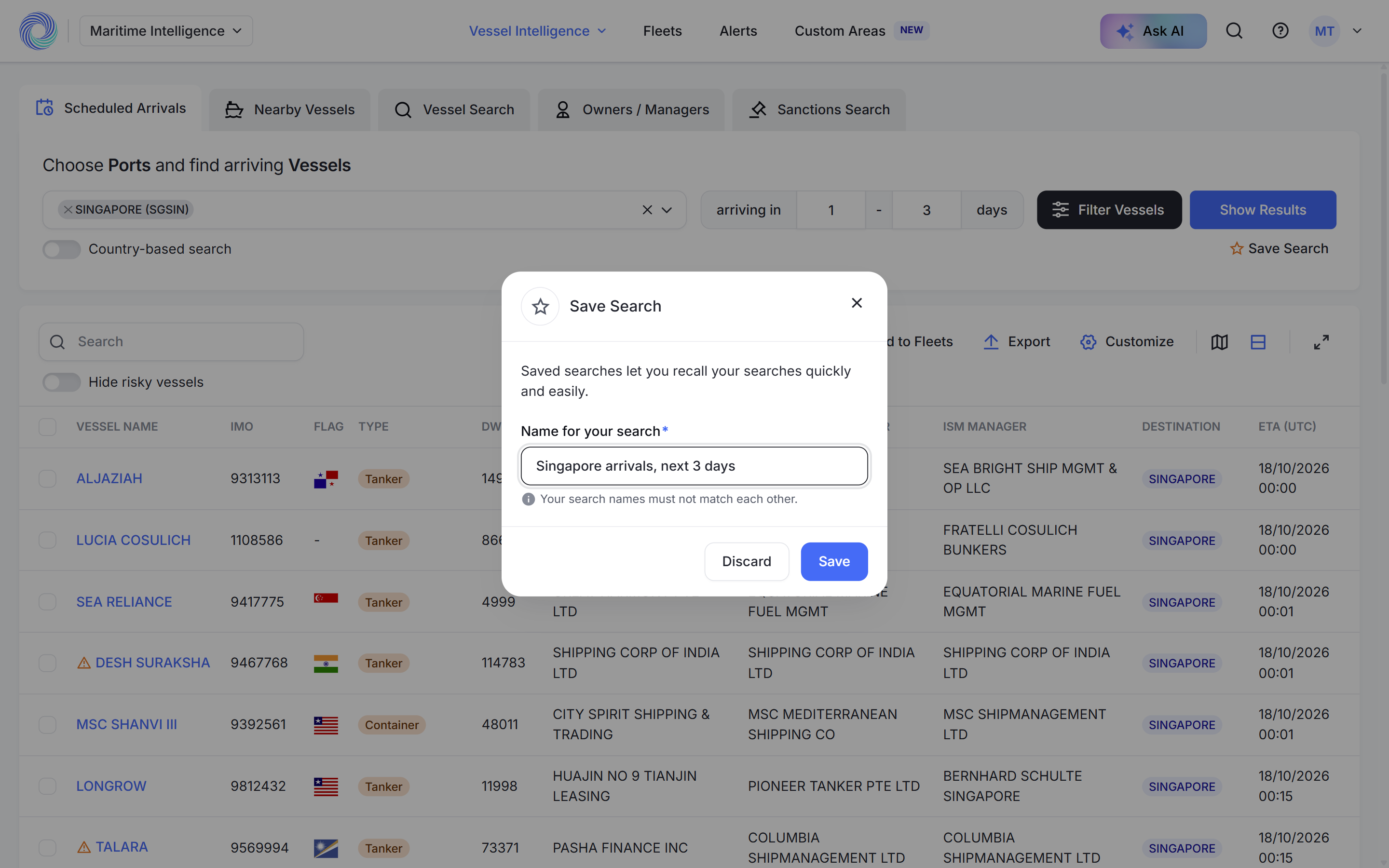
Click Save Search
Click Save Search (with the star) under Show Results.
Name the search and click Save
In Name for your search, enter a name you will recognise, for example “Singapore arrivals, next 3 days”, and click Save. Names must be unique. You see “Saved successfully.”
Run it next time
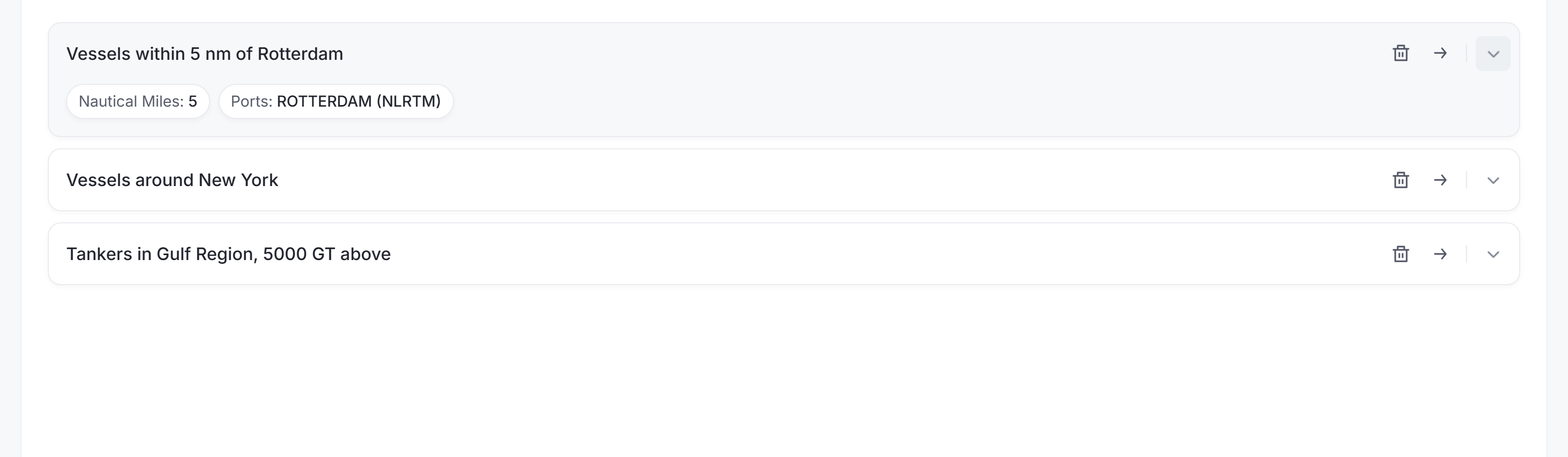
Open the same tab again. Your searches are listed under Your Saved Searches:
- Click the arrow to run a search.
- Click the chevron to see what it contains, such as the port and distance.
- Click the bin to delete it.
Tip: A saved search runs only when you click it. To be emailed when new vessels match, create an alert instead. See Create an alert.
Was this article helpful?
Thanks for your feedback.