

Available with:Port Call Management
Edit in the table and use shortcuts
Change values right in the table and work with the keyboard.
Many tables in PCM, such as a job’s Services and the lines of an invoice, let you change a value without opening a form.
Edit a row in the table
Click a cell you can change. The row opens for editing and a bar at the bottom shows which record you are editing.
- Enter or Save saves the row.
- Esc or Discard leaves it unchanged.
- Tab moves to the next cell.
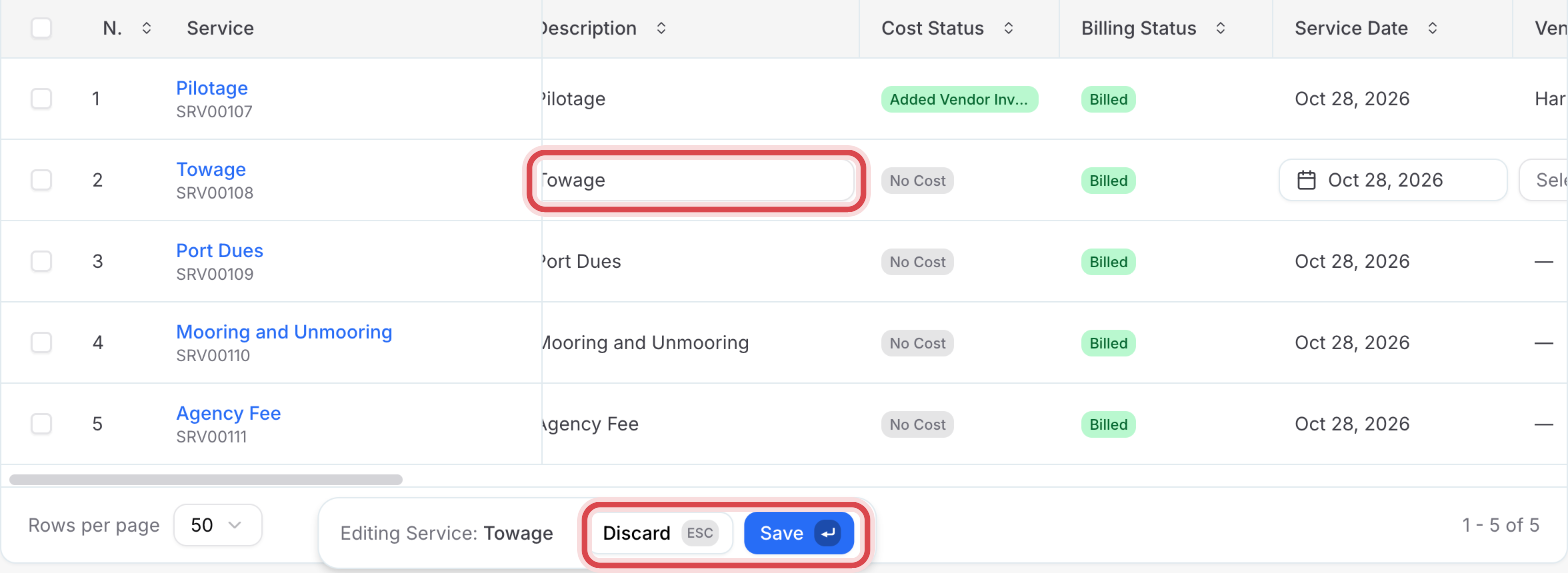
Note: A cell you cannot change, for example because the service is already billed or the job is closed, does not open.
Use the row shortcuts
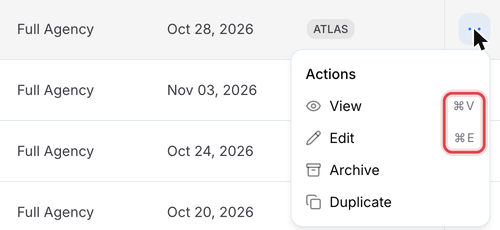
Open a row’s ⋯ menu. The shortcut next to an action, such as ⌘V for View and ⌘E for Edit, runs it from the keyboard while the menu is open. On Windows, use Ctrl instead of ⌘.
Was this article helpful?
Thanks for your feedback.