

Available with:Port Call Management
Work on several services at once
Select services to invoice, edit or change them together.
When the same change applies to many services, select them and act on them together instead of one by one.
Select the services
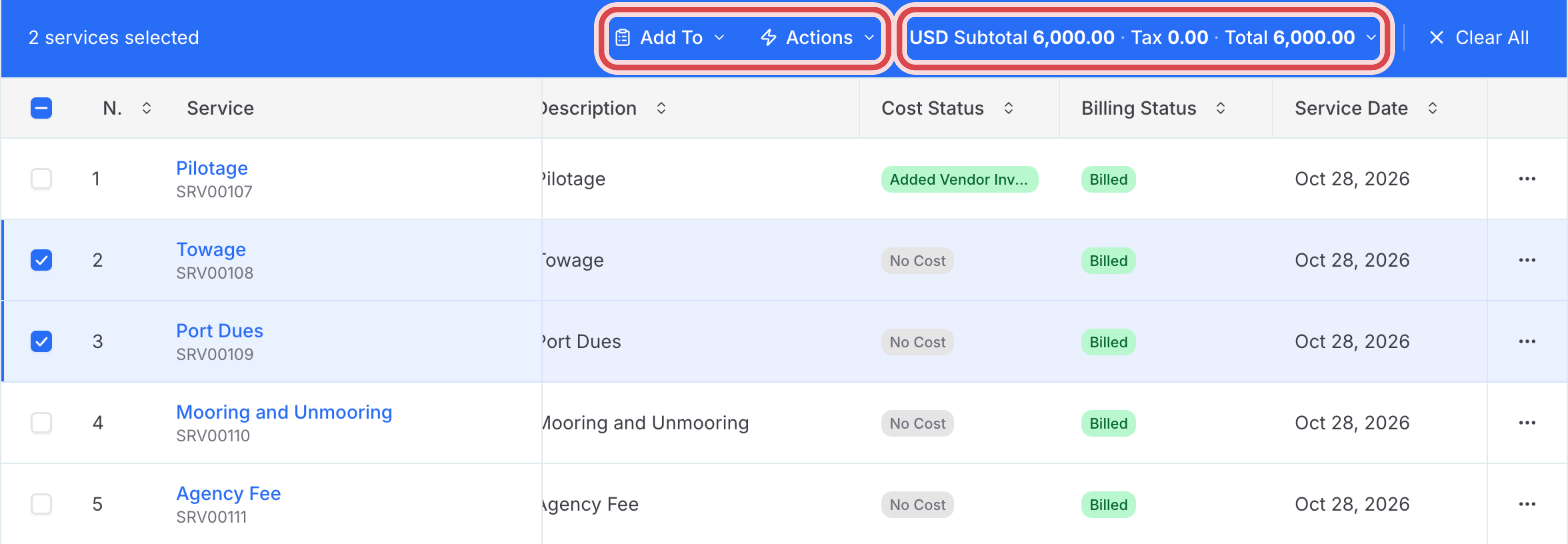
On the job’s Services tab, tick the services. A bar appears above the list with their subtotal, tax and total in each currency, so you can check an amount before you bill it.
Choose what to do
- Add To: put them on a Proforma Invoice, a Final Invoice or a Vendor Invoice.
- Mark as Ready to Bill: see Update service statuses.
- Actions: Add Related Items (see Link a service to crew, flights or cargo), Bulk Edit, Make Pending, Cancel and Delete.
Note: Services that cannot take a change, for example because they are already billed, are skipped and PCM tells you why.
Bulk edit them
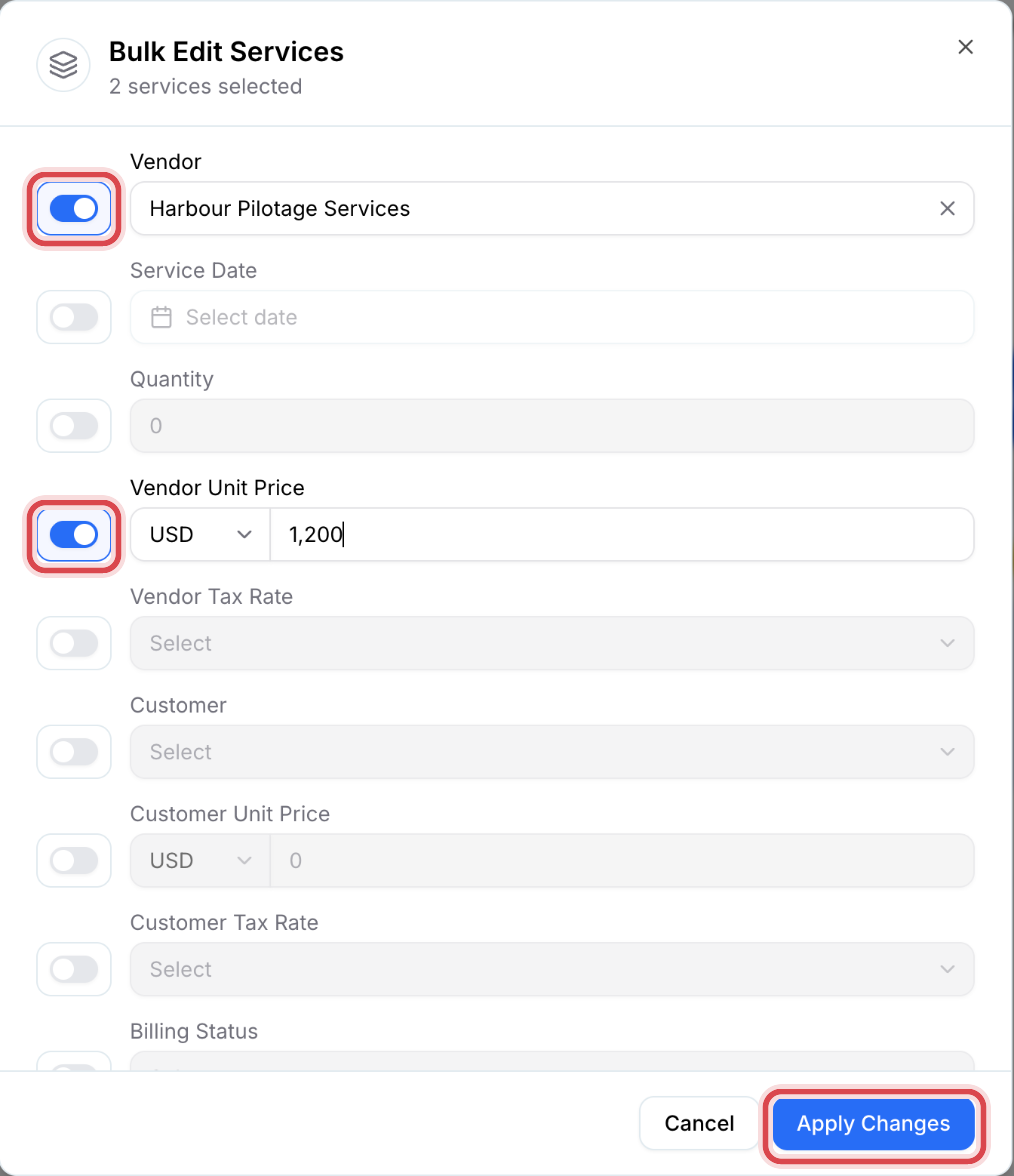
Open Actions and choose Bulk Edit. Turn on each field you want to change, such as the customer, vendor, prices or quantity, enter the value and click Apply Changes.
Was this article helpful?
Thanks for your feedback.