

Filter and search a list
Find records with search and filters that stay on.
Search and filters narrow a list down to the records you need.
Search the list
Type in Search above the list. The search is part of the page address, so you can copy the link and send it to a colleague who uses PCM: it opens the same search.
Apply filters
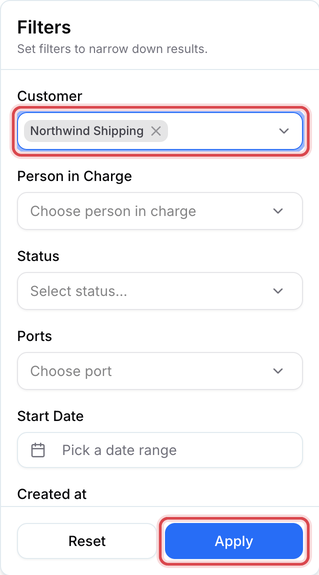
Click Filters, choose the values you want, such as a Customer or a Status, and click Apply.
See and remove your filters
Each filter shows as a tag above the list, and Filters shows how many are on. Click × on a tag to remove that filter, or Reset in the Filters panel to remove them all.

Note: On most lists a filter stays on, even after you leave the page or refresh it, until you remove it. If a list looks short, check for filter tags first. See I can’t see my records.
Was this article helpful?
Thanks for your feedback.