

Create an alert for a single vessel
Start an alert from a vessel's profile, so the vessel is already chosen.
To get an email alert for one vessel in Maritime Intelligence, start from the vessel’s profile and click Create Alert. The vessel is already selected, so you only choose the event to watch, for example an estimated time of arrival change, and when the digest arrives. Use this when one vessel matters more than a whole fleet.
Open the vessel’s profile
Find the vessel in Vessel Search or any results list and click its name. See Search for a vessel by name, IMO or MMSI.
Click Create Alert
Click Create Alert in the top right corner of the profile.

Check the vessel and add a rule
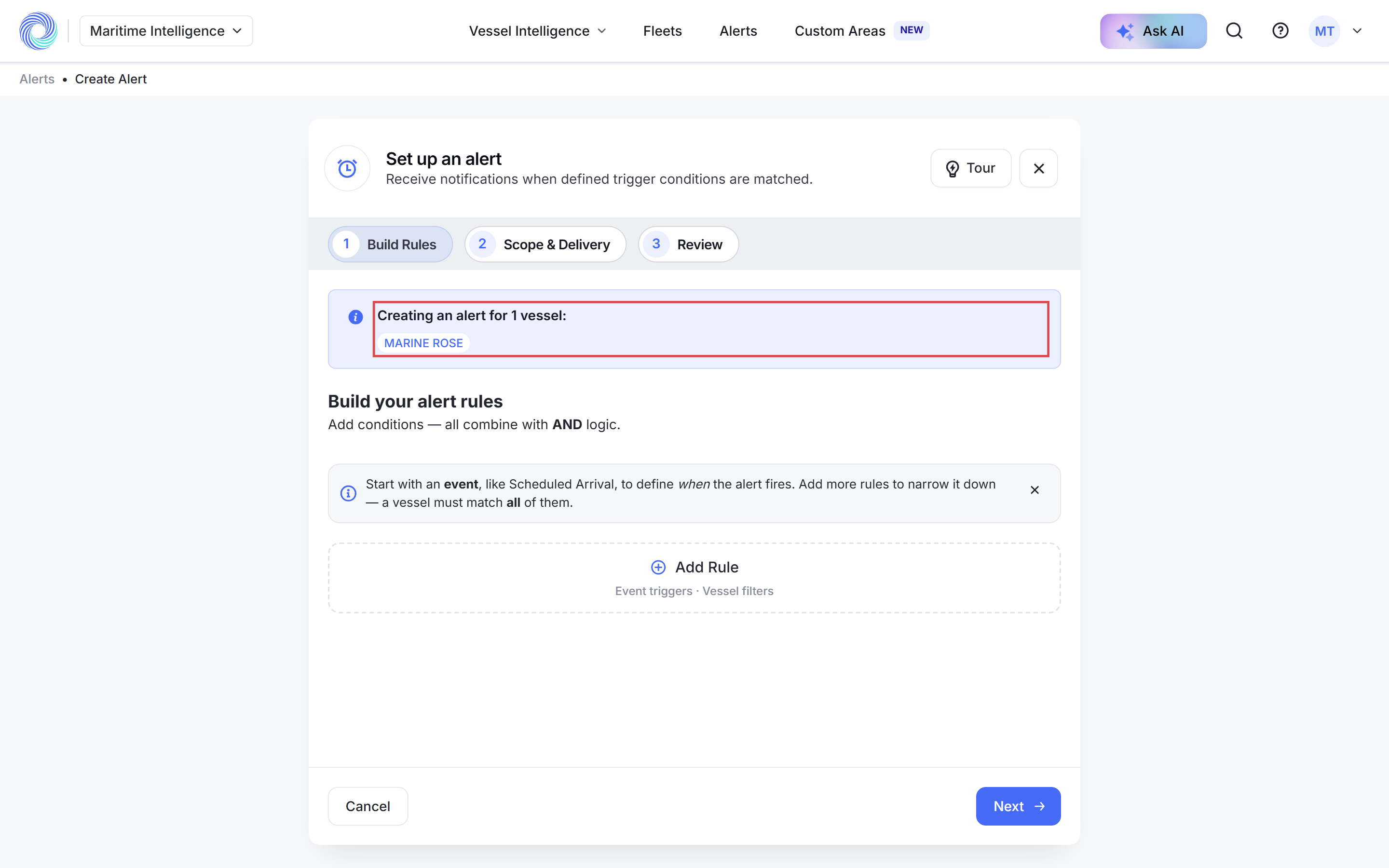
The form opens with “Creating an alert for 1 vessel” and the vessel’s name at the top. Click Add Rule and choose the event you want, for example ETA Change, then fill in its fields.
Check the scope and turn on Email Digest
Click Next. Scope is already set to Single or Multiple Vessels with your vessel selected. Add more vessels here if you like. Turn on Email Digest, set the schedule and click Next.
Name it and click Create Alert
Enter an Alert Name, for example “MARINE ROSE – ETA changes over 12 hours”, and click Create Alert.
Tip: You can also select vessels in any results list and click Create an Alert. See Work with search results.
Was this article helpful?
Thanks for your feedback.