

Search for a vessel by name, IMO or MMSI
Find a specific vessel in Vessel Search and open its profile.
 4 min walkthrough of Vessel Search
Vessel Search in Maritime Intelligence finds a specific vessel by name, IMO (International Maritime Organization) number, or MMSI (Maritime Mobile Service Identity) number and opens its full profile. An IMO or MMSI number finds exactly one vessel, while a name can match several because vessel names are not unique, so search by IMO number whenever you have it. To find vessels by criteria instead, see Narrow results with advanced filters.
Open Vessel Search
Click Vessel Intelligence in the top navigation, then the Vessel Search tab.
Type a name, IMO or MMSI and click Search
In Type vessel name, IMO or MMSI, enter what you know about the vessel and click Search.
- An IMO or MMSI number finds one exact vessel.
- A name finds every vessel with that name. Upper or lower case doesn’t matter, and part of a name works too: “EVER” lists every vessel whose name contains it.
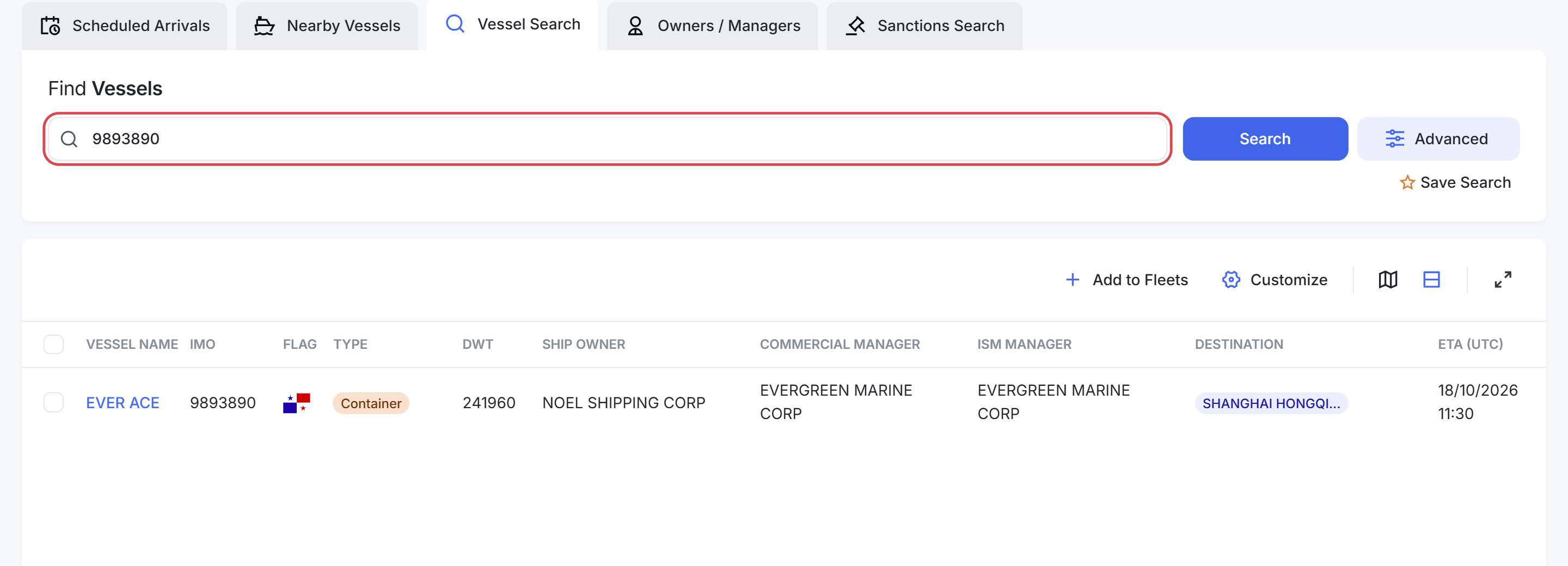
Tip: Vessel names are not unique. Two different vessels are called SEA RELIANCE, for example. Search by IMO number whenever you have it.
Open the vessel
Click the vessel name in the results. Its profile opens in a new browser tab. See Read a vessel profile.
Search from any screen
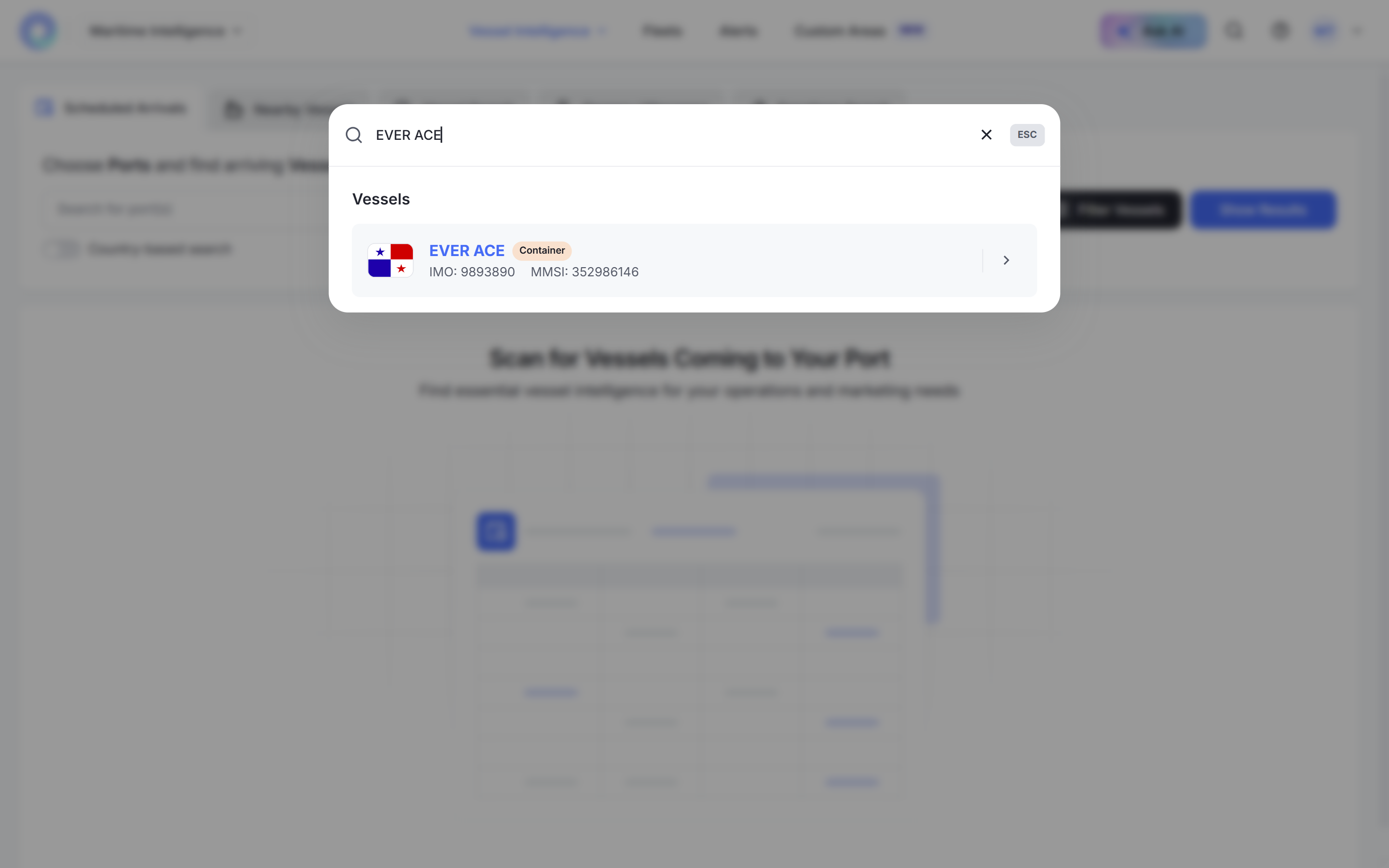
To find a vessel without leaving the page you are on, click the magnifying glass in the top bar, type a name, IMO or MMSI, and click the result.
Look for more than one vessel
Click Advanced next to Search to open the full filter panel. It also has a Navigation History tab for finding vessels by the ports they called at. See Find vessels that called at a port.
Was this article helpful?
Thanks for your feedback.