

Find vessels that called at a port
Use the Navigation History filter in Vessel Search to list vessels that visited a port in a date range.
To find vessels that called at a port in the past, use the Navigation History filter in Vessel Search in Maritime Intelligence. Choose a port (or all ports in a Country/Region) and a date range, and you get every vessel that visited in that period, for example all vessels that called at Mersin since the start of September. It is the look-back counterpart to Scheduled Arrivals.
Open Vessel Search and click Advanced
Click Vessel Intelligence in the top navigation, then the Vessel Search tab. Click Advanced next to Search.
Open the Navigation History tab
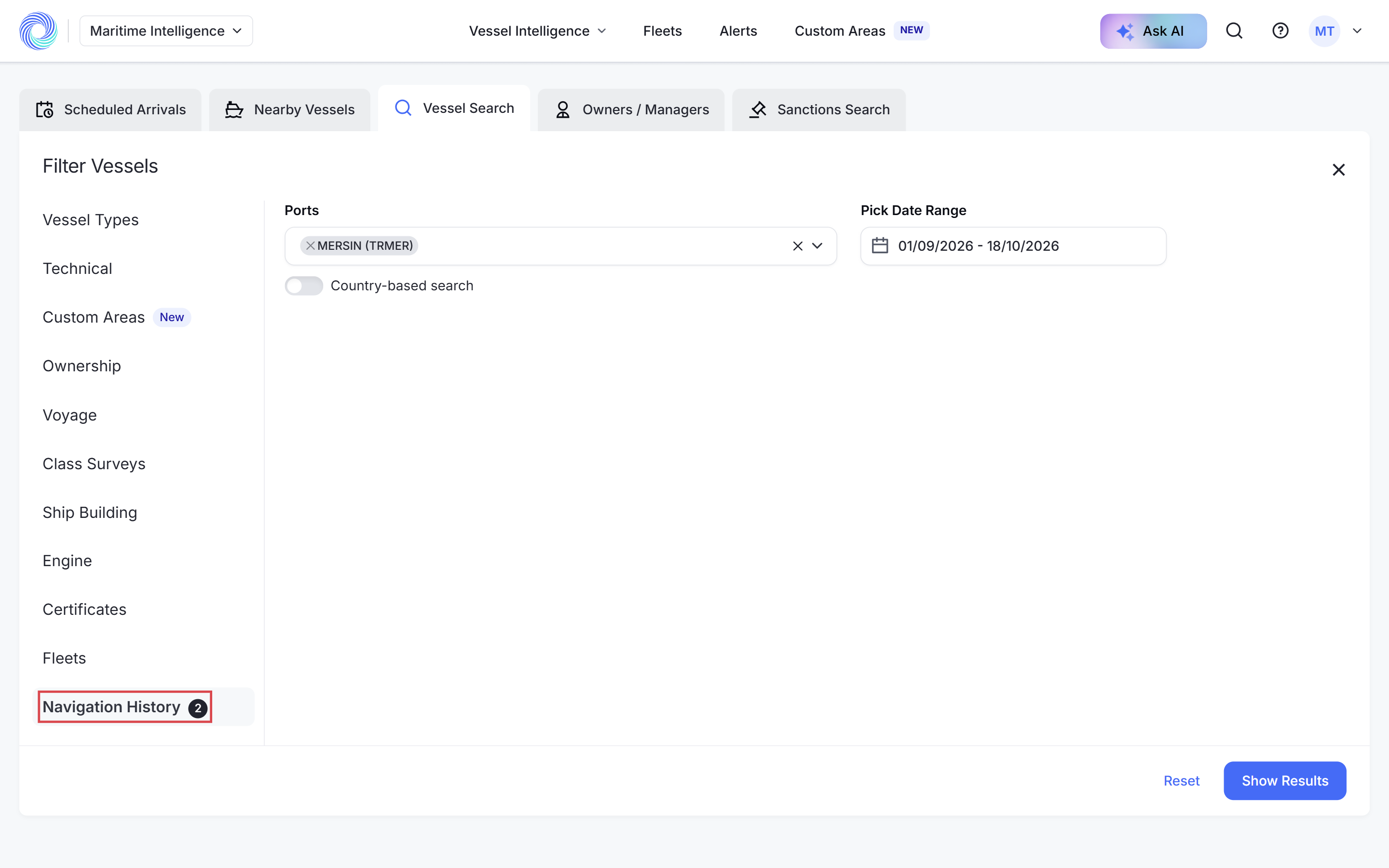
In the Filter Vessels panel, click Navigation History at the bottom of the list on the left.
Choose the port
Click Search for port(s) and pick the port, for example MERSIN (TRMER). Turn on Country-based search to cover every port in a country.
Pick the date range
Click Pick date under Pick Date Range. Click the first day, then the last day, and click Apply. The date range is required. Show Results stays disabled until you set it.
Note: Set the port before the dates. Changing the port afterwards can clear the date range.
Click Show Results
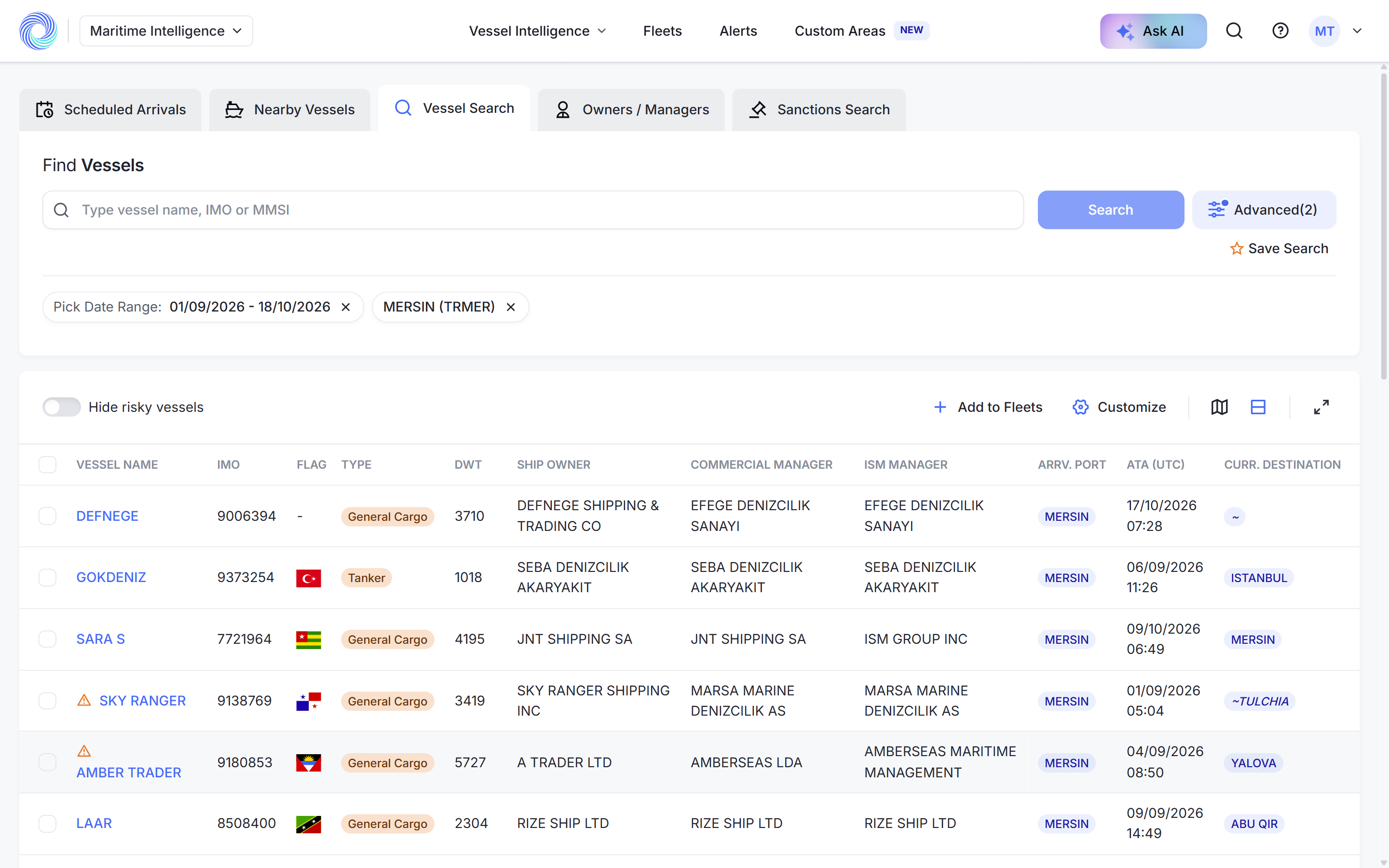
Click Show Results. The table lists every vessel that called at the port in that period. For Mersin between 1 September and 18 October 2026 that was 417 vessels.
Narrow the list
The other tabs in the panel combine with Navigation History. For example, add Vessel Types → Tanker to see only the tankers that called. See Narrow results with advanced filters.
Save the search
Click Save Search to run the same query again later. See Save a search and run it again.
Was this article helpful?
Thanks for your feedback.