

Create a dynamic fleet from a ship manager
Follow every vessel of a ship owner or manager with a fleet that updates itself.
A dynamic fleet in Maritime Intelligence, called Ship Manager Fleets (Dynamic) in the app, automatically tracks every vessel of one ship owner or manager. The vessel list updates itself as that company’s fleet changes, so you never add or remove vessels by hand. It suits following the vessels behind a counterparty without maintaining a list yourself.
There are two ways to create one: from Fleets, or from the company’s profile.
Open Fleets and click Create Fleet
Click Fleets in the top navigation, then Create Fleet.
Choose Ship Manager Fleets (Dynamic)
Under Fleet Type, choose Ship Manager Fleets (Dynamic).
Select the company
Click Select Company, type the company name and pick it, for example V-BUNKERS TANKERS PTE LTD. The company’s vessels are listed under Vessels, with the count.
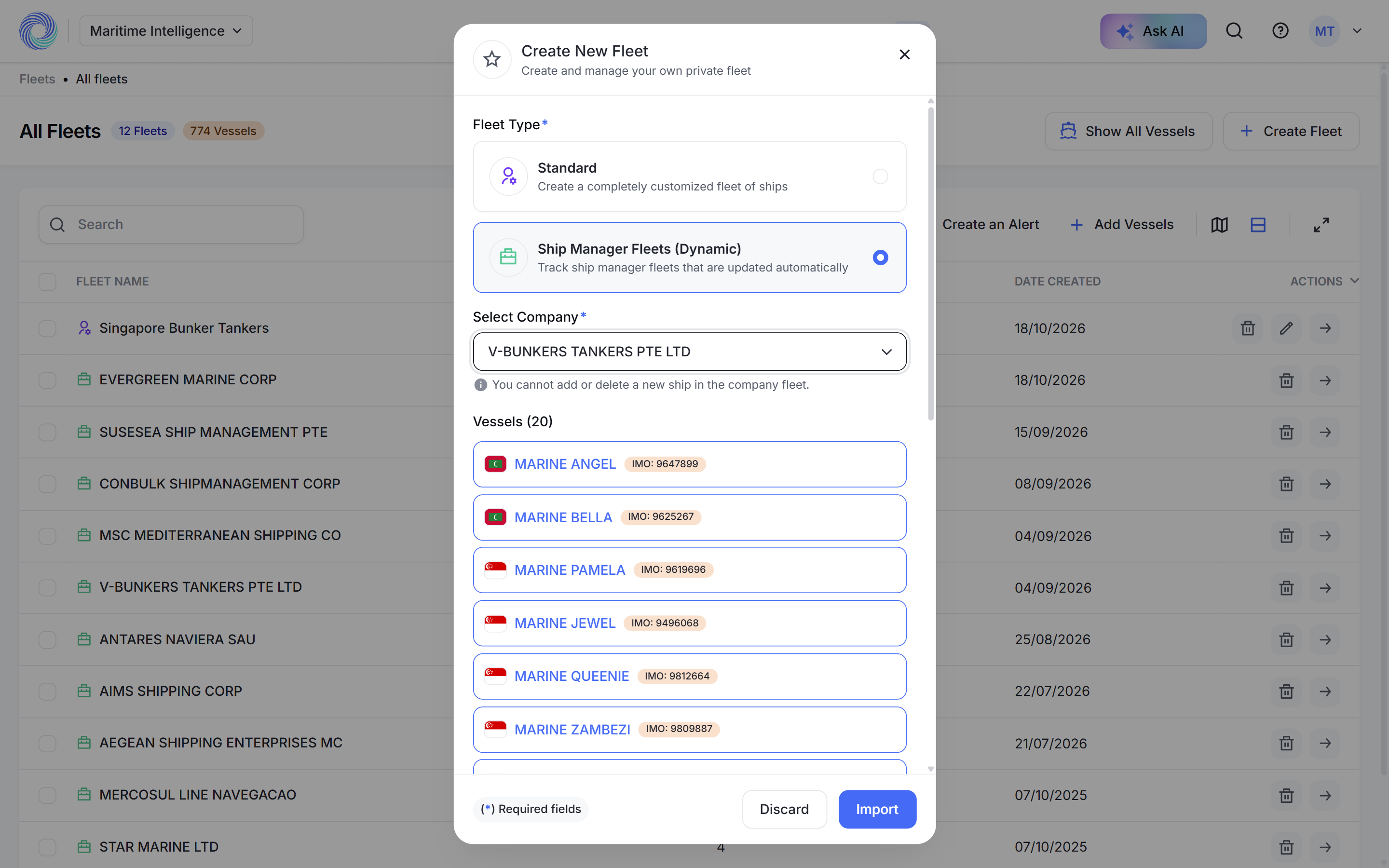
Click Import
Click Import. The fleet is created and named after the company.
Note: A dynamic fleet follows one company. To follow several, create one fleet per company, or import their vessels into a standard fleet. See Import vessels into a fleet.
Or start from the company profile
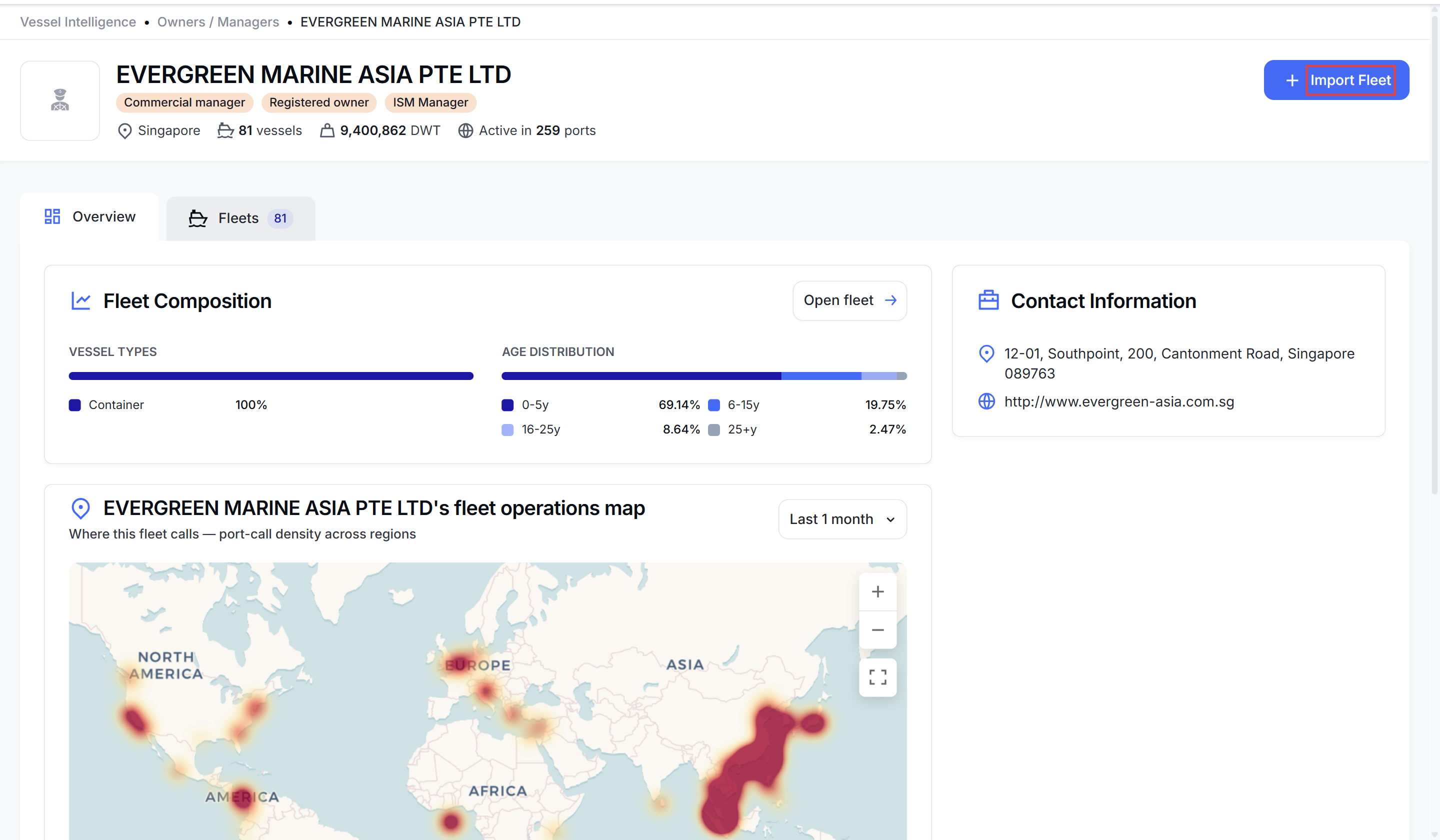
Open the company in Owners / Managers and click Import Fleet in the top right corner. The same dialog opens with the company already chosen. Click Import.
Once the fleet exists, the button on the profile changes to View Fleet. See Look up a ship owner or manager.
Note: You can’t rename a dynamic fleet or add or remove its vessels. You can delete it, filter it and create alerts for it like any other fleet.
Enterprise: To make the fleet visible to colleagues, turn on Add to Enterprise on the fleet page. See Share fleets with your team.
Was this article helpful?
Thanks for your feedback.