

Search for vessels with Vessel Search
Vessel Search finds a specific vessel by name, IMO or MMSI, or builds a list of every vessel that matches criteria such as type, ownership, engine or the ports it has called at.
 4 min walkthrough of Vessel Search
Vessel Search works in two ways. Type a name or number to go straight to one vessel, or open Advanced to build a list of vessels that match your criteria, wherever they are in the world.
Who uses Vessel Search
- Anyone who needs one vessel’s details quickly: position, owner, managers, port calls.
- Commercial and sales teams build target lists, for example bulk carriers built after 2015 with a particular engine.
- Agents and suppliers find the vessels that regularly call at their port.
Find one vessel
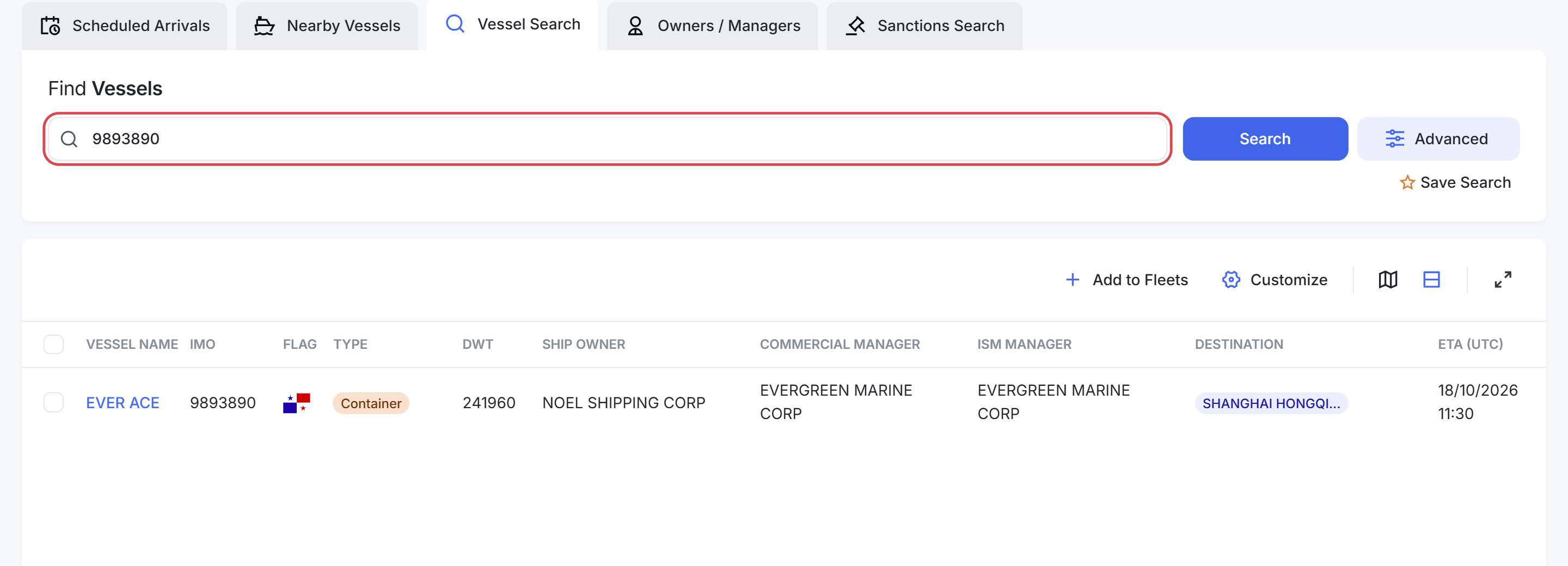
Type a vessel name, IMO or MMSI in Type vessel name, IMO or MMSI and click Search. Partial names work: EVER returns every vessel whose name contains it.
| Identifier | What it is | Changes? |
|---|---|---|
| IMO | 7-digit number given to the hull | Never, even when the vessel is renamed or sold |
| MMSI | 9-digit radio identity used by AIS | Can change with flag or owner |
| Name | The current registered name | Can change; several vessels can share one |
Tip: Use the IMO number when you have it. It is the only identifier that always points to the same vessel.
Build a list with filters
Click Advanced to open the filter panel. It has the same categories as the other vessel lists, plus one that only Vessel Search has:
| Category | Filter on |
|---|---|
| Vessel Types | Container, Tanker, Gas Carrier, Bulk Carrier, General Cargo, Ro-Ro, Offshore and more |
| Technical | Flag, class society, deadweight, gross and net tonnage, length, beam, TEU |
| Ownership | Owner, commercial manager or ISM manager, by name or country |
| Voyage | Last port or country of call |
| Class Surveys | Survey type and next survey date |
| Ship Building | Shipyard, country of build, year built |
| Engine | Engine builder and model, number of main engines, propulsion |
| Certificates | Certificate type and expiry |
| Fleets | Only vessels already in your fleets |
| Navigation History | Ports or countries the vessel called at within a date range. Vessel Search only |
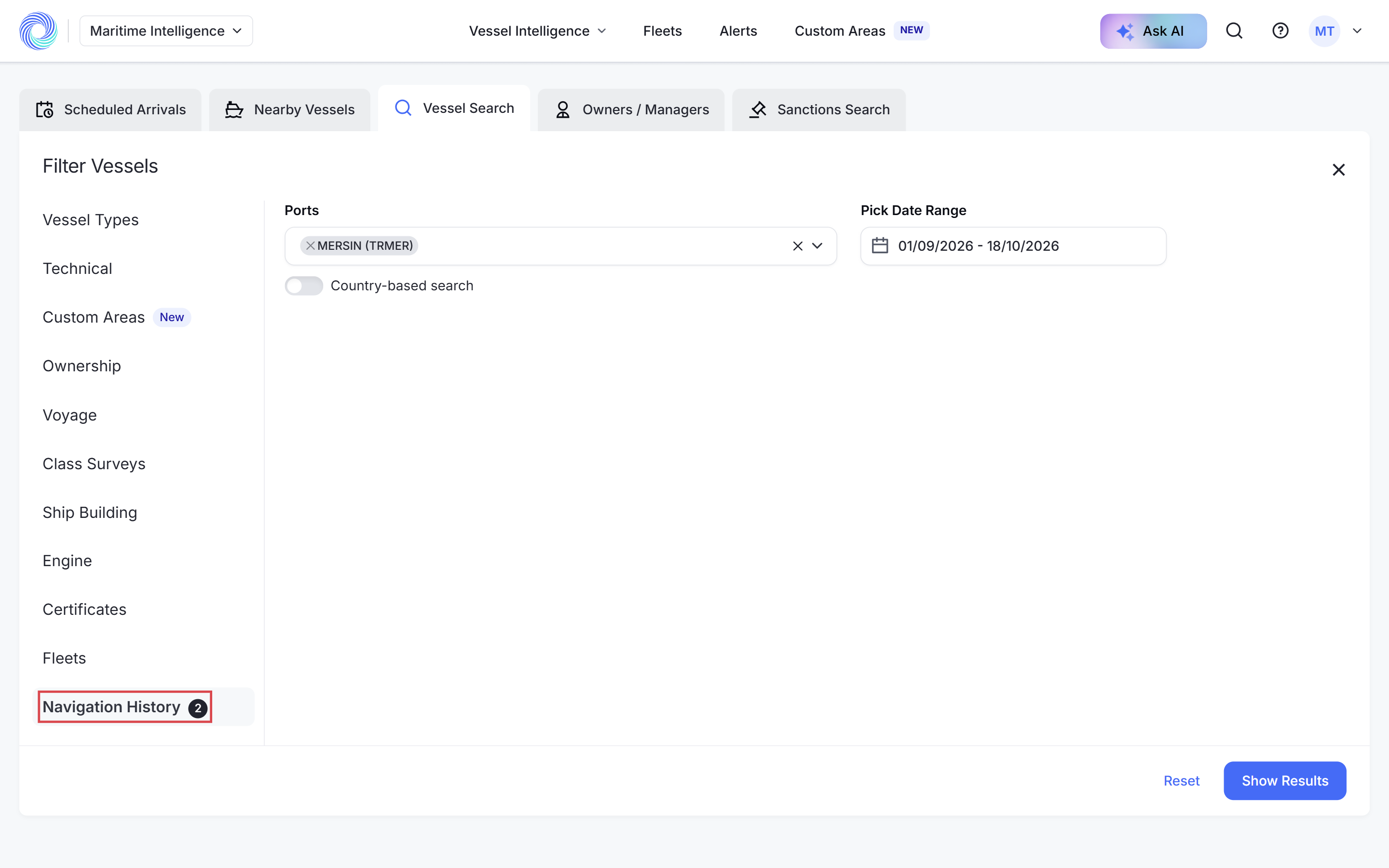
Navigation History is the route-intelligence filter: it lists vessels that actually called at a port or country in the period you choose, for example every vessel that called at Mersin in the last six weeks. A date range is required.
What you can do with the results
- Customize the columns, switch to Map view, or Add to Fleets.
- Save Search to run the same query again later.
- Click a vessel name to open its full profile.
How-to guides
- Search for a vessel by name, IMO or MMSI
- Find vessels that called at a port
- Narrow results with advanced filters
- Save a search and run it again
- Read a vessel profile
Frequently asked questions
Can I search from any page? Yes. Use the search box in the top bar of Maritime Intelligence to jump to a vessel from anywhere.
Why does a name return several vessels? Vessel names are not unique. Check the IMO, flag and type, or search by IMO instead.
Can I export Vessel Search results? Add the vessels to a fleet and export the fleet, or run the same criteria in Scheduled Arrivals or Nearby Vessels, which export directly.
Can I get an email when a vessel’s details change? Yes. Open the vessel and click Create Alert. See Create an alert for a single vessel.
Was this article helpful?
Thanks for your feedback.