

Generate a customer statement (SOA)
Create a statement of account for a customer.
A Statement of Account (SOA) shows what you invoiced, credited and received from a customer over a period, with the balance carried in. Send it when a customer asks what they owe, or when you chase overdue invoices.
Open the customer
Go to Master Data, open Customers and click the customer’s name.
Note: The statement covers only the branch selected at the top of the screen, across all its jobs for this customer.
Choose Generate SOA
At the top of the customer’s page, open Actions and click Generate SOA.

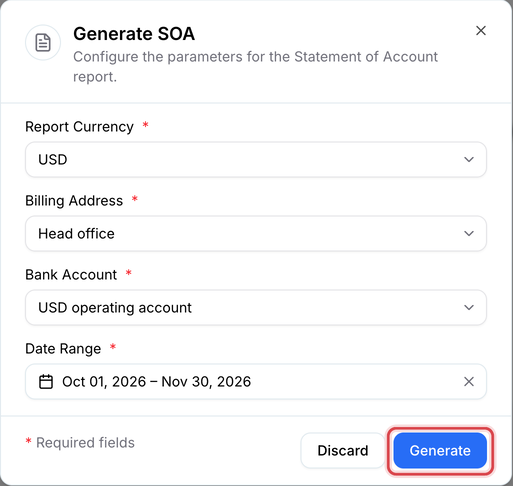
Fill in the settings
All four are required:
- Report Currency: the currency of the whole statement.
- Billing Address: the customer’s address printed on it.
- Bank Account: your account, so the customer knows where to pay.
- Date Range: the period it covers.
If your branch has several SOA layouts, Select Template also appears. Click Generate.
Note: Every currency on the customer’s invoices and payments needs an exchange rate to the report currency for the dates involved, or the statement cannot be built. See Use exchange rates.
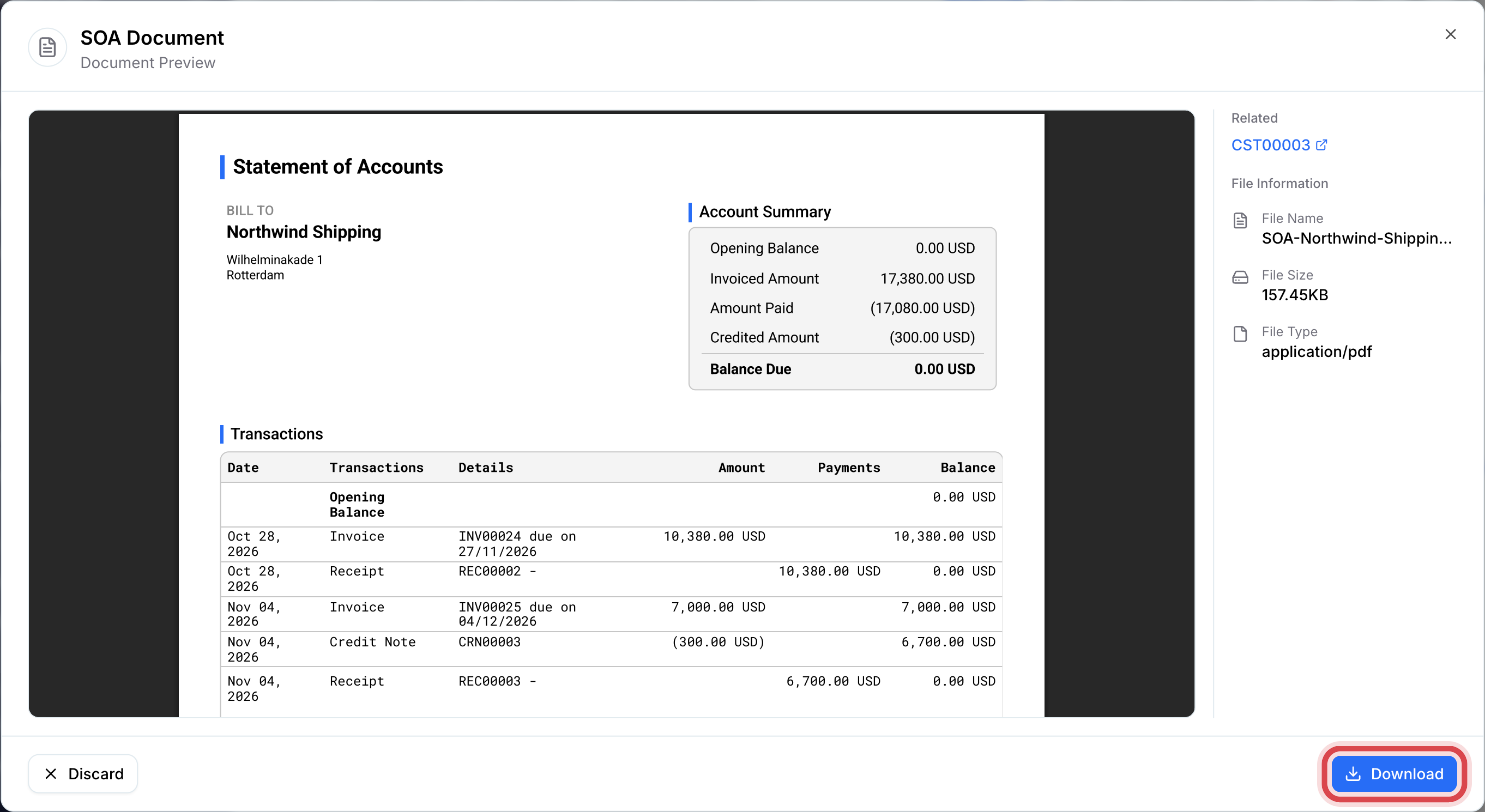
Download or send it
You can minimise the window and keep working. When the preview opens, click Download, or Send to email it, if you can email from PCM.
Check what it includes
Row Included when Final Invoices Approved, invoice date in the range Credit Notes Approved, date in the range Customer payments Not cancelled, payment date in the range Drafts, cancelled documents, documents waiting for approval and archived jobs are left out. Money allocated to a Proforma Invoice or Rolling Proforma Invoice is an advance, so it shows as paid only once it is settled on a Final Invoice.
Was this article helpful?
Thanks for your feedback.