

Book crew hotels and transfers
Record where the crew stay and how they get to and from the vessel.
Record the crew’s hotel stays and their transfers by car or bus on the job, so the team knows where everyone is and how they reach the vessel.
Open Crewing on the Operations tab
Open the job, click the Operations tab and open Crewing. Hotels and transfers are booked for crew members already on the job. See Add crew members.
Add the hotel stay
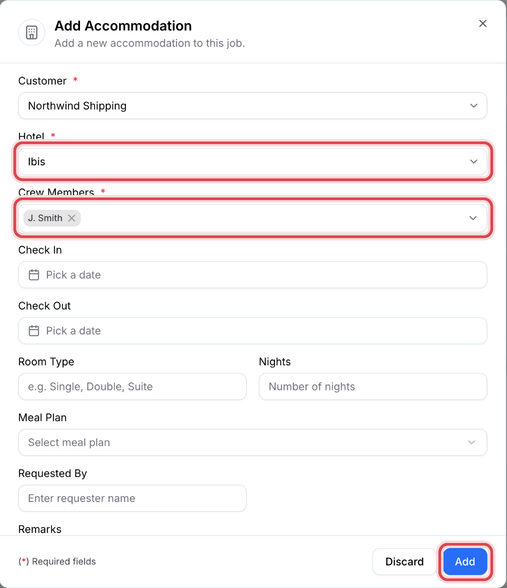
Open Accommodations and click Add Accommodation. Choose the Customer, the Hotel and the Crew Members who stay. Add Check In, Check Out and Nights if you know them. Click Add.
Add the transfer
Open Transports and click Add Transport. Choose the Customer and the Crew Members, and enter From and To. You can add the Vehicle, Driver and Pax. Click Add.
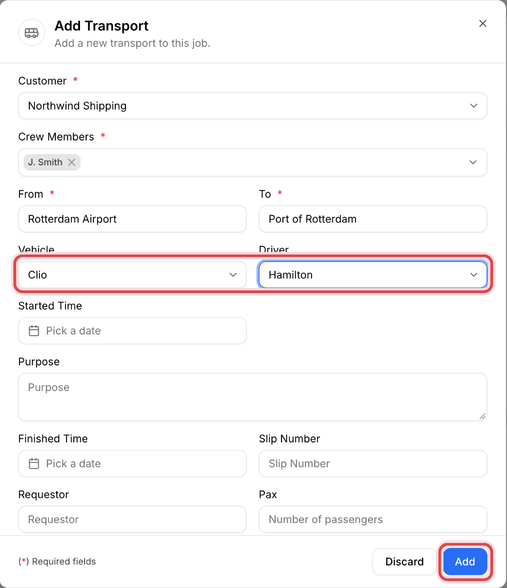
Tip: Hotels, vehicles and drivers come from Master Data. If one is missing, create it from the list in the form.
Generate the transportation slip
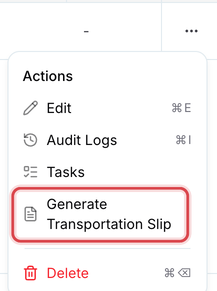
To print a slip for the driver, open the transport’s actions and click Generate Transportation Slip, if your company has access to it.
Was this article helpful?
Thanks for your feedback.