

Alert on sanctions or identity changes
Get an email digest when a vessel is added to or removed from a sanctions list, changes name, flag or owner, or changes navigational status.
Maritime Intelligence offers three alert triggers that watch the vessel itself rather than its voyage: Sanction Status Change (added to or removed from a sanctions list), Vessel Identity Change (name, Maritime Mobile Service Identity number, flag, owner, or manager), and AIS (Automatic Identification System) Navigational Status Change (for example anchored or aground). Each emails you a digest when the monitored detail changes, so you do not need to recheck vessel profiles by hand. An alert takes one trigger, so create one alert per trigger, using the steps in Create an alert.
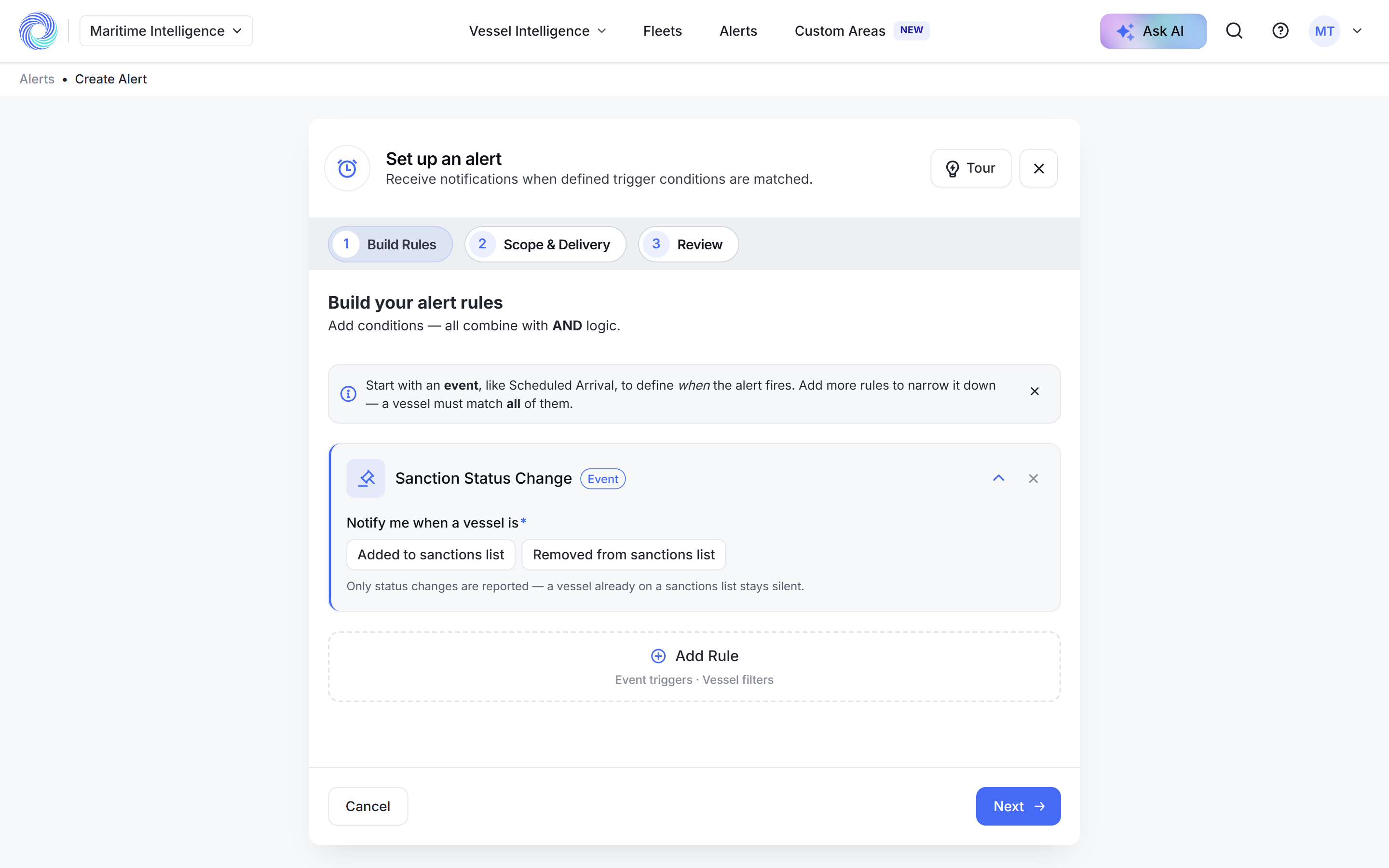
Sanction Status Change
Click Add Rule → Sanction Status Change. Under Notify me when a vessel is, choose Added to sanctions list, Removed from sanctions list, or both.
Only changes are reported. A vessel that is already on a sanctions list when you create the alert stays silent until its status changes.
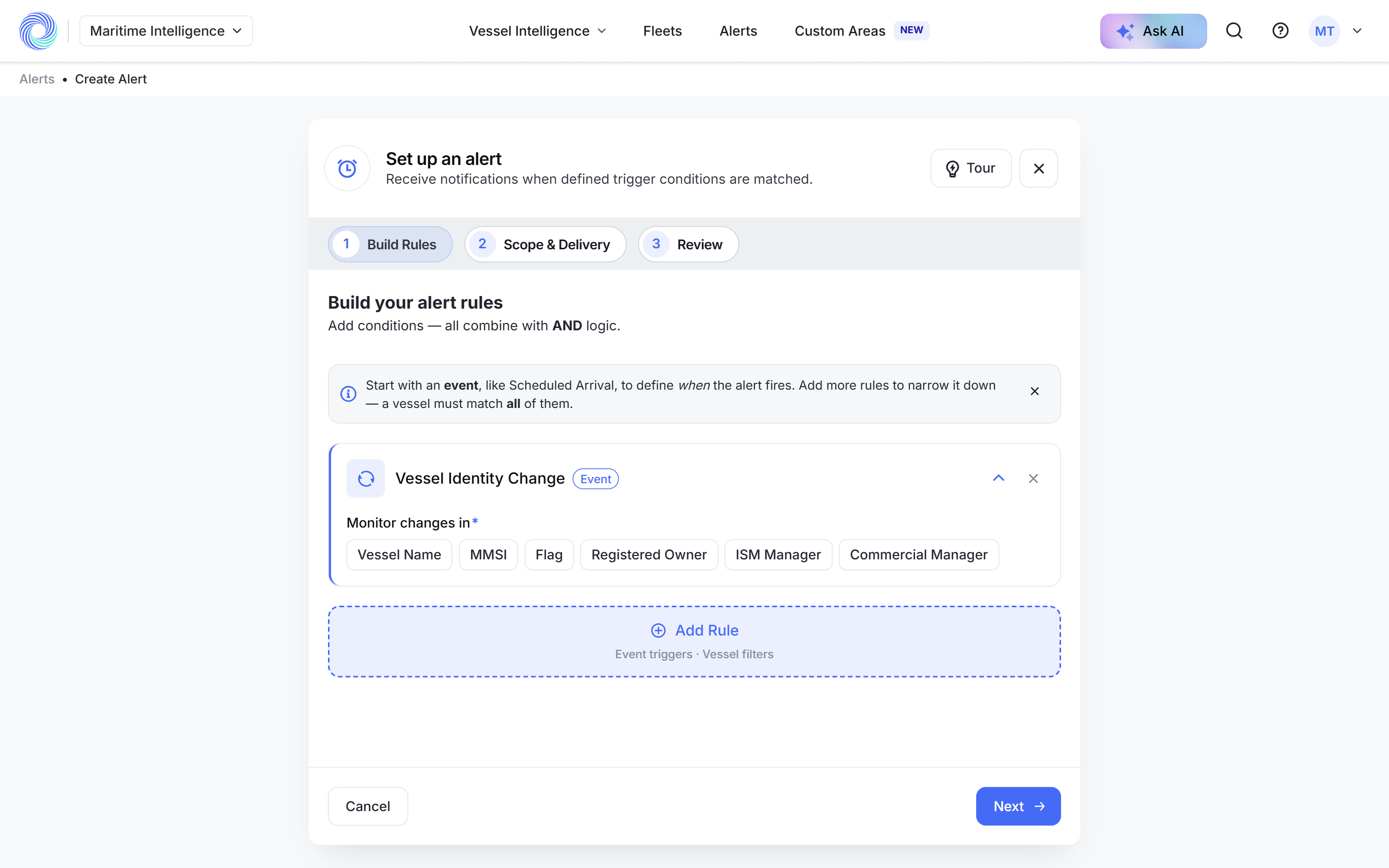
Vessel Identity Change
Click Add Rule → Vessel Identity Change. Under Monitor changes in, choose what to watch: Vessel Name, MMSI, Flag, Registered Owner, ISM Manager or Commercial Manager.
Frequent changes of name, flag or owner can be a sign of a vessel trying to hide its history.
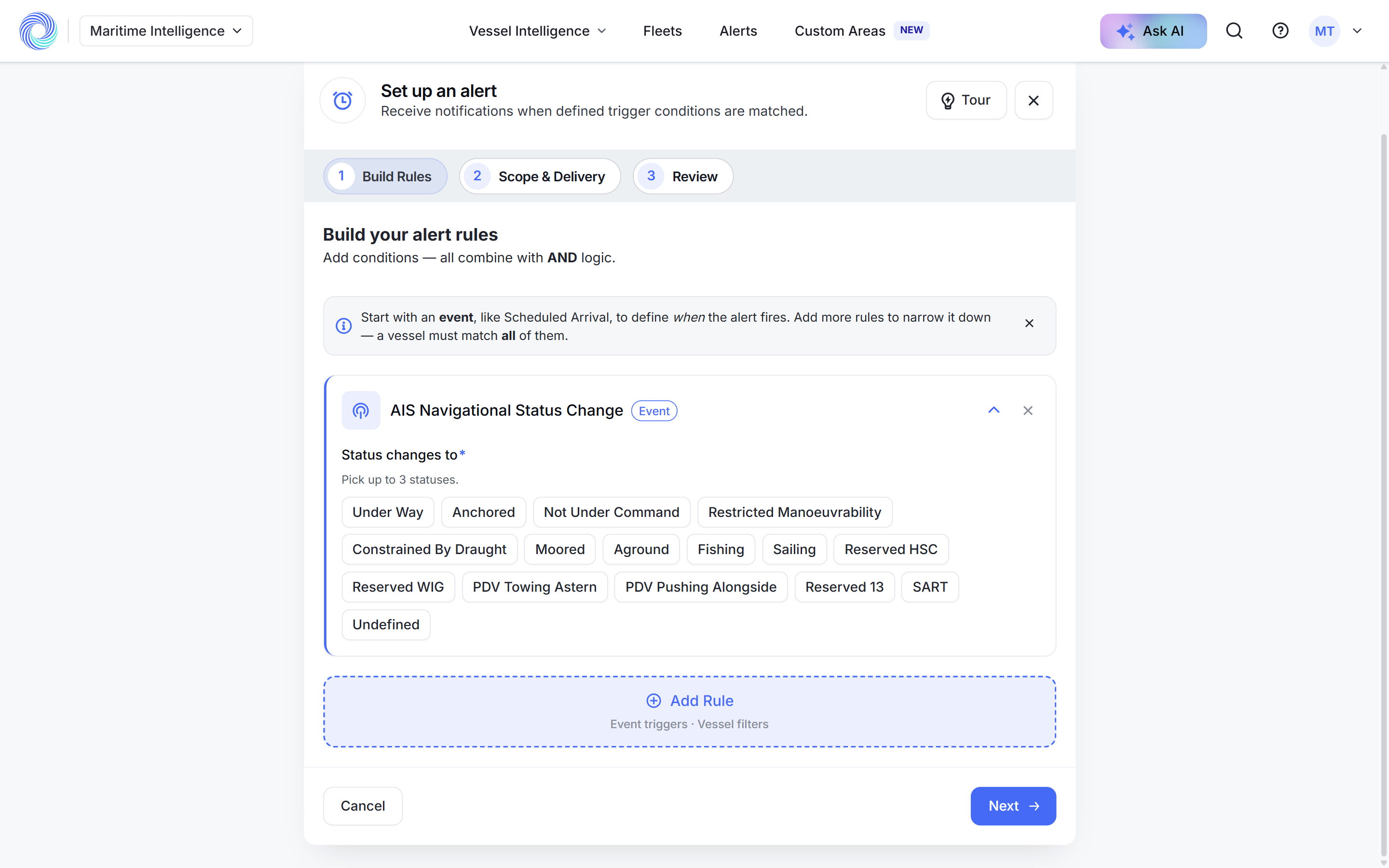
AIS Navigational Status Change
Click Add Rule → AIS Navigational Status Change. Under Status changes to, pick up to three statuses, for example Anchored, Moored or Aground. The alert fires when a vessel switches to one of them.
Choose the vessels and finish
Click Next. Under Scope, choose a fleet, specific vessels, an Excel file of IMOs, or All Matching. Turn on Email Digest, set the schedule, click Next, name the alert and click Create Alert.
Tip: On All Matching, add vessel filters such as Vessel Types or Ownership so you are not emailed about every vessel in the world.
Was this article helpful?
Thanks for your feedback.