

Alert on destination changes
Get an email digest when a vessel changes the destination it reports.
A Destination Change alert in Maritime Intelligence emails you when a vessel that was heading to a port you choose reports a different destination. Use it to catch diversions early, such as a vessel bound for Rotterdam that switches ports, so you can update berth, cargo, or agency plans while there is still time.
Open Alerts and click Create an Alert
Click Alerts in the top navigation, then Create an Alert.
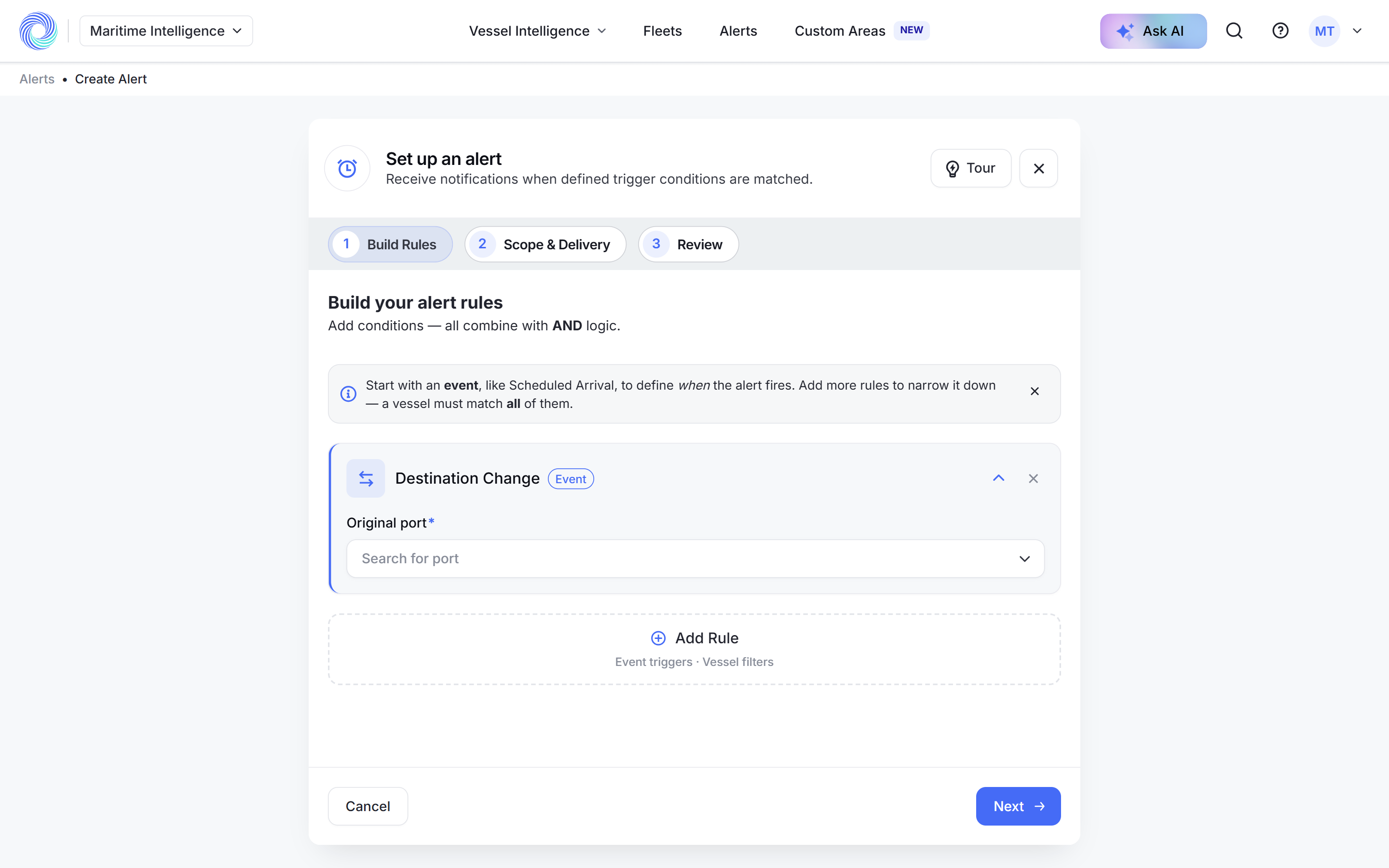
Add the Destination Change rule
Click Add Rule and choose Destination Change.
Choose the original port
In Original port, click Search for port and pick the port the vessels were heading to, for example ROTTERDAM (NLRTM). You are told when a vessel bound for that port changes its destination. The field is required: Next does nothing until a port is chosen.
Add vessel filters if you need them
Click Add Rule to add a vessel filter, such as Vessel Types. Click Next.
Choose the vessels and the schedule
Under Scope, choose the fleets or vessels to watch, turn on Email Digest and set the frequency and time. Click Next. See Create an alert for every option.
Name it and click Create Alert
Enter an Alert Name, check the summary and click Create Alert.
Note: An alert can have only one event trigger. To watch ETA changes for the same vessels, create a second alert. See Alert on ETA changes.
Was this article helpful?
Thanks for your feedback.