

Find your way around Maritime Intelligence
The top navigation, the Vessel Intelligence tabs, quick vessel search, help and your account menu.
Everything in Maritime Intelligence is reached from the bar at the top of the screen. This page shows what each part of it does.
Top navigation
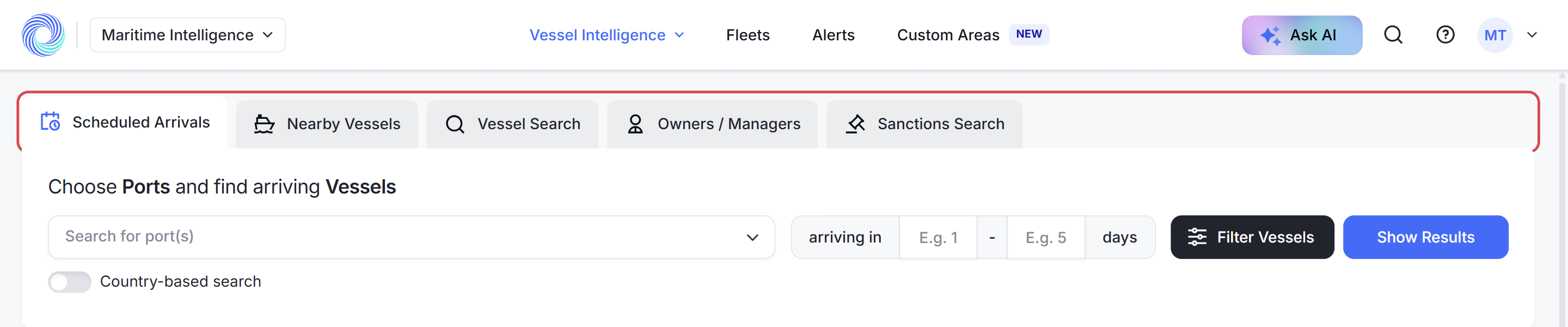
The four links in the middle of the bar open the main areas of the app:
- Vessel Intelligence: search for vessels, companies and sanctions.
- Fleets: the vessel lists you build and follow.
- Alerts: the email alerts you have set up.
- Custom Areas: areas of sea you draw and watch.

Vessel Intelligence tabs
Vessel Intelligence opens on a row of five tabs. Click a tab to switch between them:
- Scheduled Arrivals: vessels due at a port.
- Nearby Vessels: vessels close to a port now.
- Vessel Search: a vessel by name, IMO or MMSI, or by where it has called.
- Owners / Managers: ship owners and managers and their fleets.
- Sanctions Search: vessels, companies and people on sanctions lists.
Quick vessel search
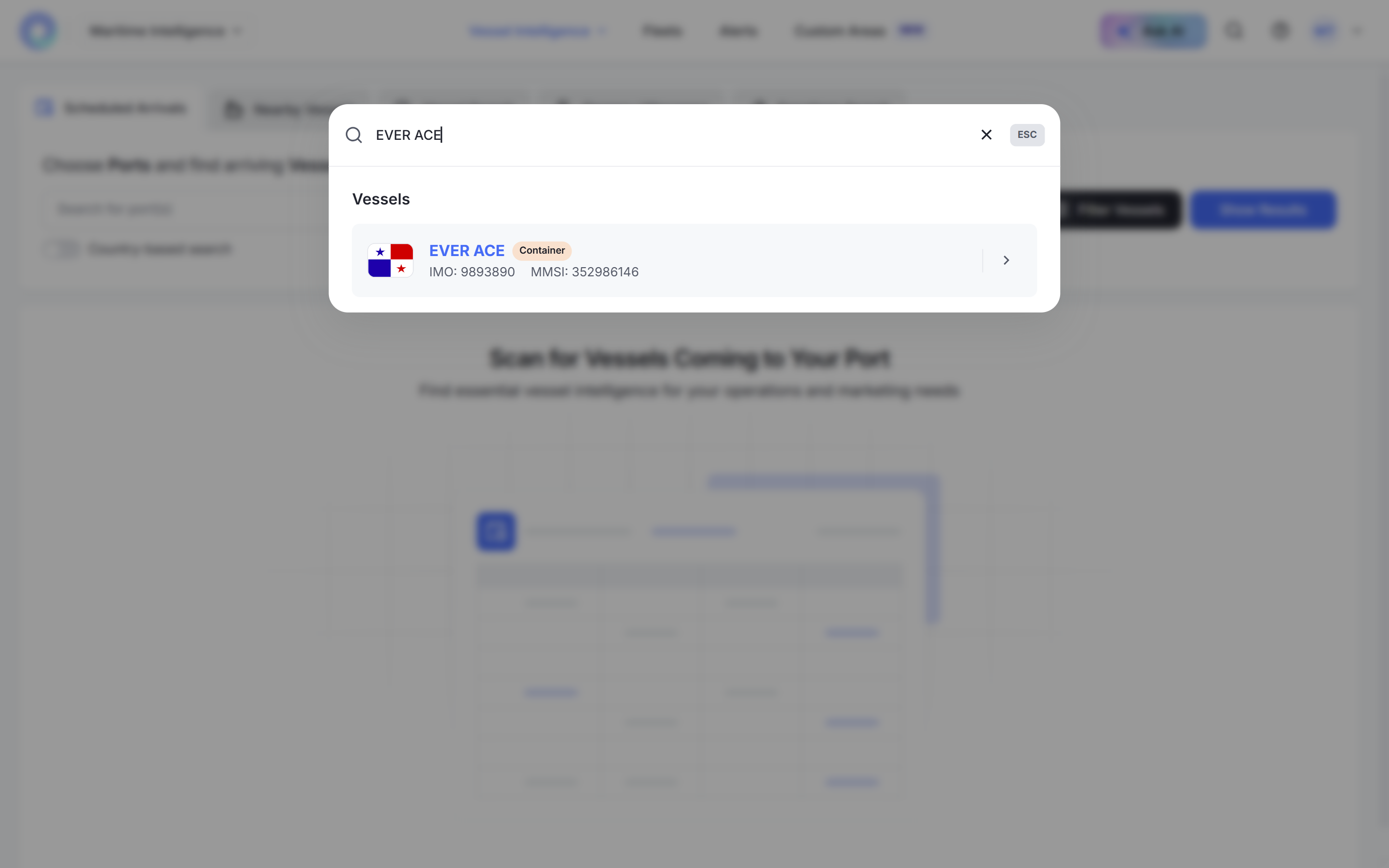
Click the magnifying glass in the top bar to find a vessel from any screen. Type a name, IMO or MMSI and click a result to open the vessel’s profile. Press Esc to close the search.
Help and support
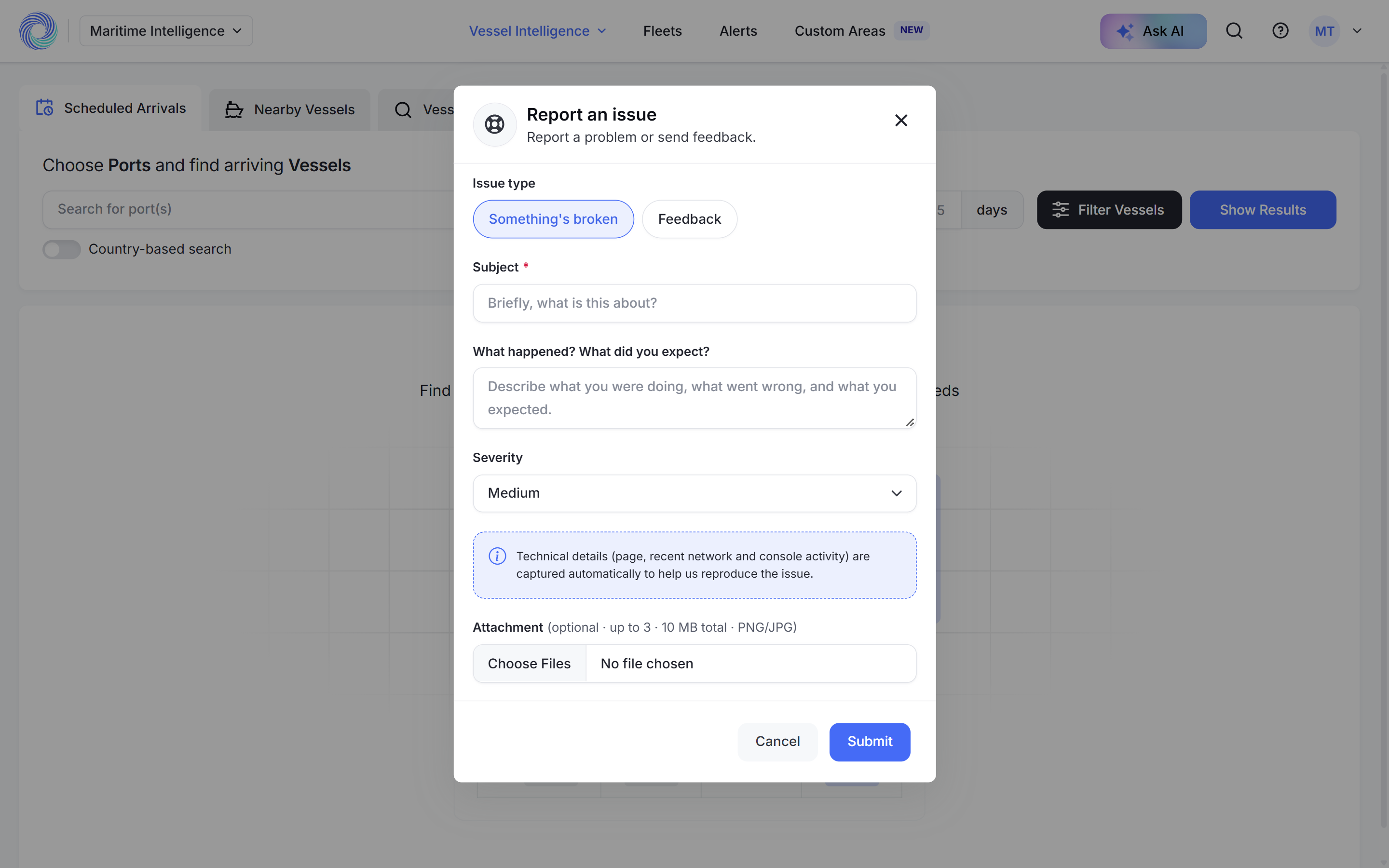
Click the question-mark icon to report a problem or send feedback. Choose Something’s broken or Feedback, add a Subject and a description, and click Submit. You can attach up to three PNG or JPG screenshots.
Technical details about the page you were on are sent with the report, so the team can reproduce what you saw.
Your account menu
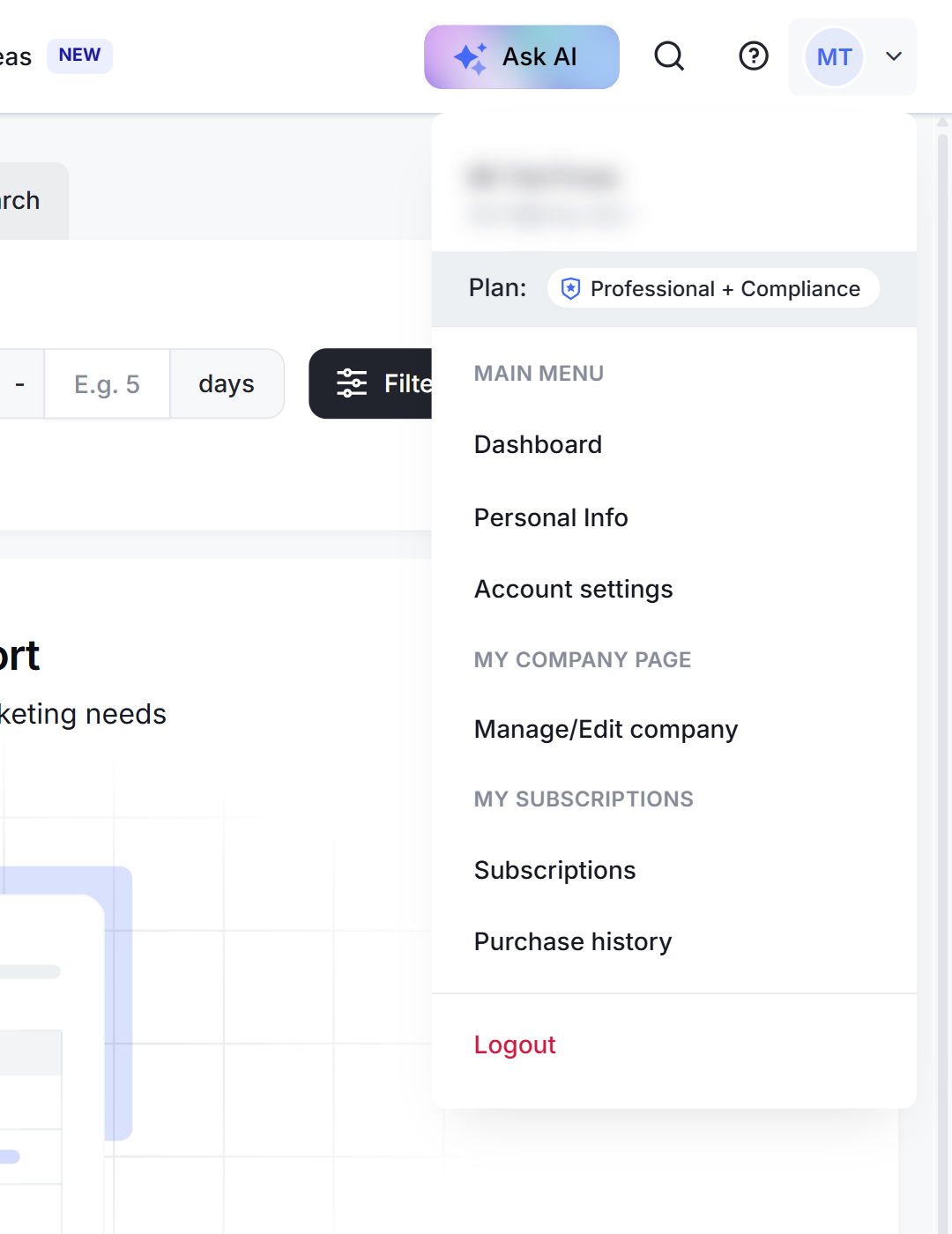
Click your initials in the top right corner to see your plan and to reach Personal Info, Account settings, your company page, Subscriptions, Purchase history and Logout.
Switching apps
Click Maritime Intelligence in the top left corner to go back to your MagicPort Dashboard, where your other MagicPort products are listed.
Was this article helpful?
Thanks for your feedback.