

I can't edit or cancel an approved Final Invoice
How to correct an invoice that is already approved.
Once a Final Invoice is approved, its lines and details are locked and Cancel is no longer offered. This is on purpose: the customer holds the invoice, its services are Billed, and payments may be allocated to it.
The invoice is Awaiting Payment
What you see: no way to edit the lines, and no Cancel in Actions.
Why: a Final Invoice can be edited or cancelled only while it is Draft.
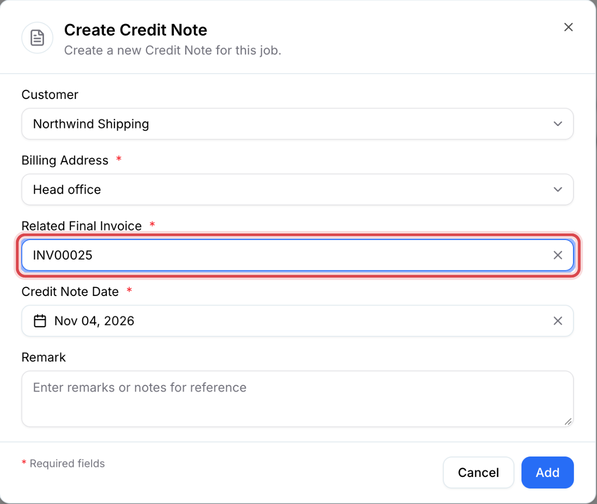
What to do: issue a Credit Note against it. Its approved total is taken off the invoice’s balance. See Correct a Final Invoice with a Credit Note.
Note: An approved Credit Note cannot be undone. Check it carefully before you approve it.
The invoice is Paid
Why: a Credit Note reduces the balance due, so it cannot be raised on a Paid invoice.
What to do: cancel the customer payment allocated to it, so it goes back to Awaiting Payment, then issue the Credit Note. See Correct a paid Final Invoice.
The invoice is waiting for approval
What you see: the invoice is Submitted for Approval or Submitted for Cancellation.
Why: it is locked until the approver answers.
What to do: wait for the answer. If the approver rejects it, the invoice goes back to Draft and you can change it again.
The job is closed
Why: a Credit Note can be created and edited only while the job is Open or Reopened.
What to do: reopen the job first. Reopening asks for a reason, and may need approval in your branch.
The Credit Note is refused on approval
Why: its total is more than the invoice’s open balance, or it credits a service for more than the invoice billed for it, counting the invoice’s other Credit Notes.
What to do: lower the lines and approve again.
For what you can do with a Final Invoice in each status, see Final Invoices.
Was this article helpful?
Thanks for your feedback.