

Take back work from another branch
Accept the other branch's work onto your job and finish the request.
When the branch you shared work with hands it back, you are notified and the request shows Returned. You apply their work to your job, then confirm when the request is complete.
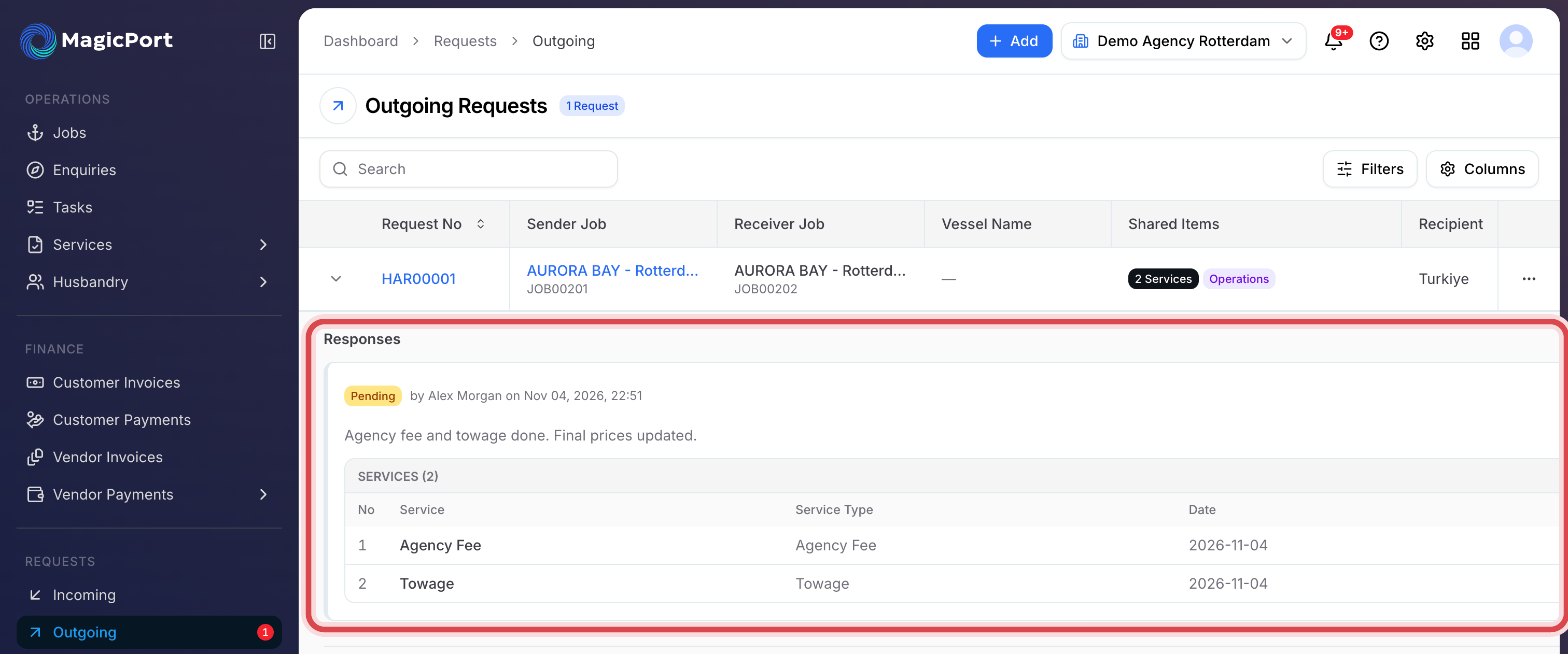
Open the response
Go to Requests → Outgoing and expand the request. Responses lists what came back.
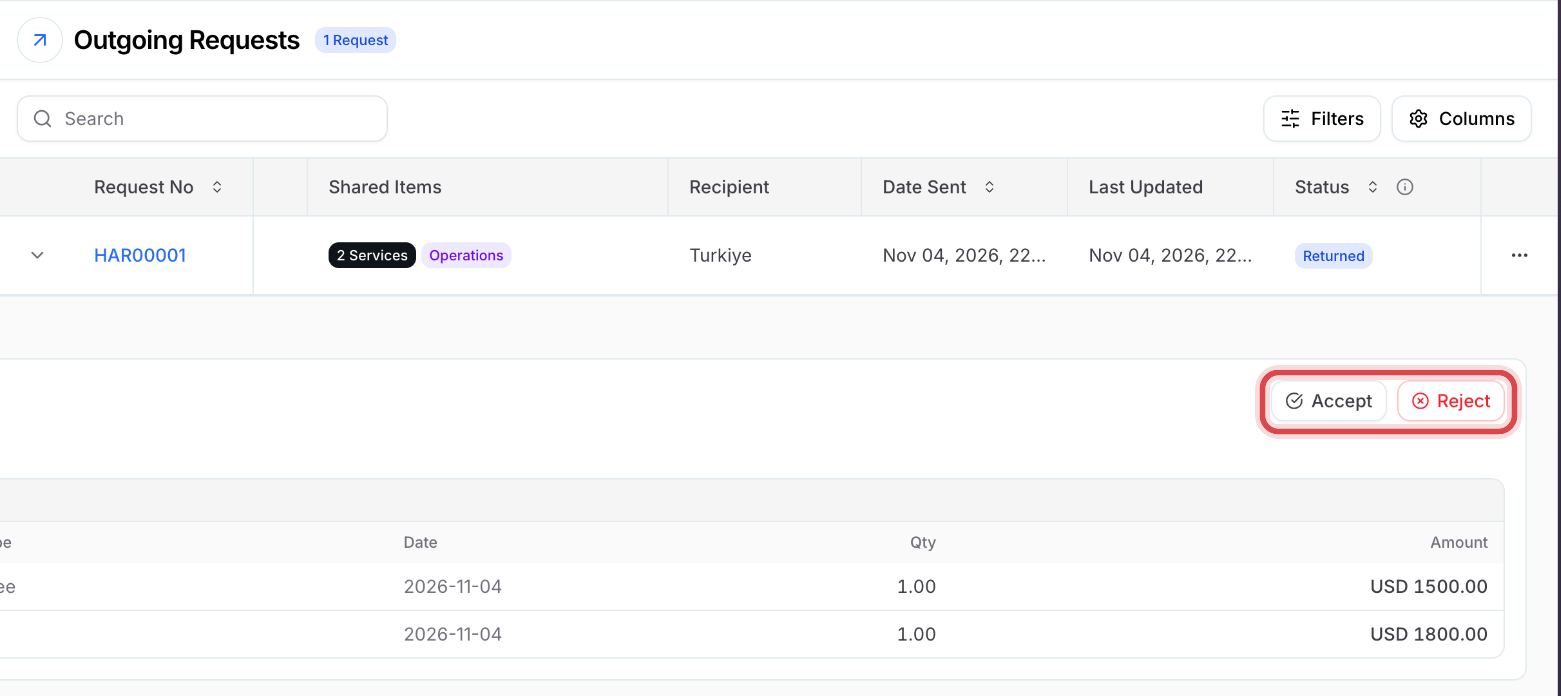
Accept or reject it
The buttons are at the right end of the response; scroll the list to the right if you do not see them. Click Accept to apply it to your job, or Reject with a reason to send it back. The request returns to In Progress.
Accepting writes their changes onto your job: updated quantities and prices on the shared services, cancellations, deletions and new records. Prices are not changed on a service you have already billed.
Confirm completion
When the other branch completes the request, it shows Awaiting Confirmation. Open the row’s menu under Requests → Outgoing and click Confirm Completion. The request is Completed.
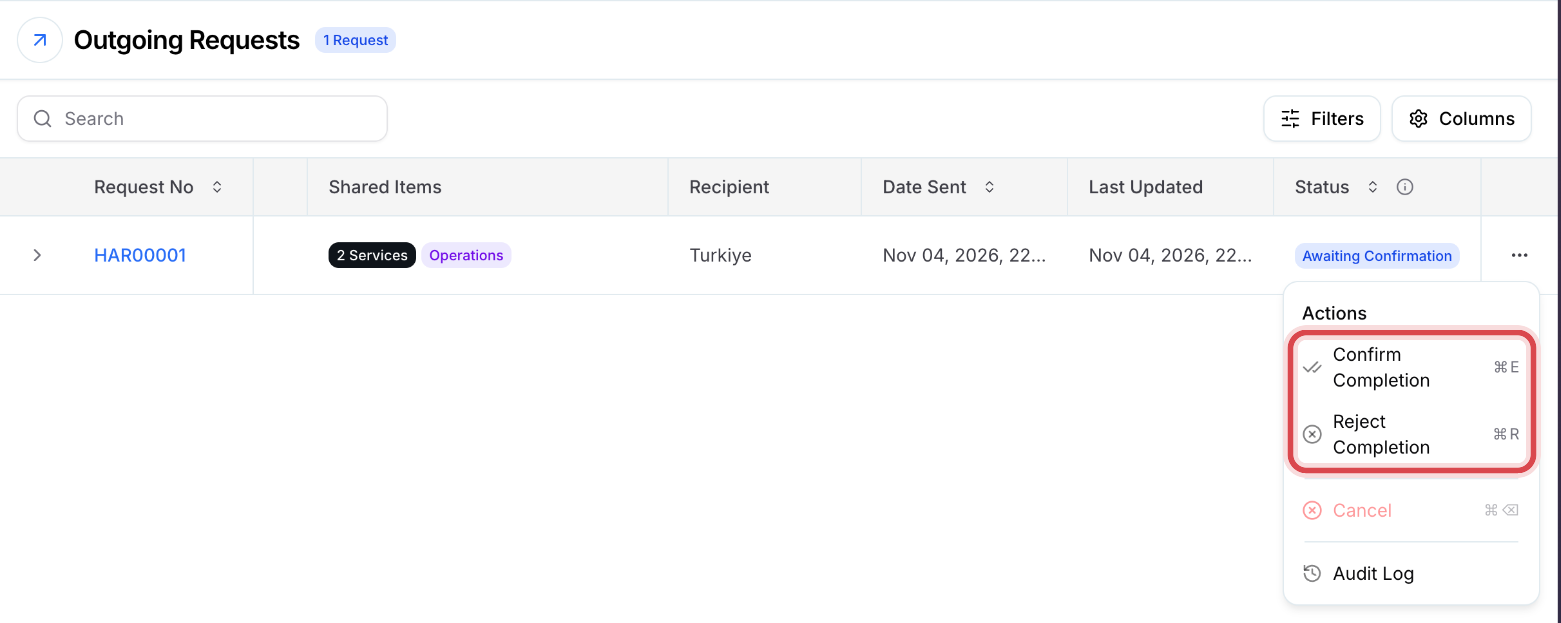
If something is missing, click Reject Completion and give a reason. The request goes back to In Progress for the other branch.
Bill and close as usual
The shared services leave Shared and get back the statuses they had before the share, unless the other branch cancelled them. You can now bill them and close the job.
Was this article helpful?
Thanks for your feedback.