

Record a vendor rebate
Record a rebate a vendor gives you.
A vendor rebate records money a vendor gives back to you. Unlike a credit note, it is not tied to an invoice or a job: it has its own amount, and its lines say what it is for.
Check you have a rebate service
The lines of a rebate are services from Master Data → Services and Tariffs whose Service Type is Rebate, not services of a job. If your company has none yet, add one first. See Manage services and tariffs.
Open Add Vendor Rebate
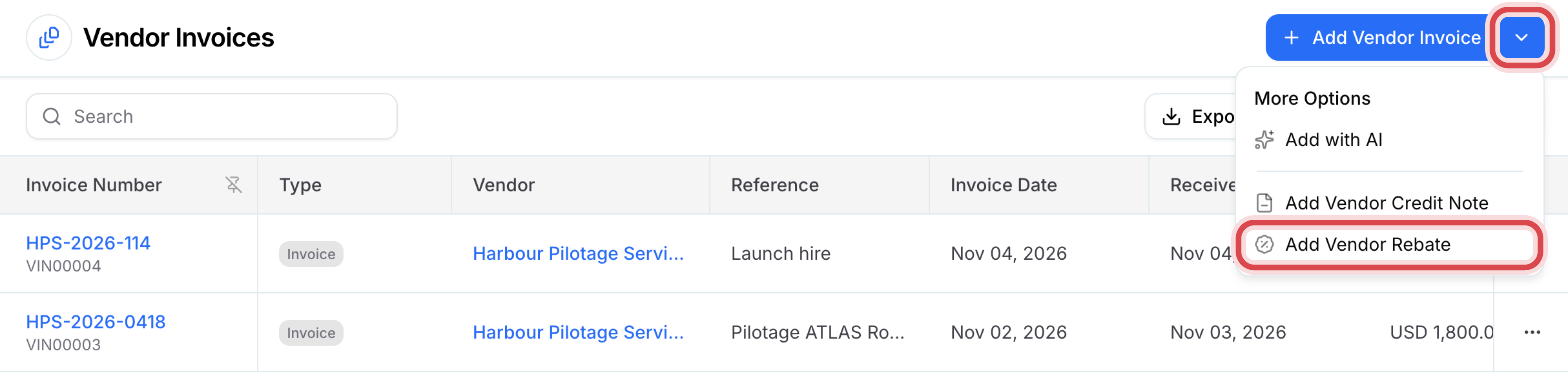
Go to Vendor Invoices under Finance in the left menu, click the arrow next to Add Vendor Invoice and choose Add Vendor Rebate.
Fill in the rebate
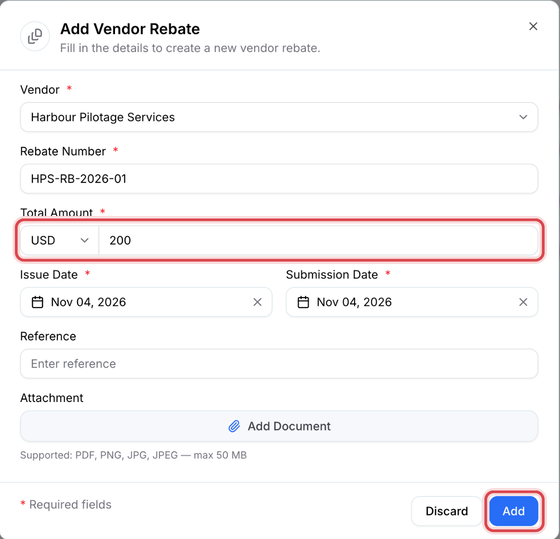
Fill in the Vendor, the Rebate Number from the vendor’s document, the Total Amount with its currency, the Issue Date and the Submission Date. Click Add. PCM opens the rebate as a Draft.
Add the lines
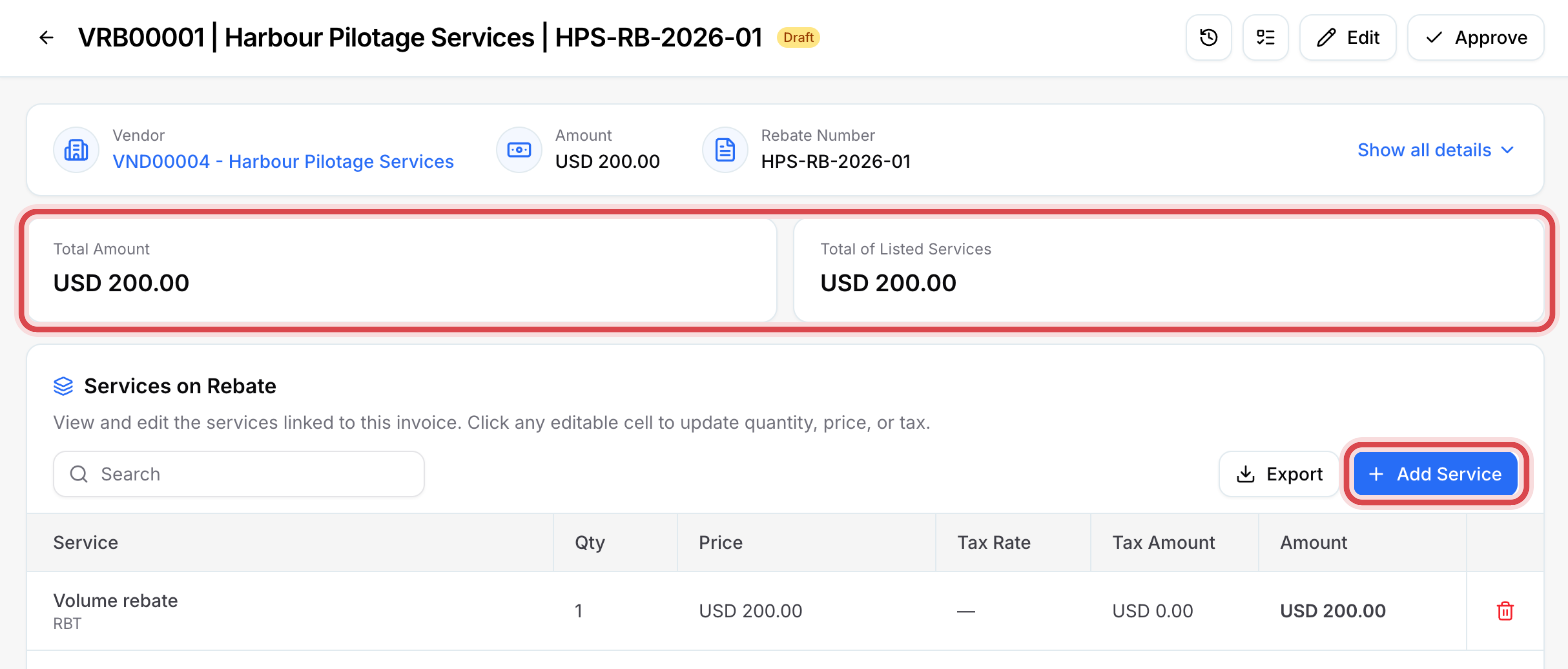
Under Services on Rebate, click Add Service. Choose the rebate service, enter the quantity and the Price with its currency, and save the row.
Match the totals and approve
Total Amount and Total of Listed Services must be the same. To change the amount or the dates, click Edit. Then open Actions and click Approve, or Submit for Approval if your branch has approval rules. An approved rebate is final.
Note: A rebate entered by mistake can be deleted while it is a draft, from its row actions in the Vendor Invoices list. For the full rules, see Vendor rebates.
Was this article helpful?
Thanks for your feedback.