

Duplicate a job
Start a new job from an existing one.
When a new job looks much like an old one, for example the same customer’s vessel calling again, duplicate the old job instead of starting from scratch. PCM creates a new, separate job; the original does not change and the two are not linked. You can duplicate a job in any status, including a closed one.
Choose Duplicate on the job
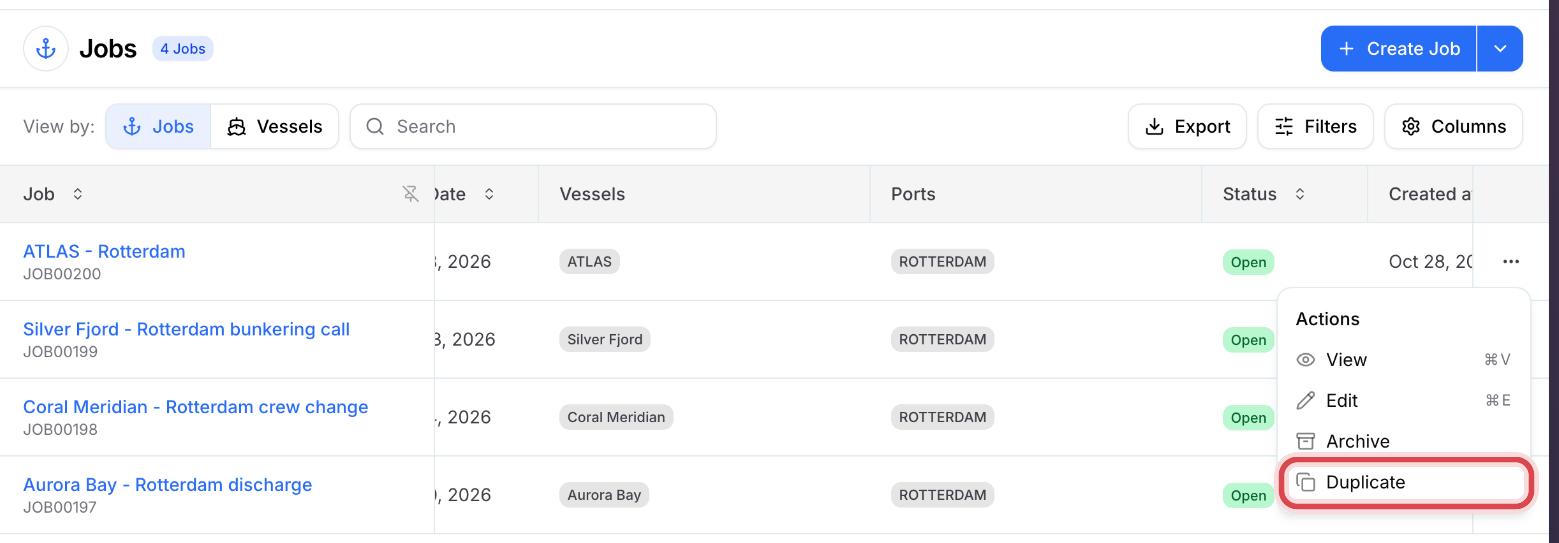
Go to Jobs in the left menu, open the actions of the job you want to copy and choose Duplicate. Duplicate Job opens, pre-filled from the original.
Check the job details
The name, customers and their roles, Person in Charge, Job Type and Cost Center are copied. Start Date is set to today and End Date is left empty. Change anything that is different for the new job.
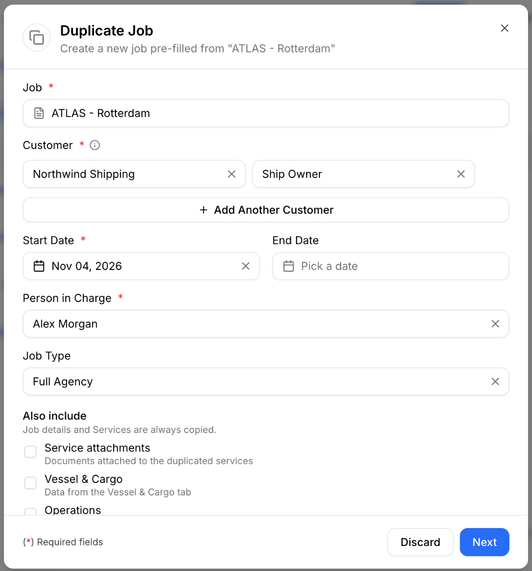
Note: If you replace a customer, its operations and vessel and cargo data go to the first customer listed, and you choose a new customer for its services in the next step.
Choose what else to copy
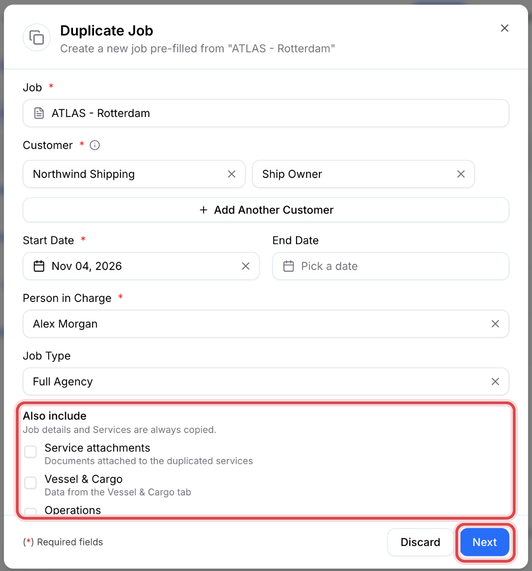
The details and services are always copied. Under Also include, tick any of Service attachments, Vessel & Cargo and Operations; all are off to start with. Click Next.
If the original job has no services, the button reads Save and the job is created straight away.
Select the services
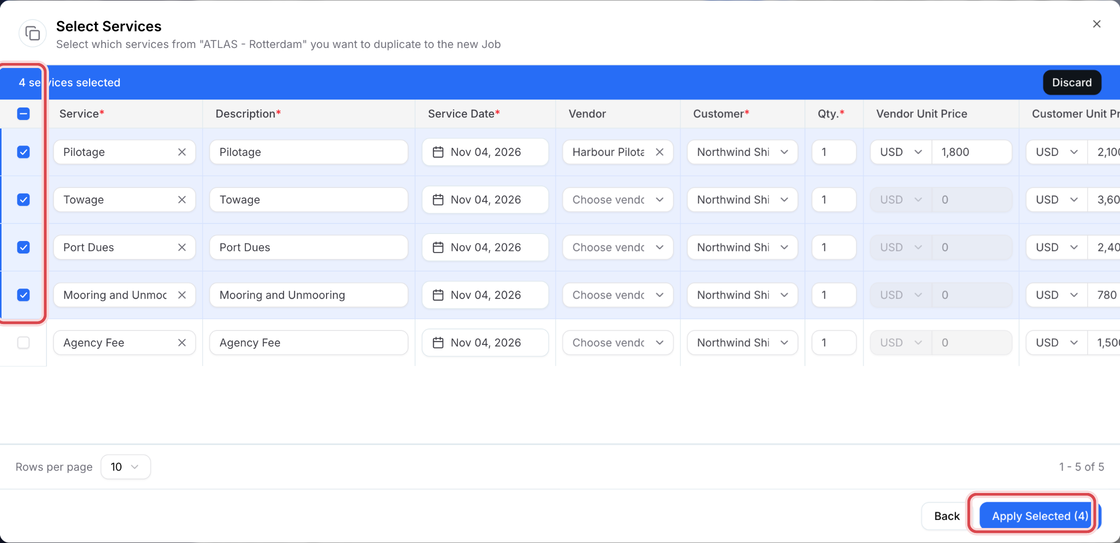
Select Services lists the original’s services, all selected. Untick the ones you do not need, and change any service’s details or prices if needed. Each service’s date is set to today. Click Apply Selected, and PCM creates and opens the new job.
Check the new job
The new job is Open and its services start again as Pending. Never copied: the job’s Documents, customer and vendor invoices, payments, and Agents other than the Person in Charge; add agents with Edit on the new job.
Note: If PCM shows Couldn’t duplicate this job, nothing was created, so you can simply try again.
Was this article helpful?
Thanks for your feedback.