

Create an enquiry
Record a customer's request for a price before you are appointed.
Before a customer appoints you, they often ask what the call or the delivery will cost. Record that request as an enquiry, then send your price as its quotation. An enquiry is for one customer and has one quotation.
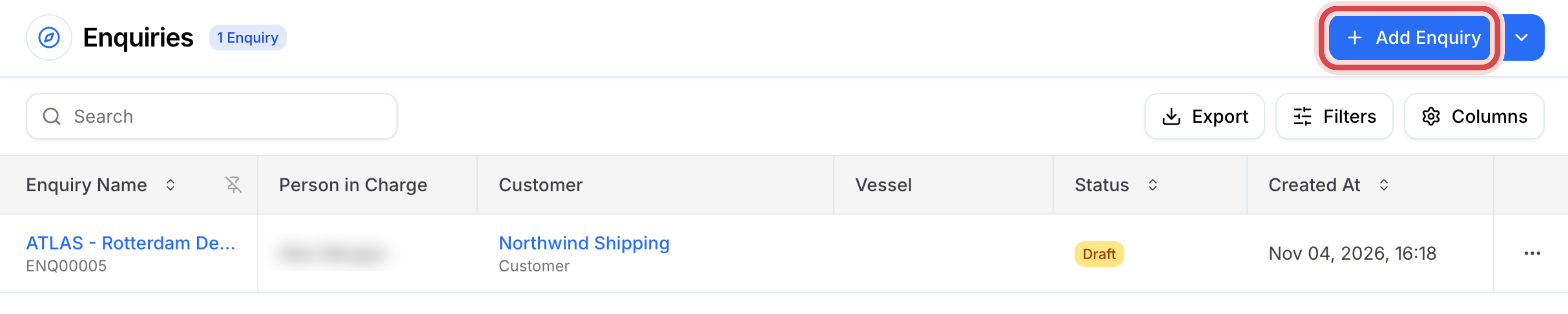
Open Add Enquiry
Go to Enquiries in the left menu and click Add Enquiry.
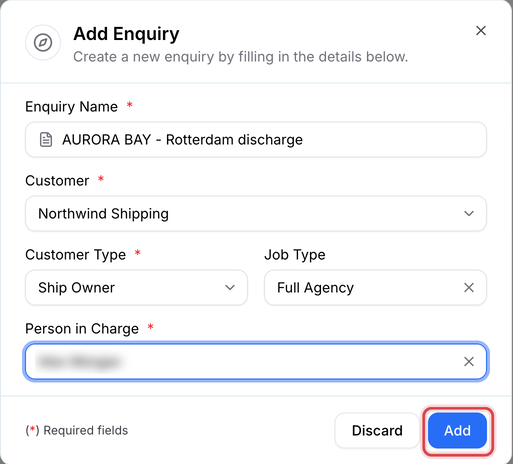
Fill in the enquiry
- Enquiry Name: a name your team will recognise, for example the vessel, the port and the work.
- Customer and Customer Type: who asked, and their role, such as Ship Owner or Charterer.
- Person in Charge: the colleague who handles it. They are notified, unless it is you.
Job Type is optional; it is carried over to the job. Click Add.
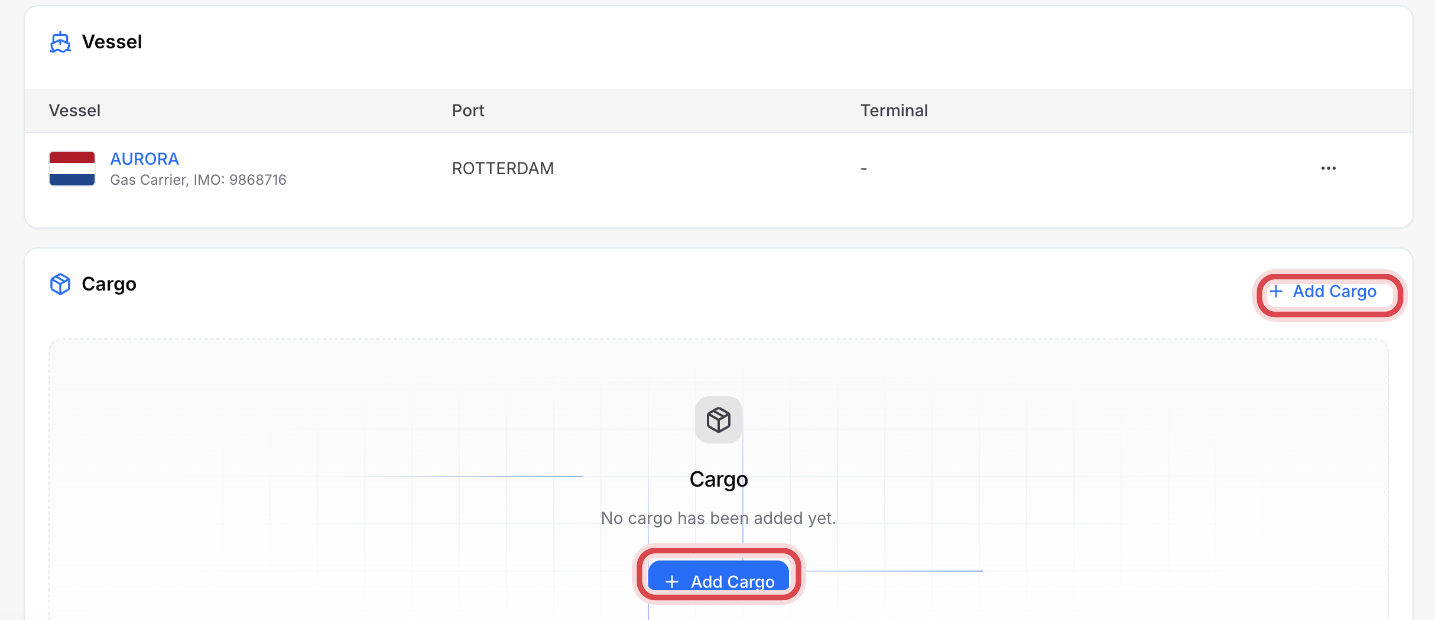
Add the vessel and cargo
The enquiry opens as a Draft. If you know the vessel and its cargo, add them on the Enquiry Details tab: first Add Vessel, then Add Cargo, which appears once a vessel is added. To add colleagues, click Edit.
Add the quotation
Open the Quotation tab to price the work. See Add a quotation to an enquiry. For what you can do in each enquiry status, see Enquiries.
Was this article helpful?
Thanks for your feedback.