

Add a quotation to an enquiry
Price an enquiry: the quotation and the services you quote.
The quotation is the price you send the customer for an enquiry. You can change it and its services while the enquiry is a Draft.
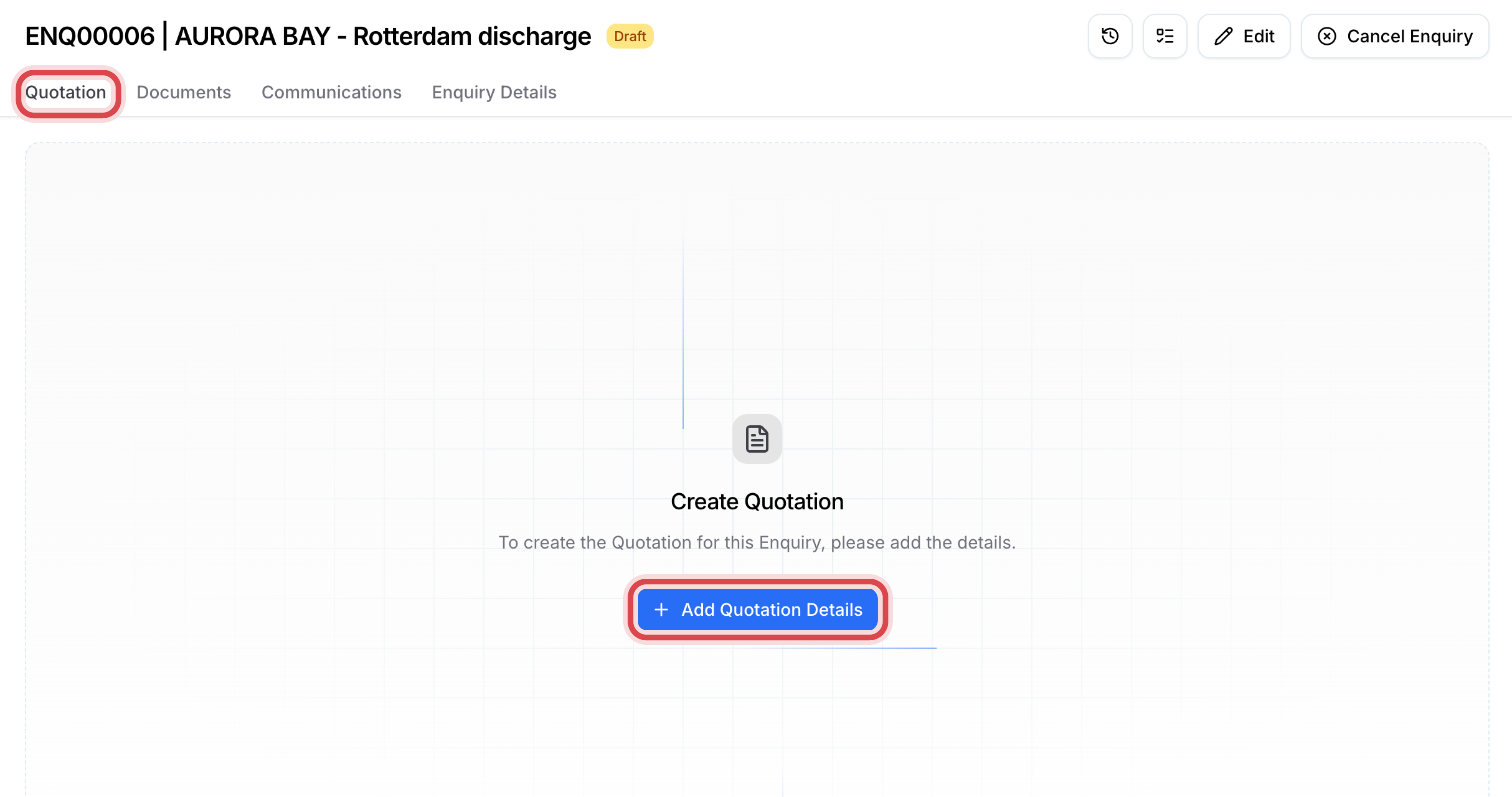
Open the Quotation tab
Open the enquiry, go to the Quotation tab and click Add Quotation Details.
Fill in Create Quotation
Three fields are required: Billing Address, Issue Date and Document Currency. Valid Until, Bank Account and Show Tax are among the optional ones. Click Add.
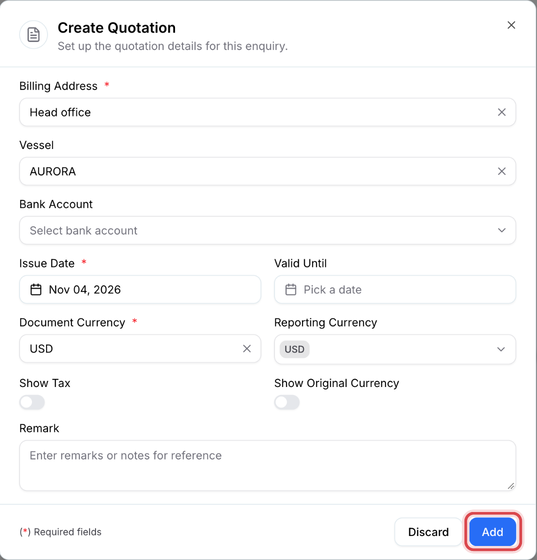
Note: While Show Tax is off, no line can carry a tax.
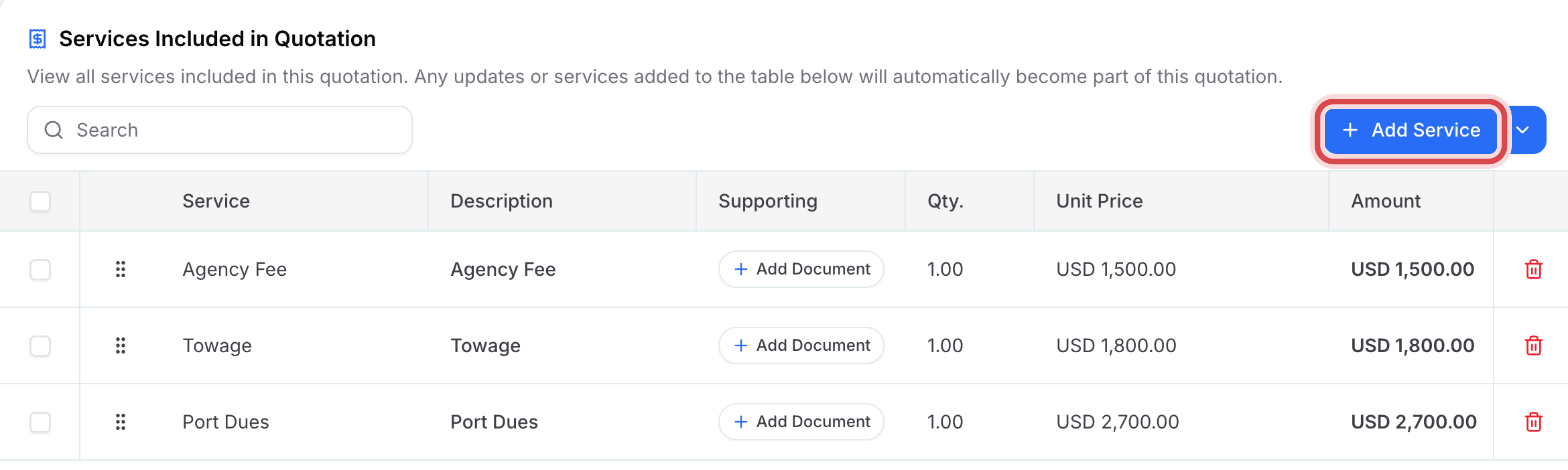
Add the services
Under Services Included in Quotation, click Add Service. Choose the Service, enter the Description, Qty. and Unit Price with its currency, and save the row. Repeat for each service you quote.
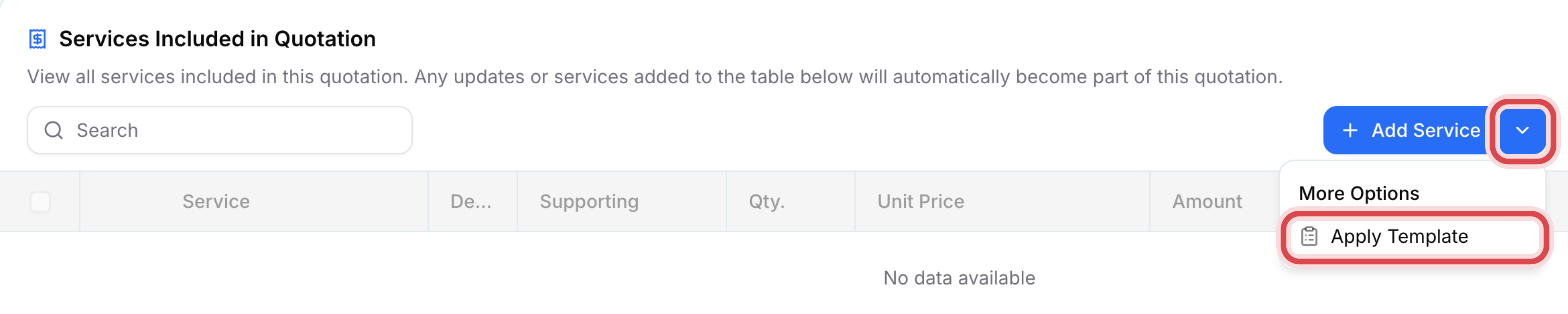
Or apply a template
To add a standard set at once, open the arrow next to Add Service and click Apply Template. If you have agreed tariffs with this customer, the services take the tariff prices. See Manage services and tariffs.
Was this article helpful?
Thanks for your feedback.