

Check an exchange rate's history
See which rate applied on a given date.
PCM keeps every rate a currency pair has had, so you can see which one applied to a document on its date.
Open the rate’s history
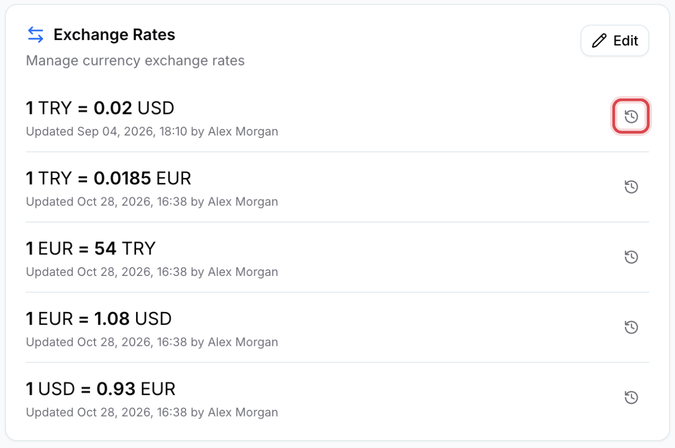
On Exchange Rates, click the history icon (View rate history) next to a rate.
Read Rate History
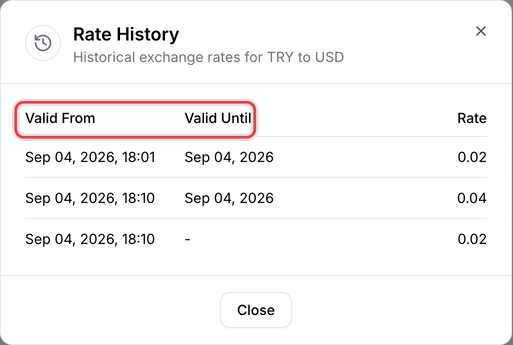
Rate History lists every rate of the pair with its Valid From and Valid Until dates.
Know which rate PCM uses
PCM looks for a rate on the document’s date, in this order:
- The rate in that direction.
- The rate in the other direction, inverted.
- A rate through the group currency, using the rates from the group currency to each of the two currencies.
If none exists for that date, PCM does not save the service, document or payment and tells you the exchange rate was not found. Add the missing rate and try again. See Use exchange rates.
Note: Each customer invoice, customer payment and vendor invoice keeps a copy of the rates it was converted with. Changing a rate later does not change an approved document. To control which currencies a customer’s documents may use, see Set credit limits and currency controls.
Was this article helpful?
Thanks for your feedback.