

Available with:Port Call Management
Cancel an enquiry
Drop an enquiry that goes nowhere.
If an enquiry goes nowhere, cancel it so your team knows it is dropped. Its status becomes Cancelled.
Note: You can cancel an enquiry only while it is a Draft. Once its quotation is approved, it cannot be cancelled.
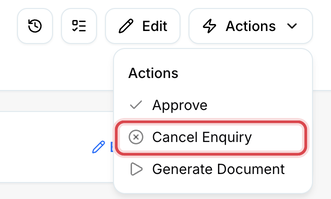
Choose Cancel Enquiry
Open the enquiry, open Actions and click Cancel Enquiry.
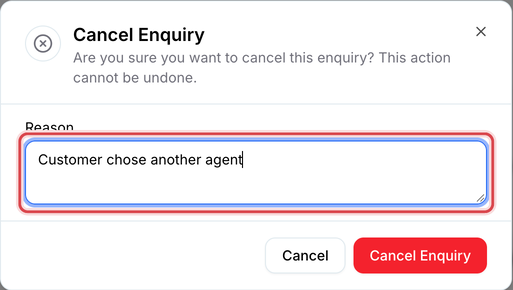
Give the reason and confirm
Enter the Reason and confirm. The reason is shown on the enquiry.
Was this article helpful?
Thanks for your feedback.