

Available with:Port Call Management
Cancel a job
Abandon a job that will not go ahead.
Cancel a job when the work is called off before any billing has been done. Cancelling never needs approval.
Note: Cancelling cannot be undone. A cancelled job cannot be reopened.
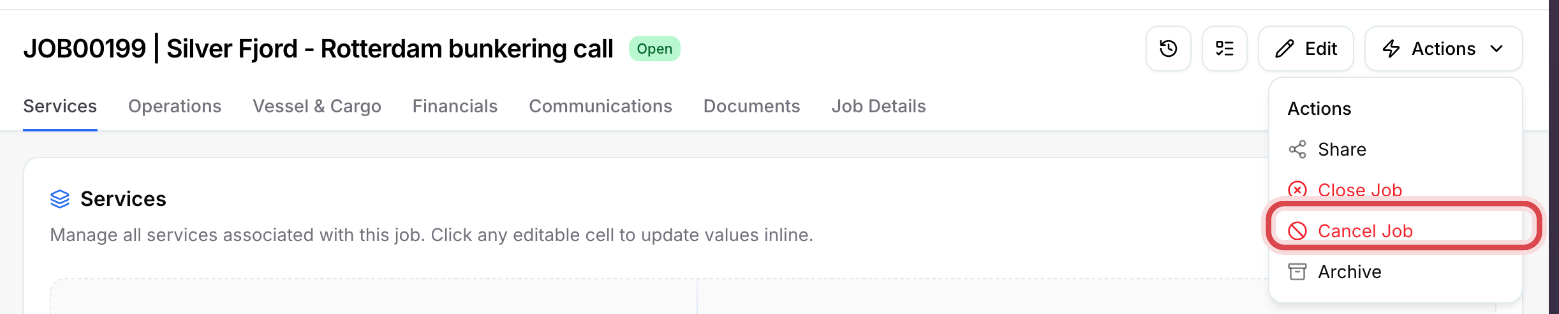
Choose Cancel Job
Open the job, open Actions and choose Cancel Job. Enter the Reason for cancellation.
Check that nothing blocks it
PCM will not cancel a job that has:
- services already approved or billed,
- services on a vendor invoice that is not approved yet,
- services shared with another branch,
- customer invoices already approved, or with payments allocated to them.
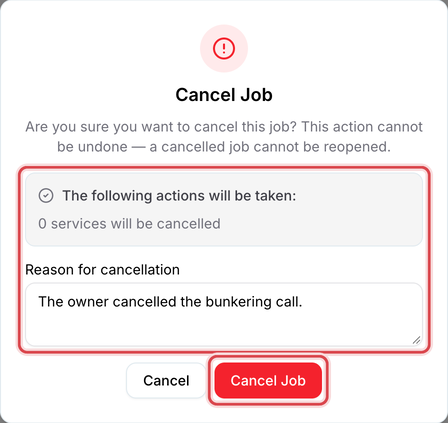
Confirm
If the job can be cancelled, PCM shows what will happen: all its services are cancelled, and draft Final Invoices on the job are cancelled with them. Click Cancel Job.
Was this article helpful?
Thanks for your feedback.