

Available with:Port Call Management
Archive a job
Take a job out of the Jobs list, and bring it back.
Archiving takes a job out of the Jobs list, for example an old or test job you do not want to see every day. It does not change the job’s status or anything on it, and you can archive a job in any status.
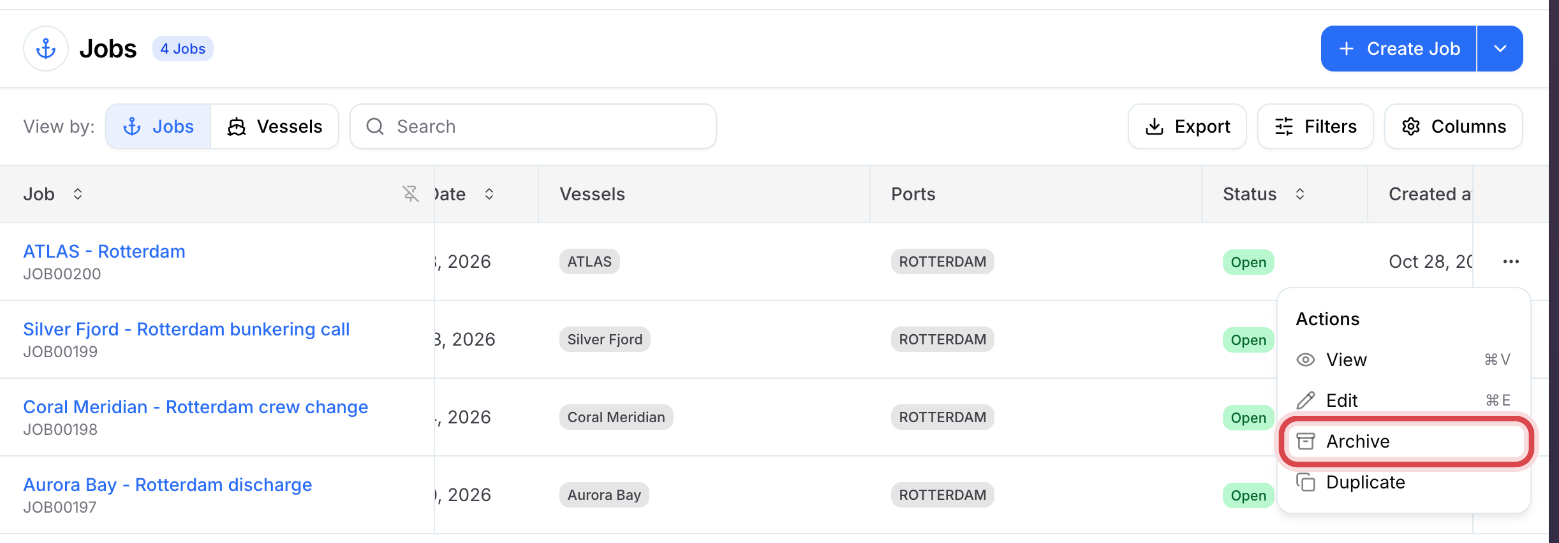
Choose Archive
Open Actions on the job, or the row’s actions in the Jobs list, and choose Archive.
Confirm
Click Archive Job. The job leaves the Jobs list.
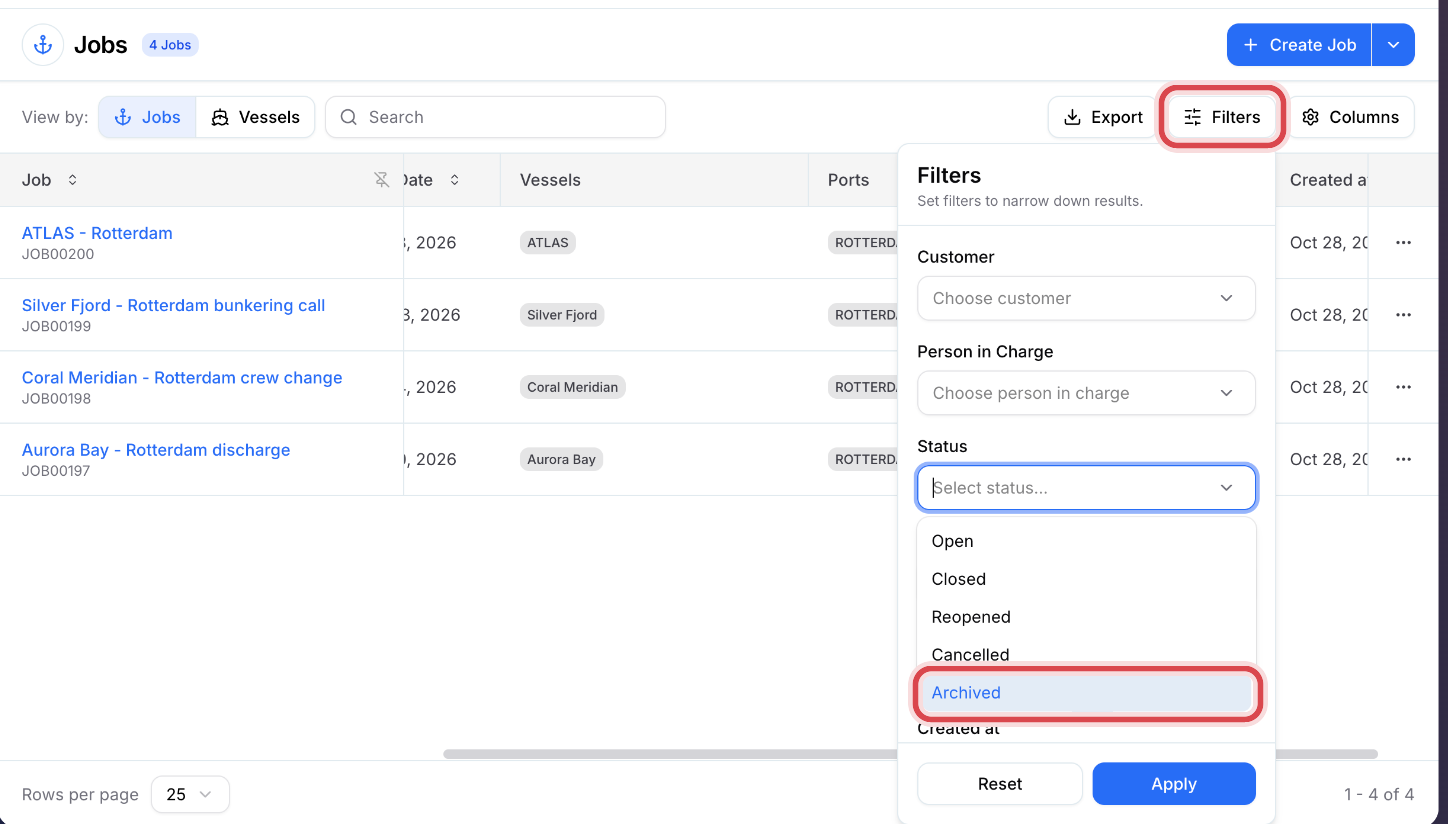
Find archived jobs
In the Jobs list, filter by Status and choose Archived.
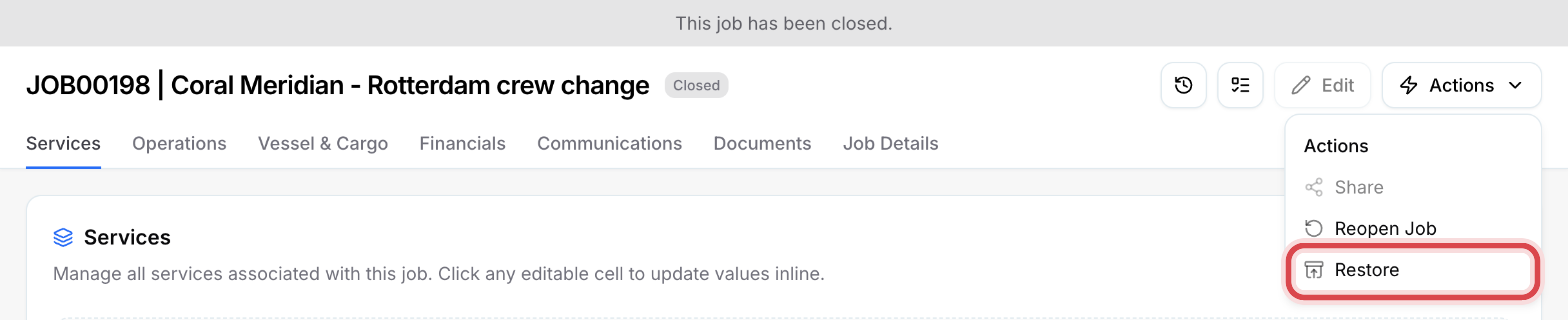
Restore a job
Choose Restore on the archived job and confirm with Restore Job. It appears in the list again with its current status.
Was this article helpful?
Thanks for your feedback.