

Add services from a template
Add a standard set of services in one go, with tariff prices.
If many of your jobs need the same services, save them once as a service template under Master Data, Templates, and add them to a job in one go.
Click Apply Template
On the job’s Services tab, open the arrow next to Add Service, click Apply Template and choose the template.
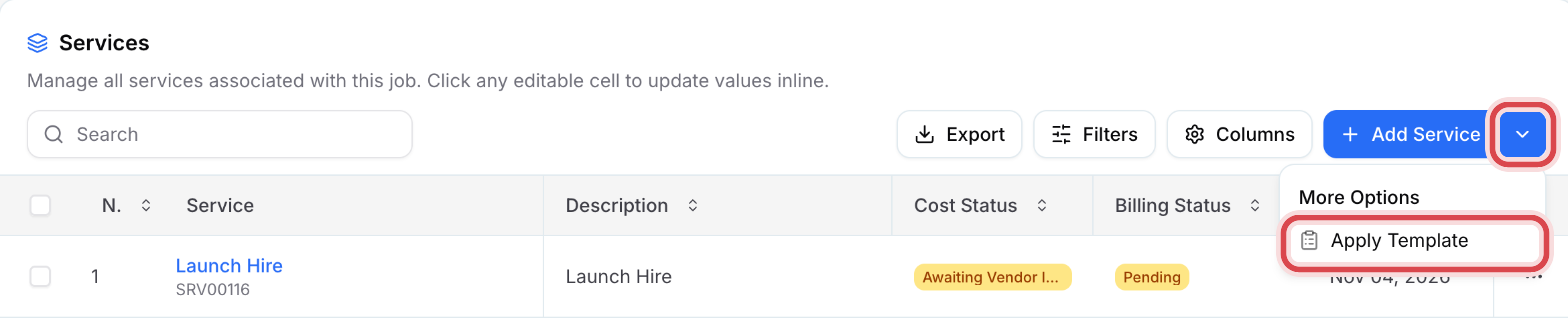
Note: Apply Template is shown only when your branch has at least one service template.
Check each service
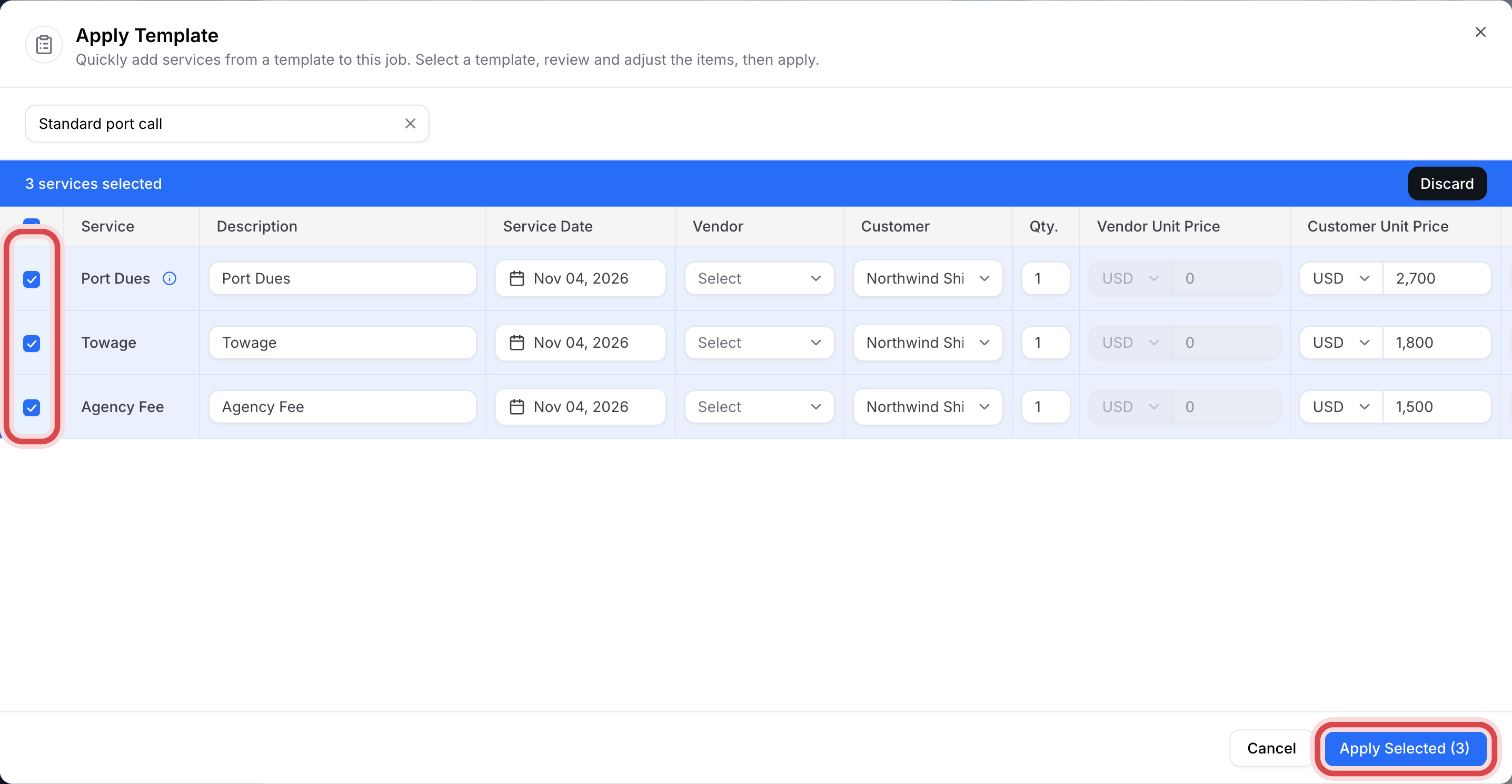
The template’s services are listed. For each one, check the Service Date, Customer, Qty. and prices.
Where PCM finds a tariff for the service and its customer, it uses the tariff’s price, currency and tax, and tells you how many services got a tariff price. Click the info icon next to the service to see the change, and Discard tariff to go back to the template’s price, or Re-apply tariff to use it again. See Manage services and tariffs.
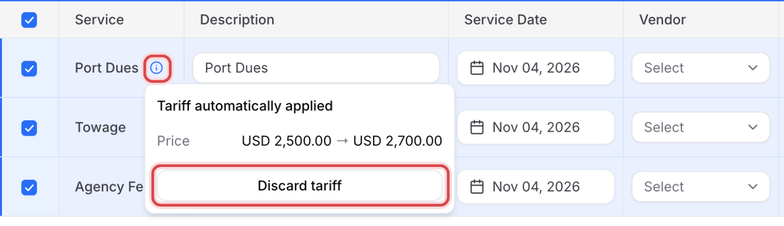
Note: Only customer tariffs set prices. Vendor prices come from the template.
Apply the services
Tick the services you want and click Apply Selected.
Was this article helpful?
Thanks for your feedback.