

Generate a Statement of Facts (SOF)
Create the Statement of Facts for a vessel's call.
The Statement of Facts (SOF) records what happened during a vessel’s call and when, and is used to settle laytime and demurrage. You record the events on the vessel as they happen, and PCM builds the SOF from them as a PDF or an Excel file.
Open the vessel
Open the job, go to the Vessel & Cargo tab and click the vessel’s name. The vessel’s page opens on Daily Activities.
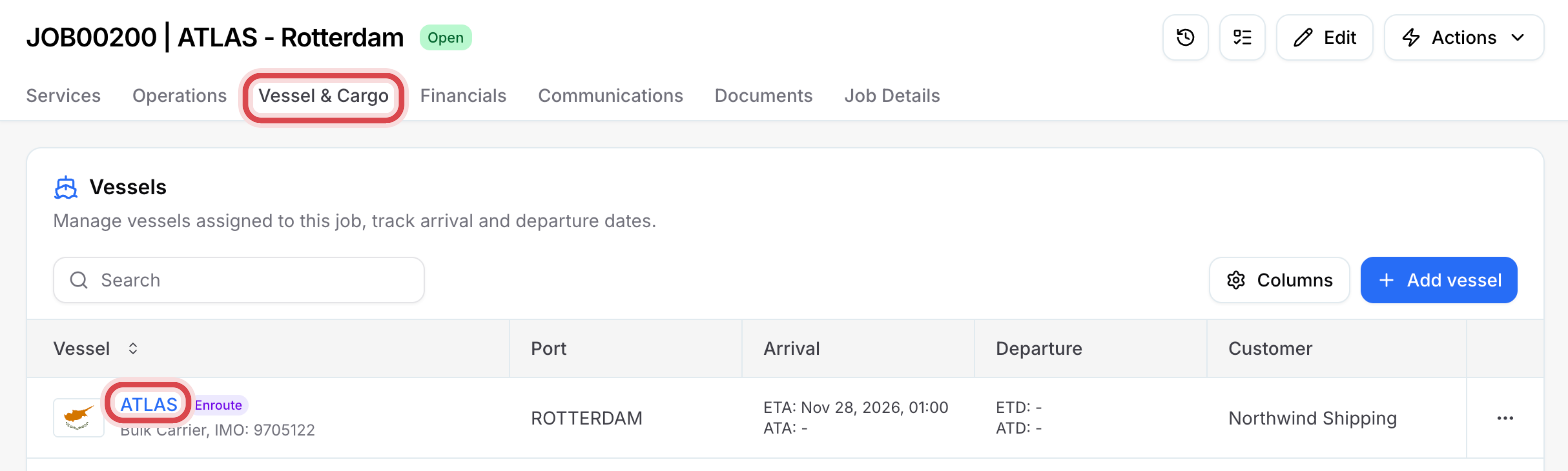
Note: The vessel must already be on the job. See Add vessel details.
Record the events
Under Events, click Add Event. Choose the Event Type, enter the Date, the From and To times and any Remarks, and save the row. Repeat for every event of the call.

Tip: If many calls go through the same events, add them in one go. See Add events from a template.
Record drafts and bunkering
On the same page, fill in Drafts and Bunkering if the SOF should show them. The default layout prints the forward and aft drafts on arrival and departure, and the bunkers on arrival, supplied and on departure.
Generate the SOF
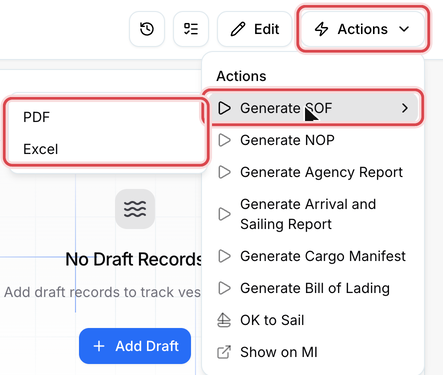
At the top of the vessel’s page, open Actions, point to Generate SOF and choose PDF or Excel.
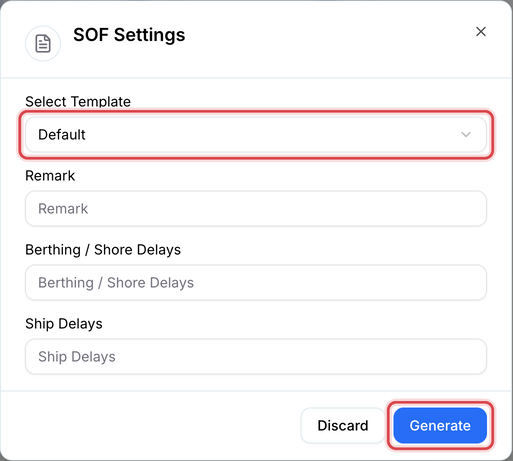
If SOF Settings opens, choose the layout in Select Template and fill in the delay and remark fields your branch uses. What you type goes onto this SOF only. Click Generate.
Download the SOF
PCM builds the file in the background and tells you when it is ready. A PDF opens in a preview: click Download, or Send, if you see it, to email it. An Excel file downloads straight away.
Generate it again whenever the events change; each SOF gets its own document number.
Note: Actions is not shown on a closed job, so generate the final SOF before you close the job.
Was this article helpful?
Thanks for your feedback.