

Change or remove an approval rule
Change who approves an action, or stop asking for approval.
When the people who approve change, update the rule instead of adding a new one. For what happens to requests already waiting, see Approvals.
Open the rule
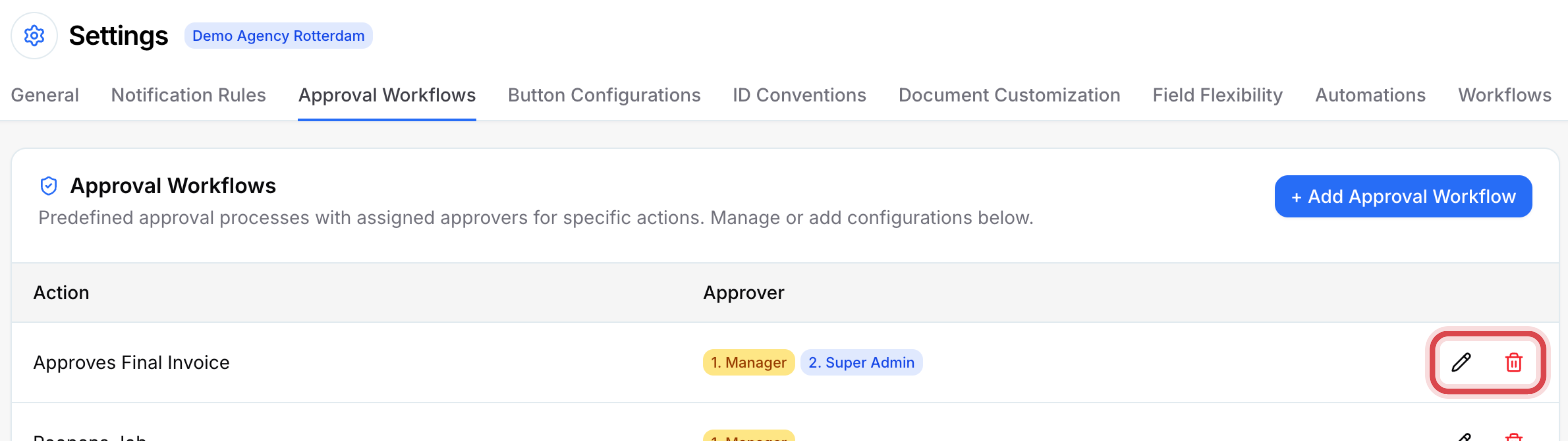
Click the gear icon (PCM Settings), open the Approval Workflows tab and click the edit icon on the rule’s row.
Change the steps
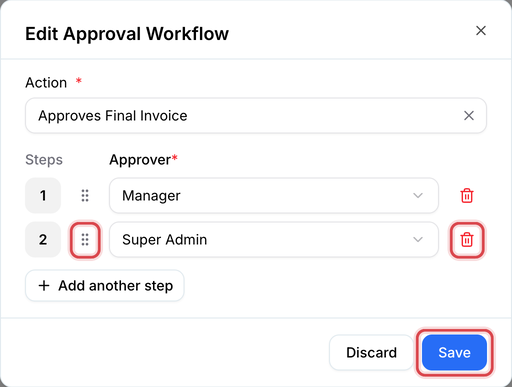
Change the action or the roles. Drag a step by its handle to change the order, or click its delete icon to remove it. A rule needs at least one step.
Click Save. The steps in the dialog replace the old ones.
Remove the rule
Click the delete icon on the rule’s row and confirm with Delete. The action then runs directly again, without approval.
Note: Let the requests waiting under a rule finish before you delete it.
Was this article helpful?
Thanks for your feedback.