

Available with:Port Call Management
Number draft invoices separately
Give drafts a temporary number so cancelled drafts leave no gaps.
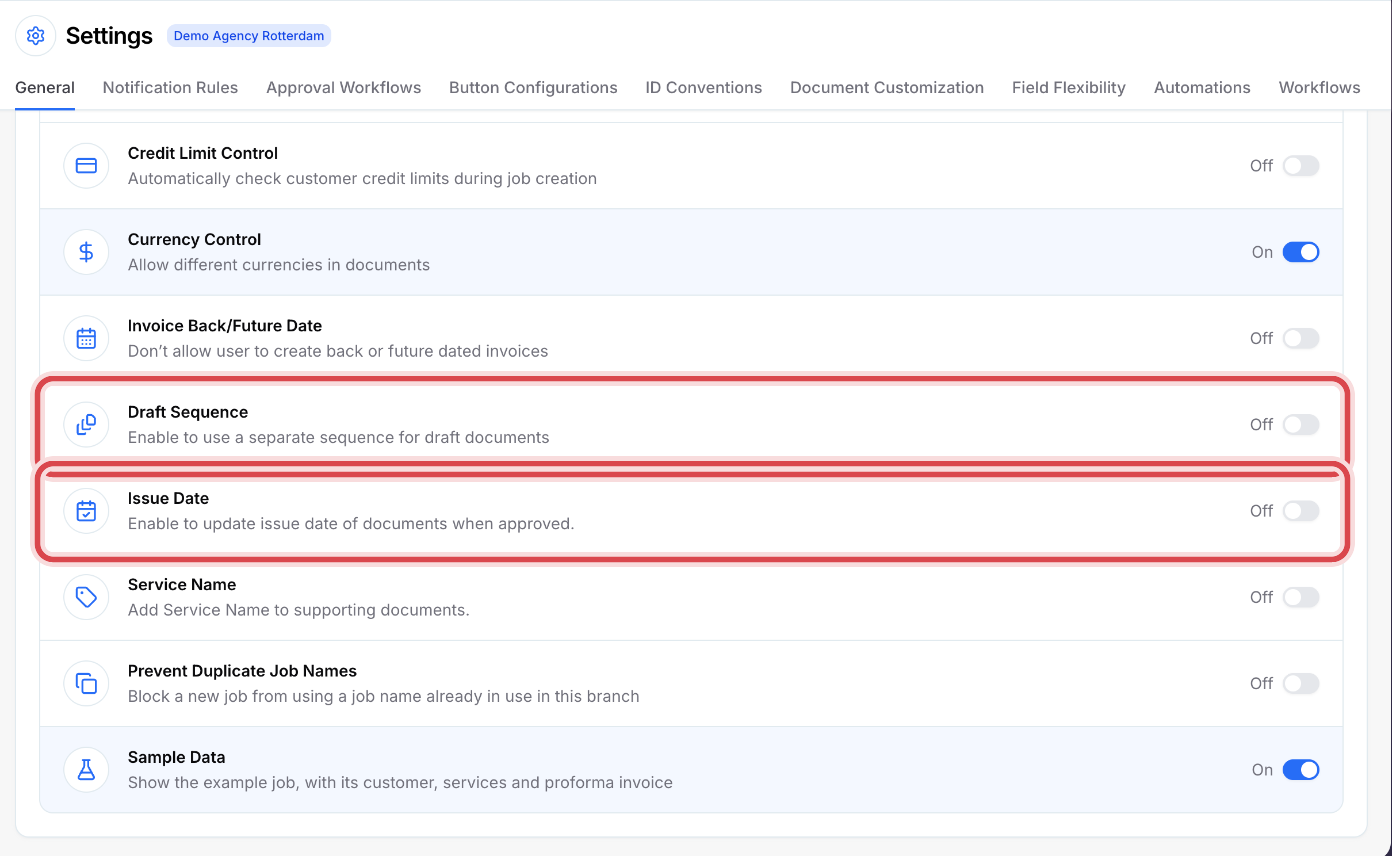
With Draft Sequence on, Final Invoices and Credit Notes get a temporary draft number while they are drafts, and their real ID only when they are approved. Cancelled drafts then leave no gaps in your invoice numbers.
Open the General tab
Check the branch at the top of the screen. Click the gear icon (PCM Settings) and open the General tab.
Note: You need the permission to update the General settings.
Turn on Draft Sequence
Turn on Draft Sequence. Changes on the General tab apply immediately.
Decide on Issue Date
If Issue Date is also on, approving the document moves its issue date to the day of approval, and the date part of the new ID follows it. See Set ID conventions.
Was this article helpful?
Thanks for your feedback.